How to Manage Your Accounts and Sites in Page Pilot
This section of Page Pilot provides the access to view existing user/organization accounts and allows user to add new account and sites. This screen can be described as follows:
1. Account Details – The currently active account is highlighted in green text (e.g., Home), and all details related to this account are visible across every section of Page Pilot. Users can also switch between different accounts (e.g., Home, Home2) using the Select tab and can copy the ID of the selected account when needed.
2. Site Details – Just below the account information, the details of sites linked to that account are displayed. Users can create a new site by clicking on the + New tab. This section is also integrated with an advanced feature called Train AI for enhanced functionality.
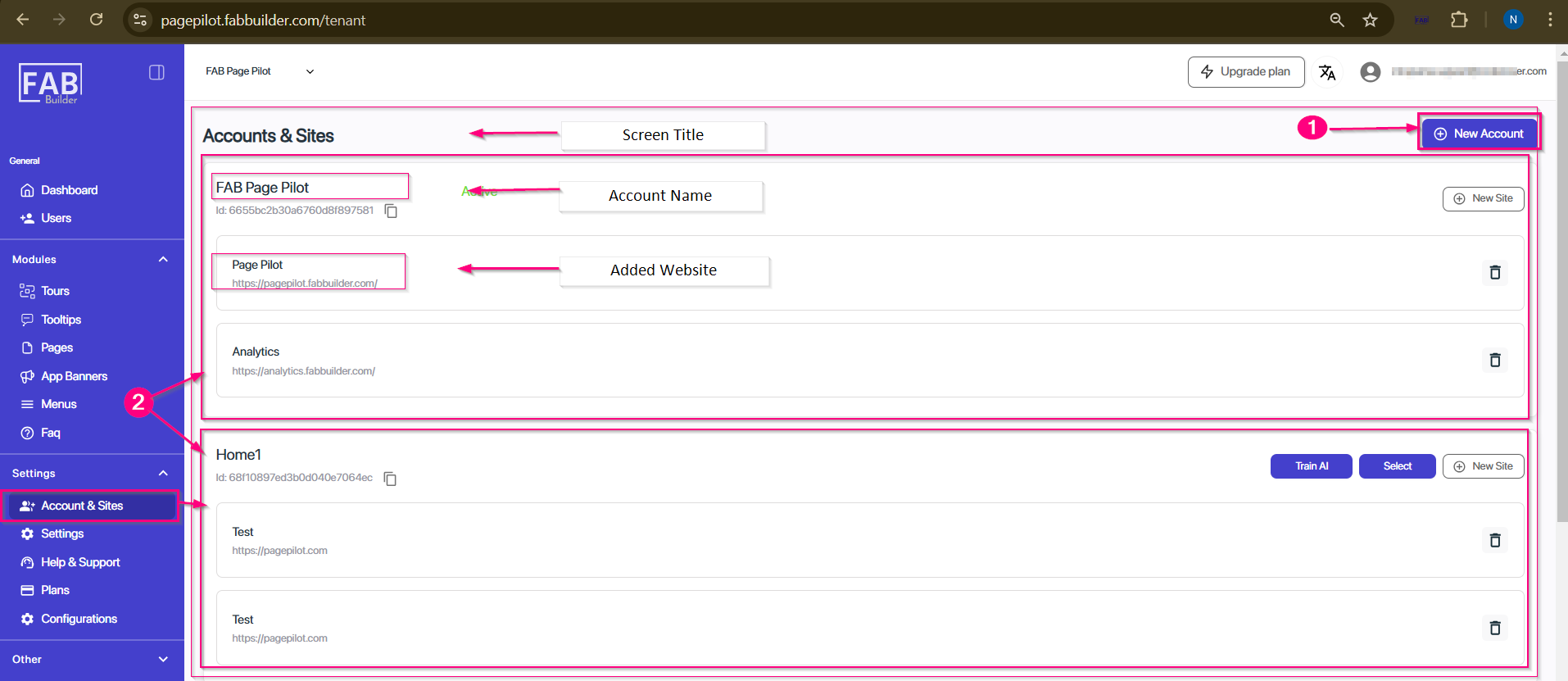
Screen- Account & Site