How to Add a New FAQ in Page Pilot | Step-by-Step Guide
This section allows the user to add a new FAQ by entering both the question and its content (answer/explanation). The question is listed in the FAQ Questions panel, and the corresponding content can be added or edited by the content editor.
Steps to Add a New FAQ
1. In the FAQ Group Details area, click on the + Add New FAQ tab.
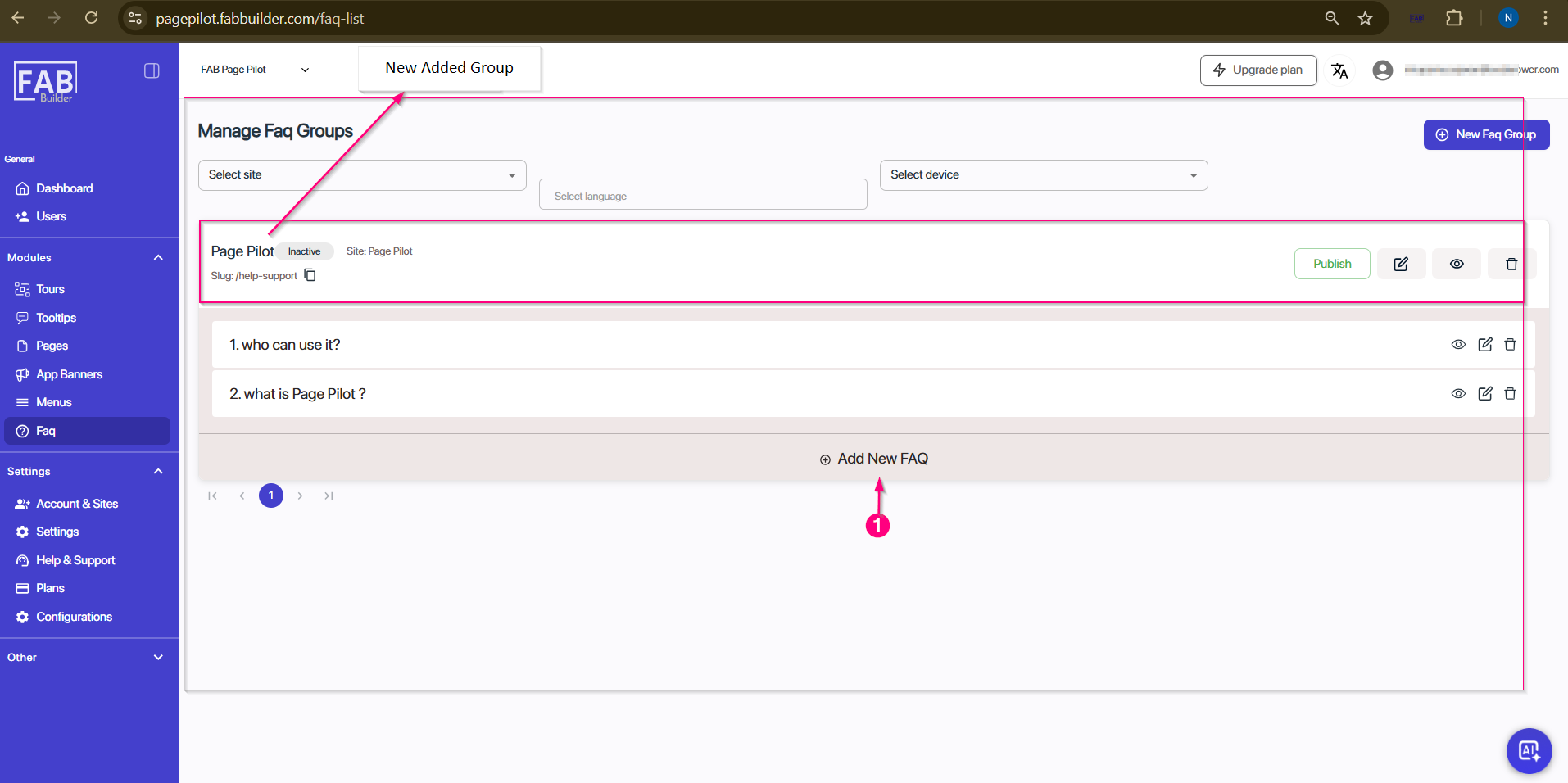
Screen- Access to Add New FAQ
A new pop screen of add new FAQ will appear.
2. Enter the FAQ details and click the Save button.
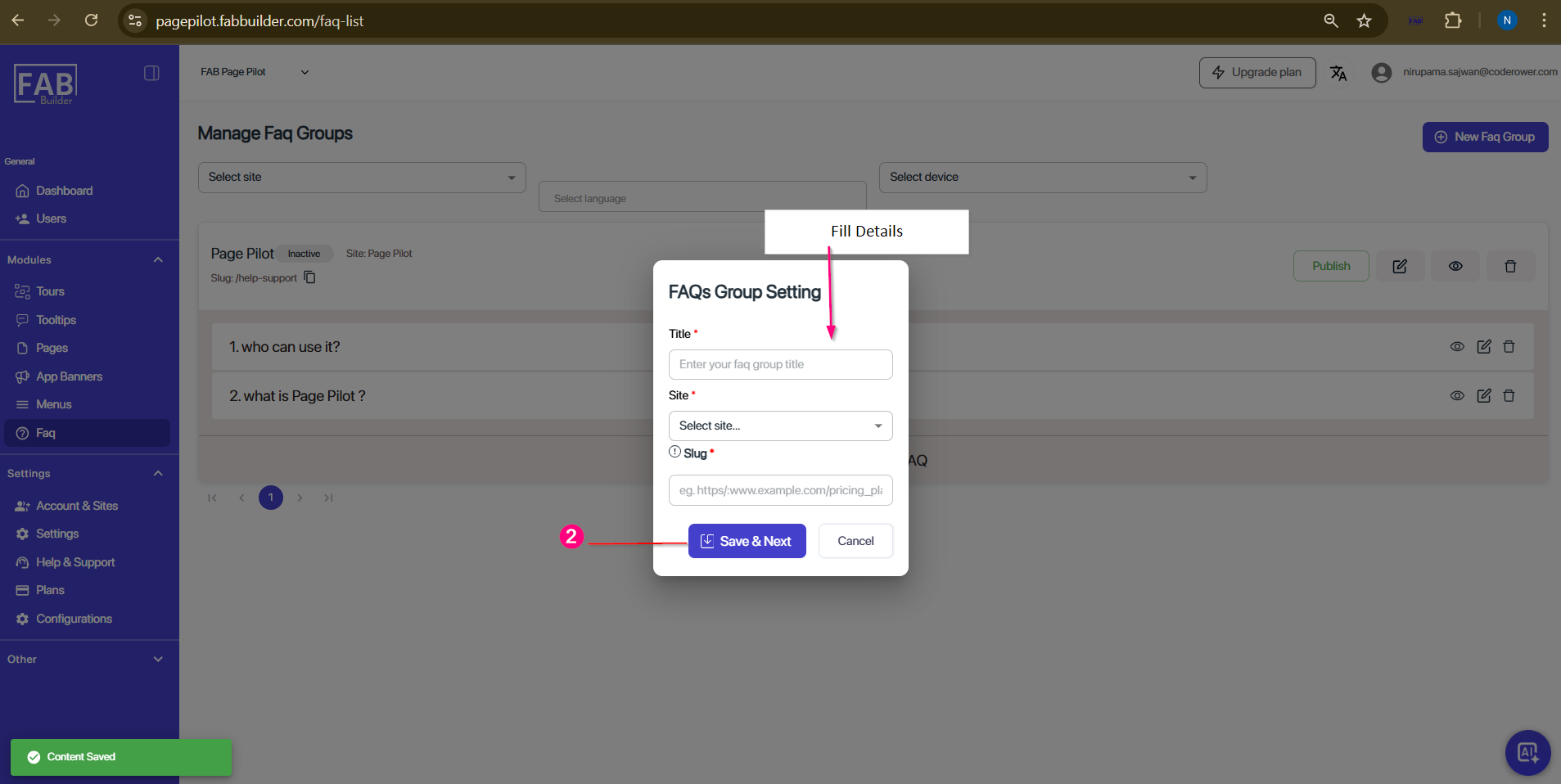
Screen- Add New FAQ
3. Select the question from the FAQ Questions panel and add the respective answer/content in the Content Area (on the right side of the screen).
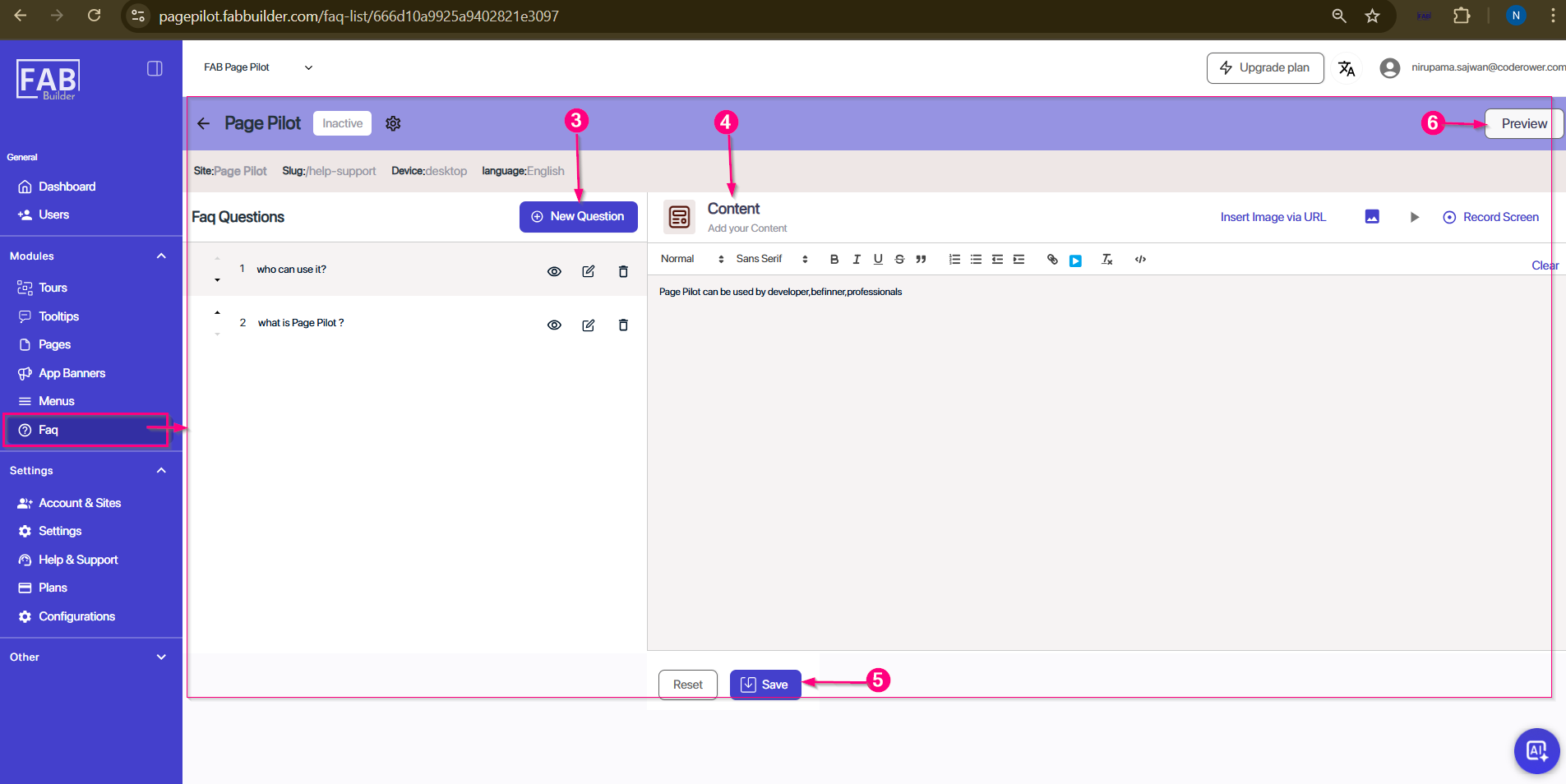
Screen- FAQ/Answer Content Creator
4. Compose the content in main screen area on right side. Users can add other content such as record screen video, image URL, video with the FAQ content.
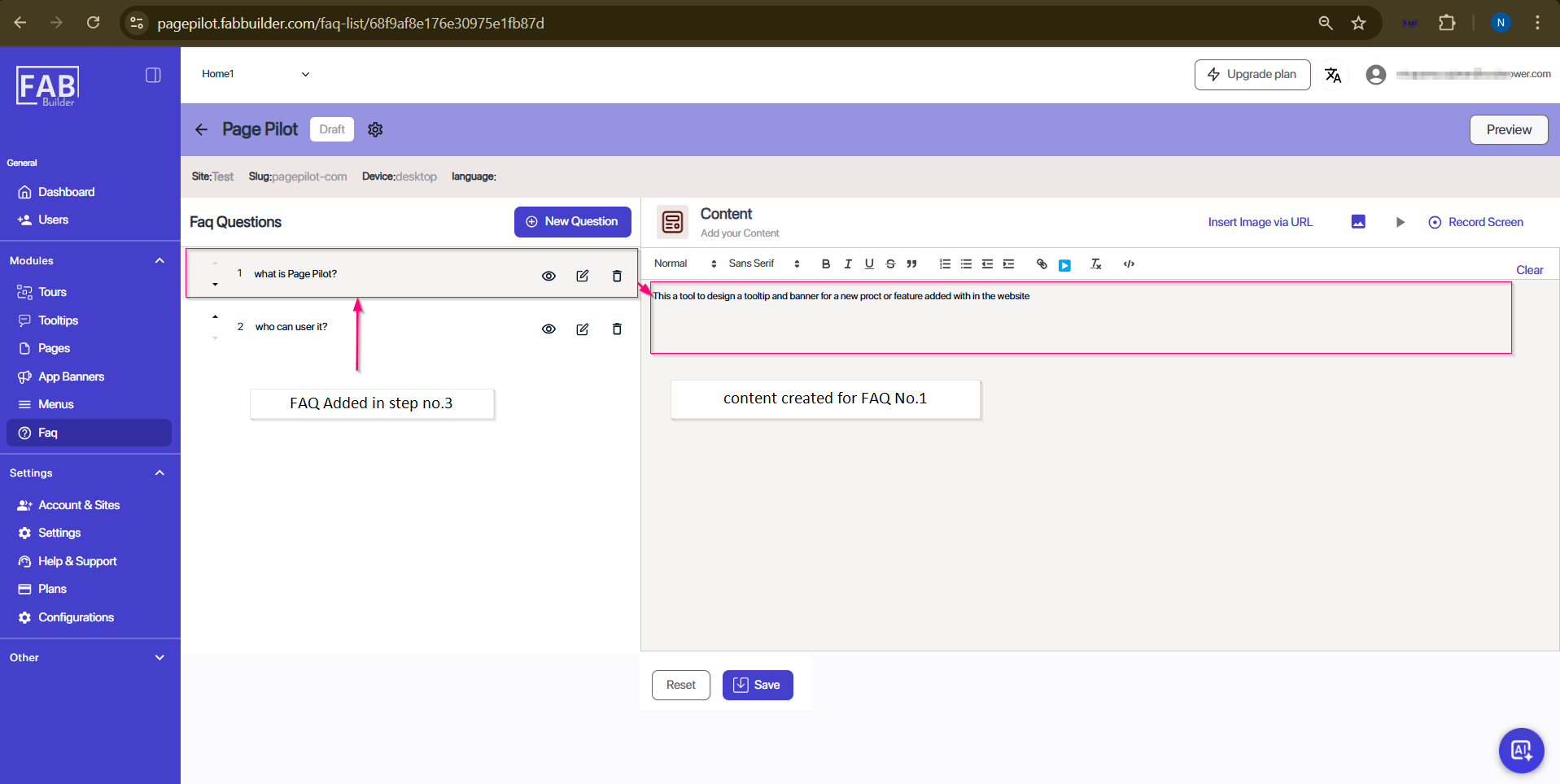
Screen- Added Content of FAQ
5. Click on save button located at footer area of screen. Users can also reset all details by clicking on reset button located next to save button.
6. Users can perform various actions such as preview(optional).
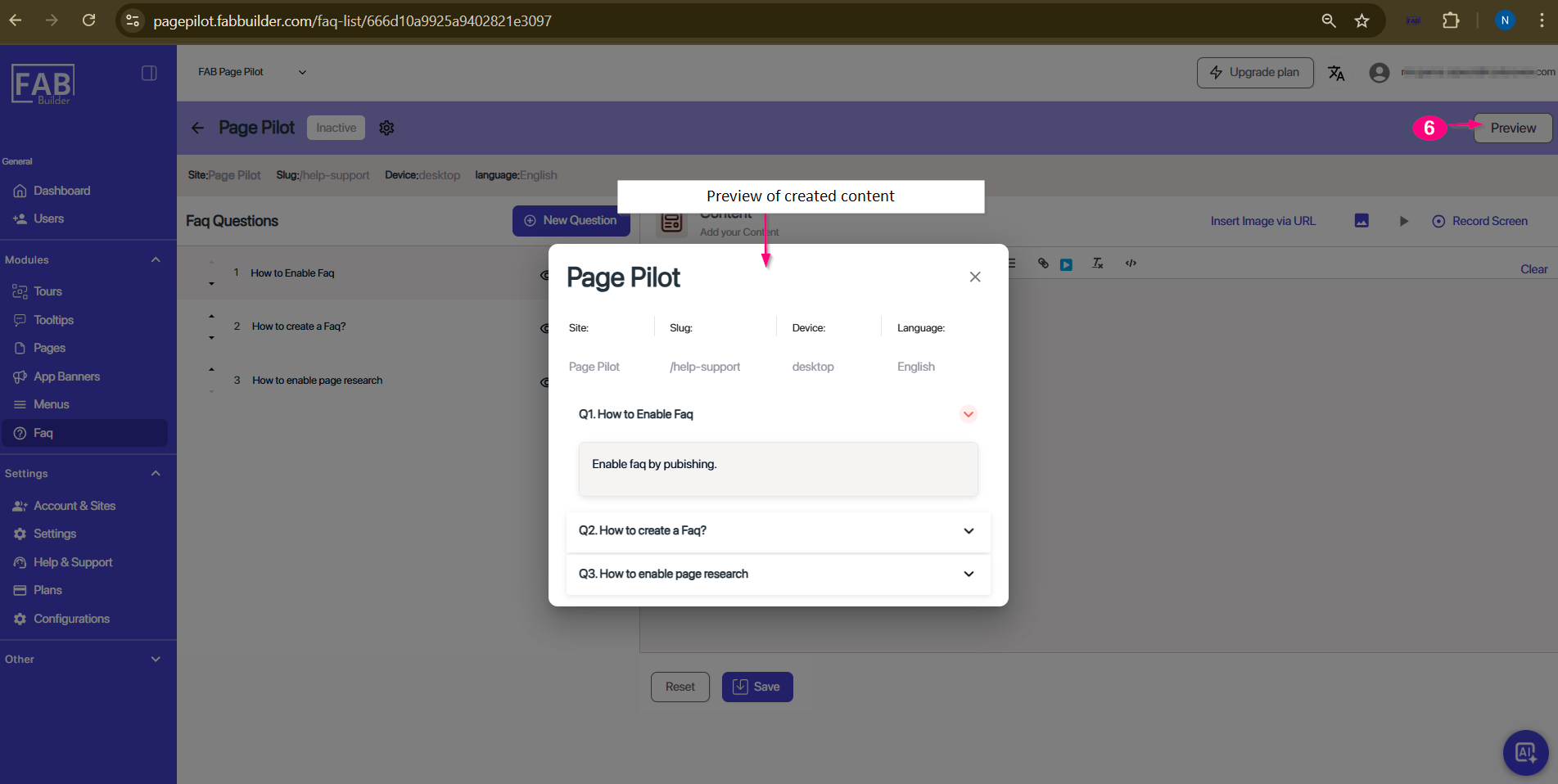
Screen- FAQ Preview
After saving, the user is redirected to the FAQ Editor screen (refer to FAQ Editor Section for details). The newly created FAQ will appear now in the FAQ Questions panel of the FAQ Editor screen.
7. Now user can view all FAQs on the FAQ main screen. User must click on the publish button to publish it on website.
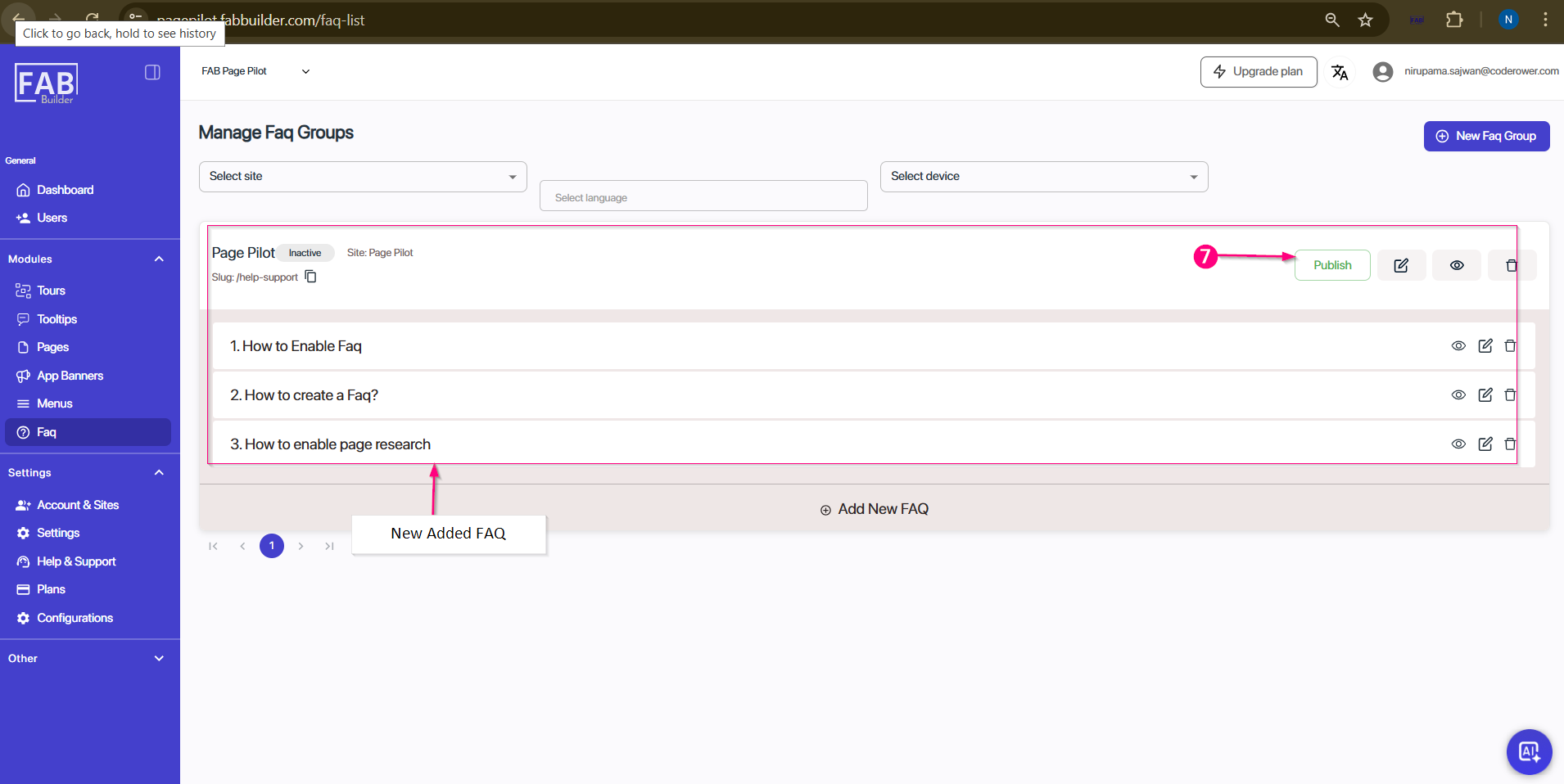
Screen- Added FAQ