Page Pilot: How to Add a New User Step by Step
A new username can be added by clicking on New User button under Users module.
1. Click on the new user button.a new pop screen of new user will open.
2. Fill all details i.e., name,email,access.
3. Click on send invite button.
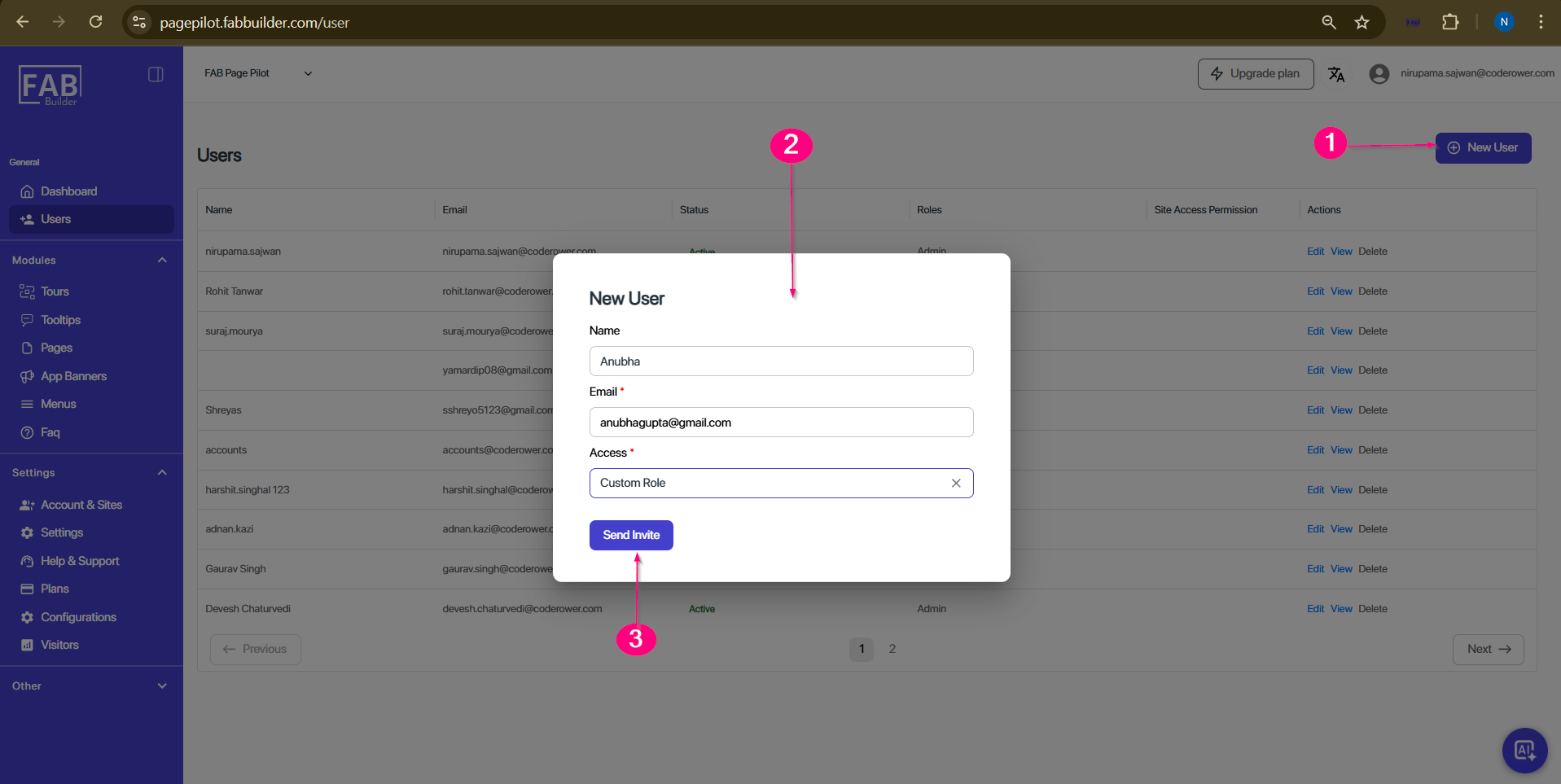
Screen- Add New User steps
User can view the newly added username on main screen area of users module.user details can be edited, view, deleted.
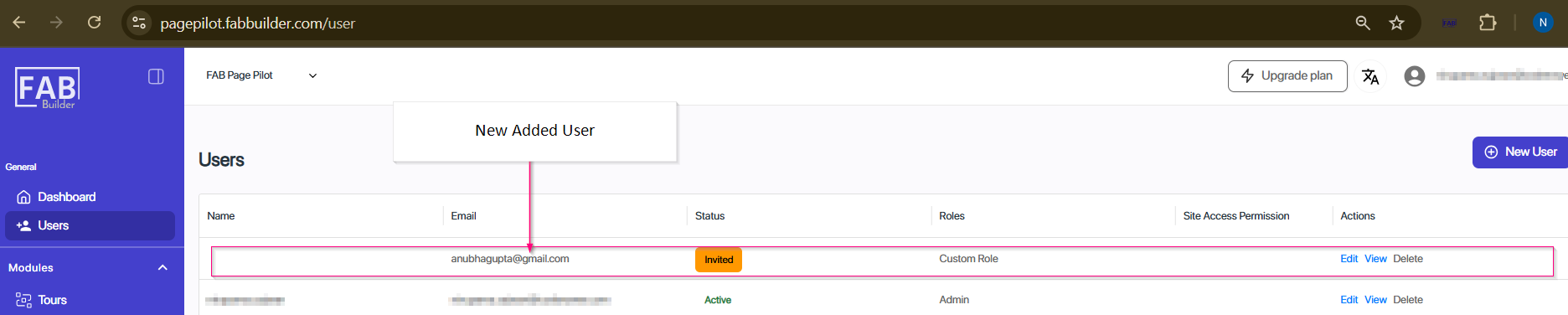
Screen-New Added user