Steps to Add Pages in Menu
Step 1: Open the Menu Section
Go to the Menu section from the dashboard.
Step 2: Click on EditClick on the Edit button of the selected menu.
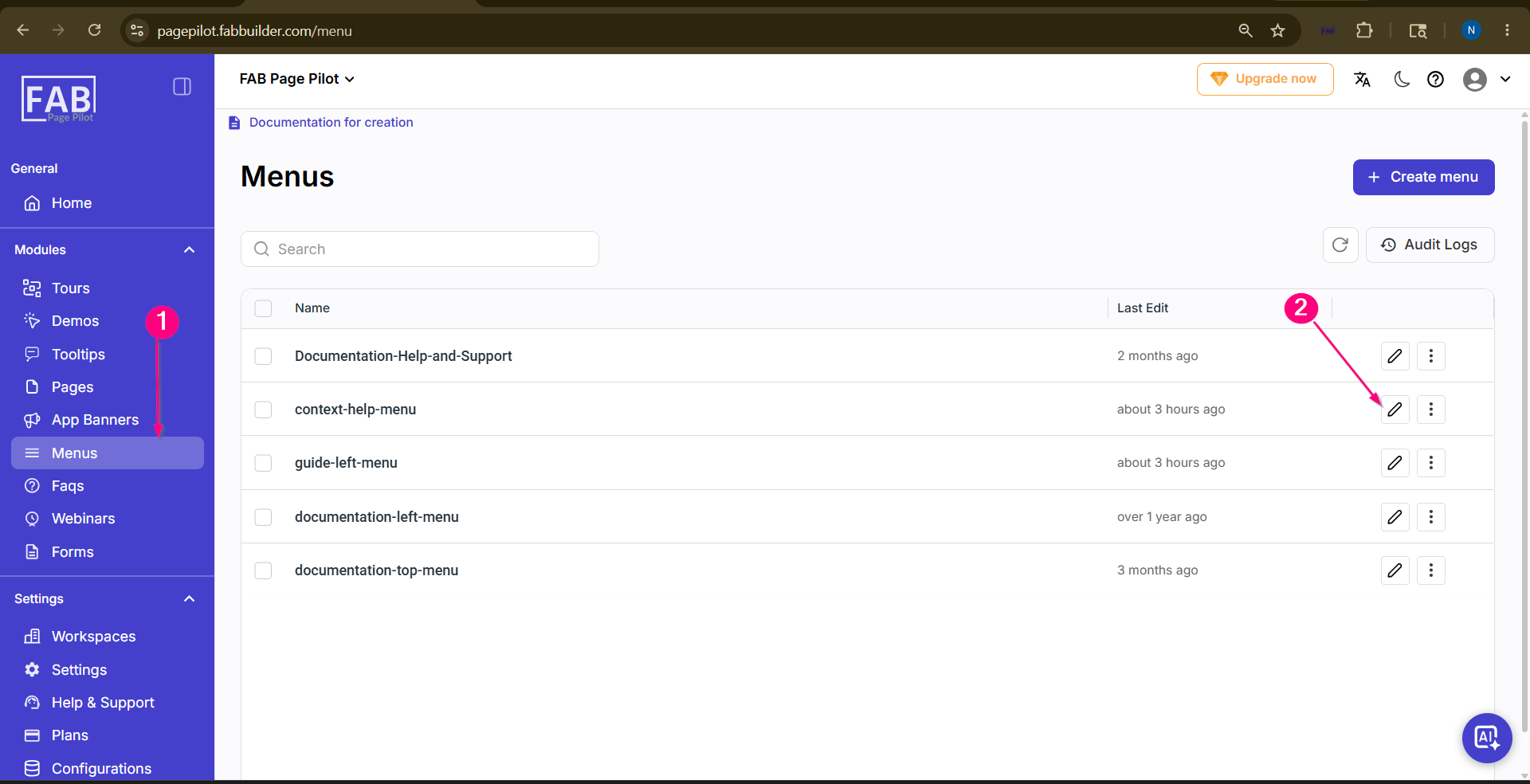 Screen- Select the Menu Step 3: Open the Menu Configuration and add page detail
After clicking the edit button, the menu configuration panel will open where pages can be added.
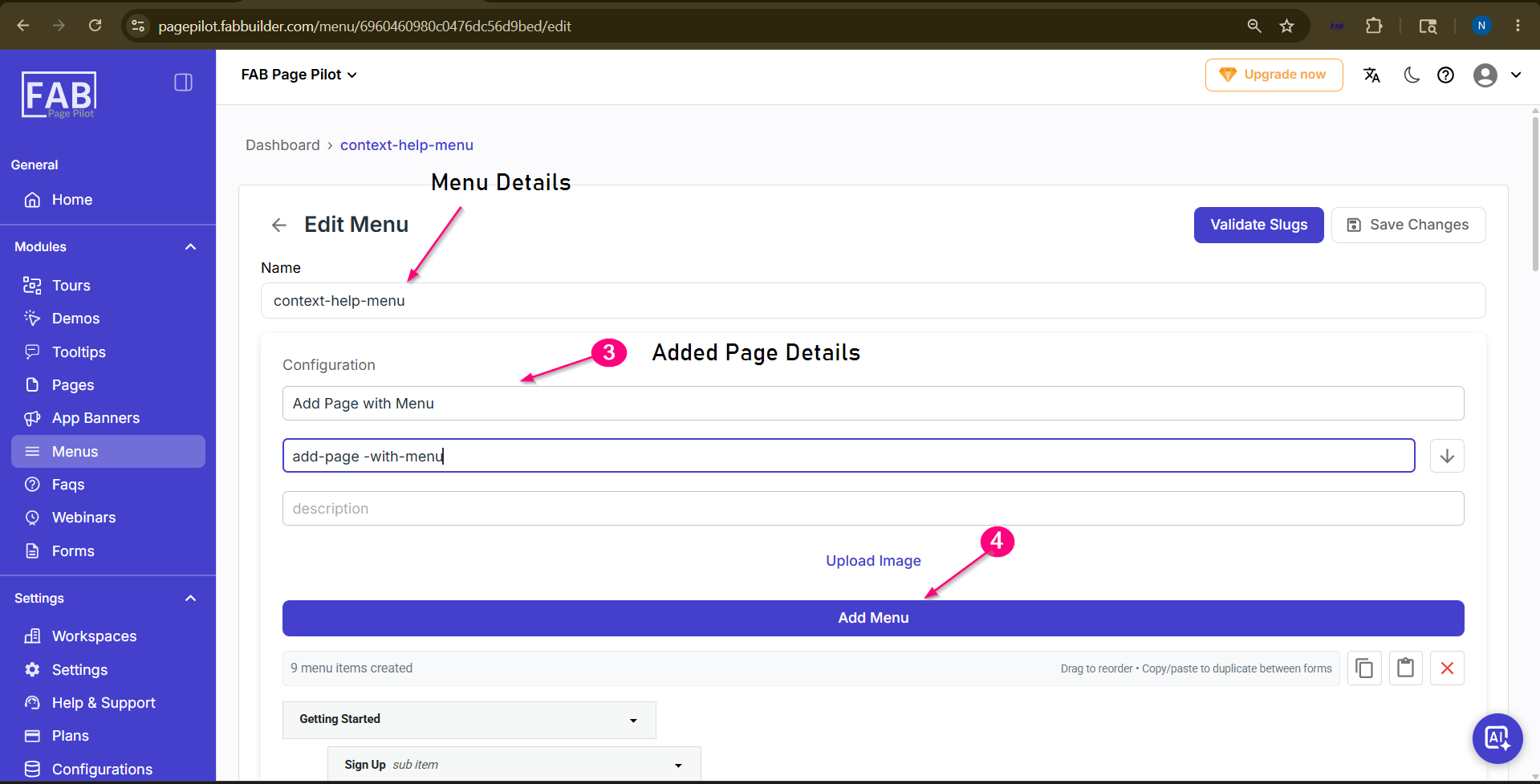 Screen- Add Page in the Menu
Step 5: Add and View Pages
Click on the Add Menu button to add pages to the selected menu. Scroll down to view the newly added pages in the menu list.
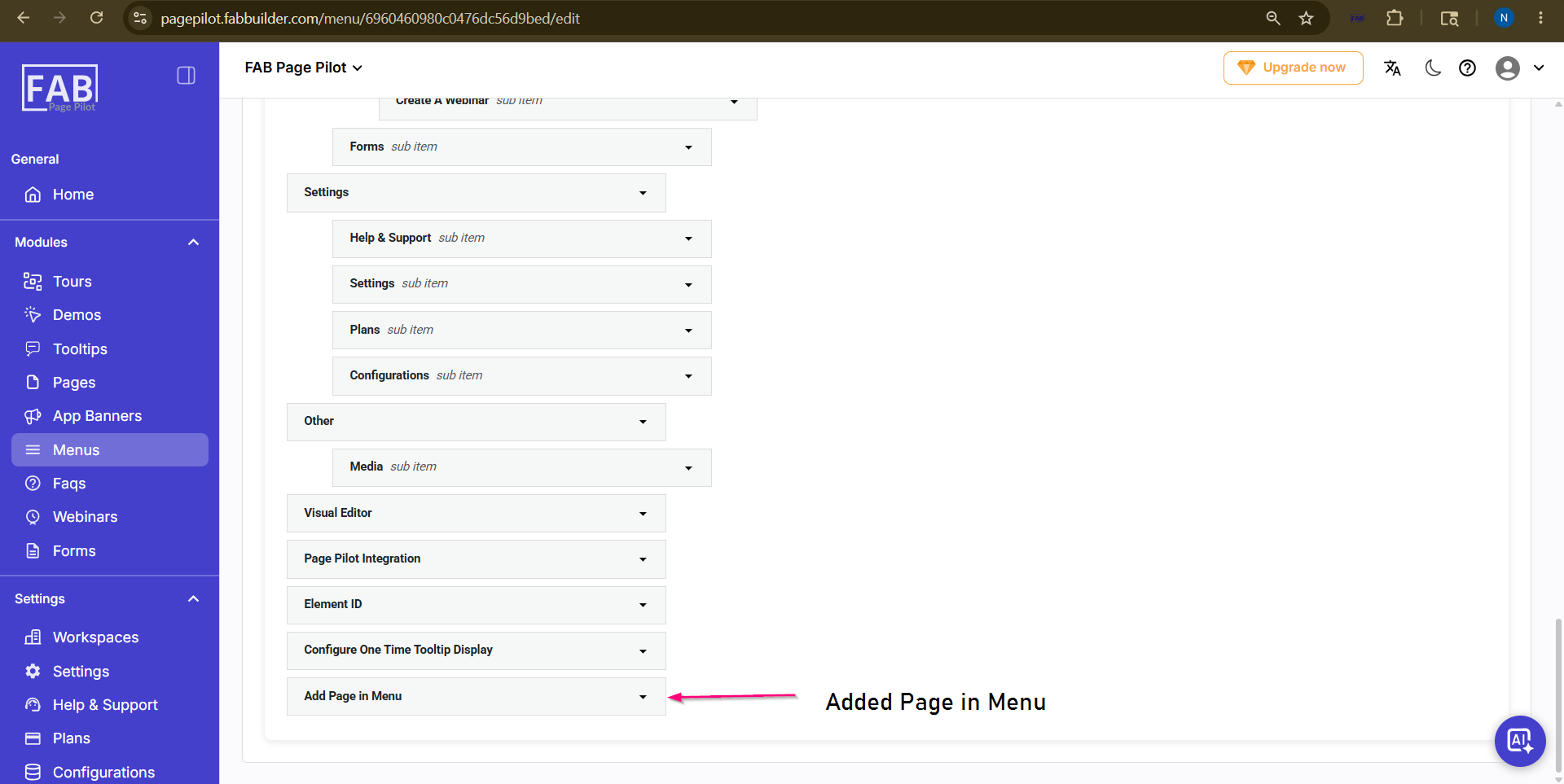 Screen- View th Added Page
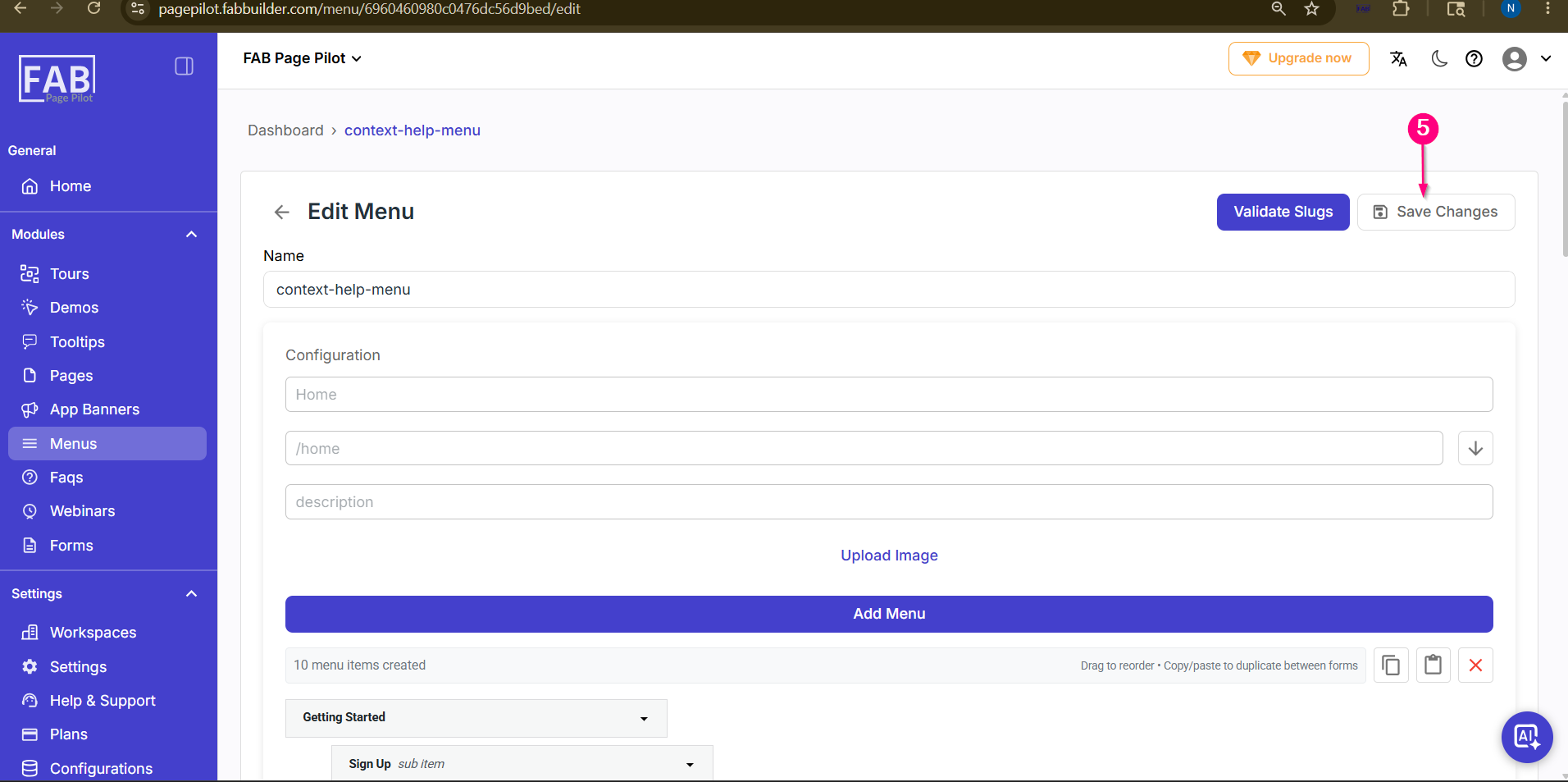
Step 6: Save Changes
After adding all required pages, scroll up and click on the Save Changes button to save the updated menu configuration.
 |