Overview
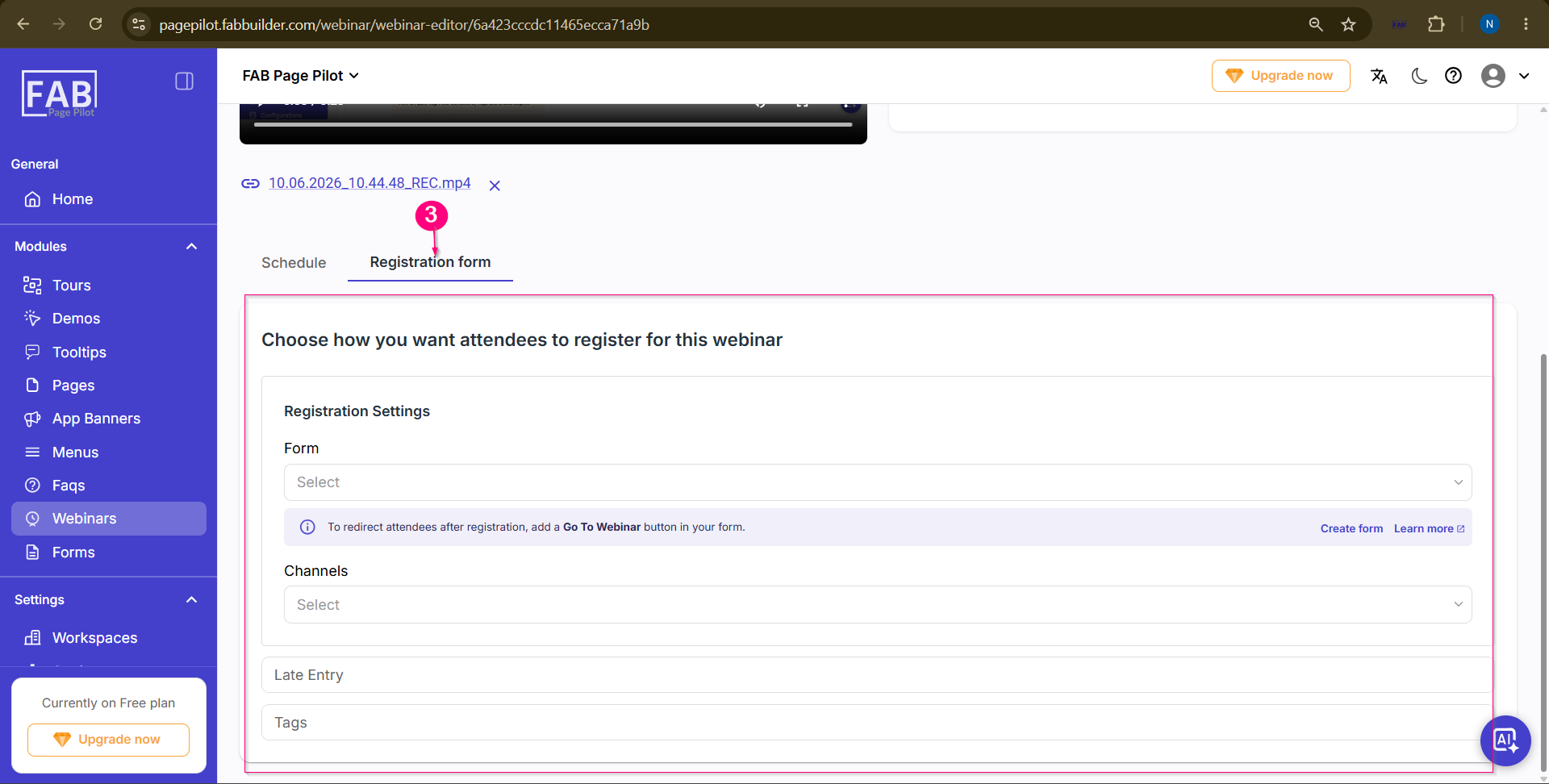
The Registration Form feature allows users to associate an existing form with a webinar to collect attendee registration details. Users can select the required registration form, configure the communication channel, and specify additional settings such as late entry and tags.
Prerequisites
Screen Components
Steps to Add a Registration FormStep 1:Navigate to the Webinars module. Step 2:Select the required webinar, click Edit, and open the Registration Form tab. 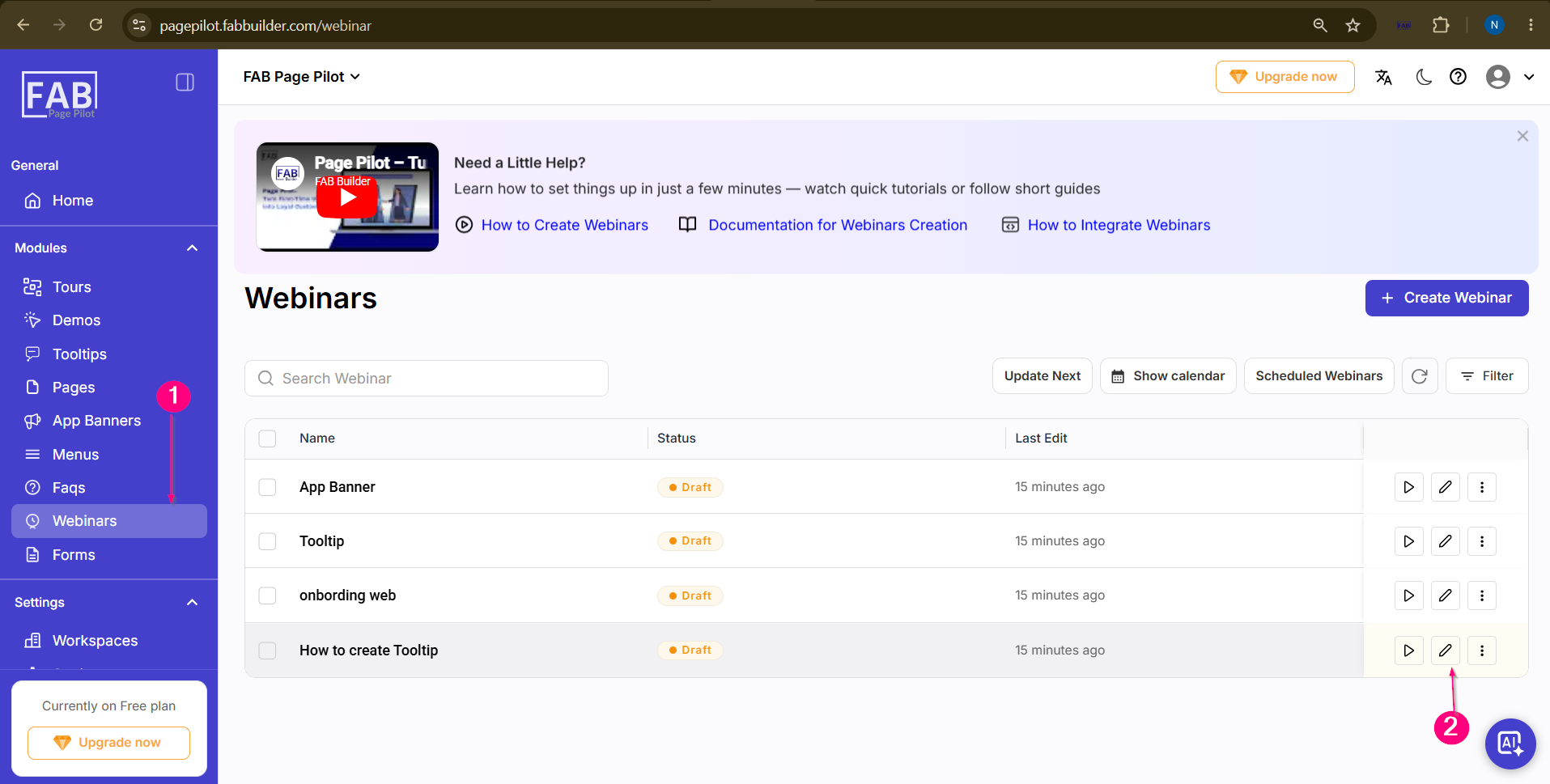
Step 3:Configure the registration settings by:
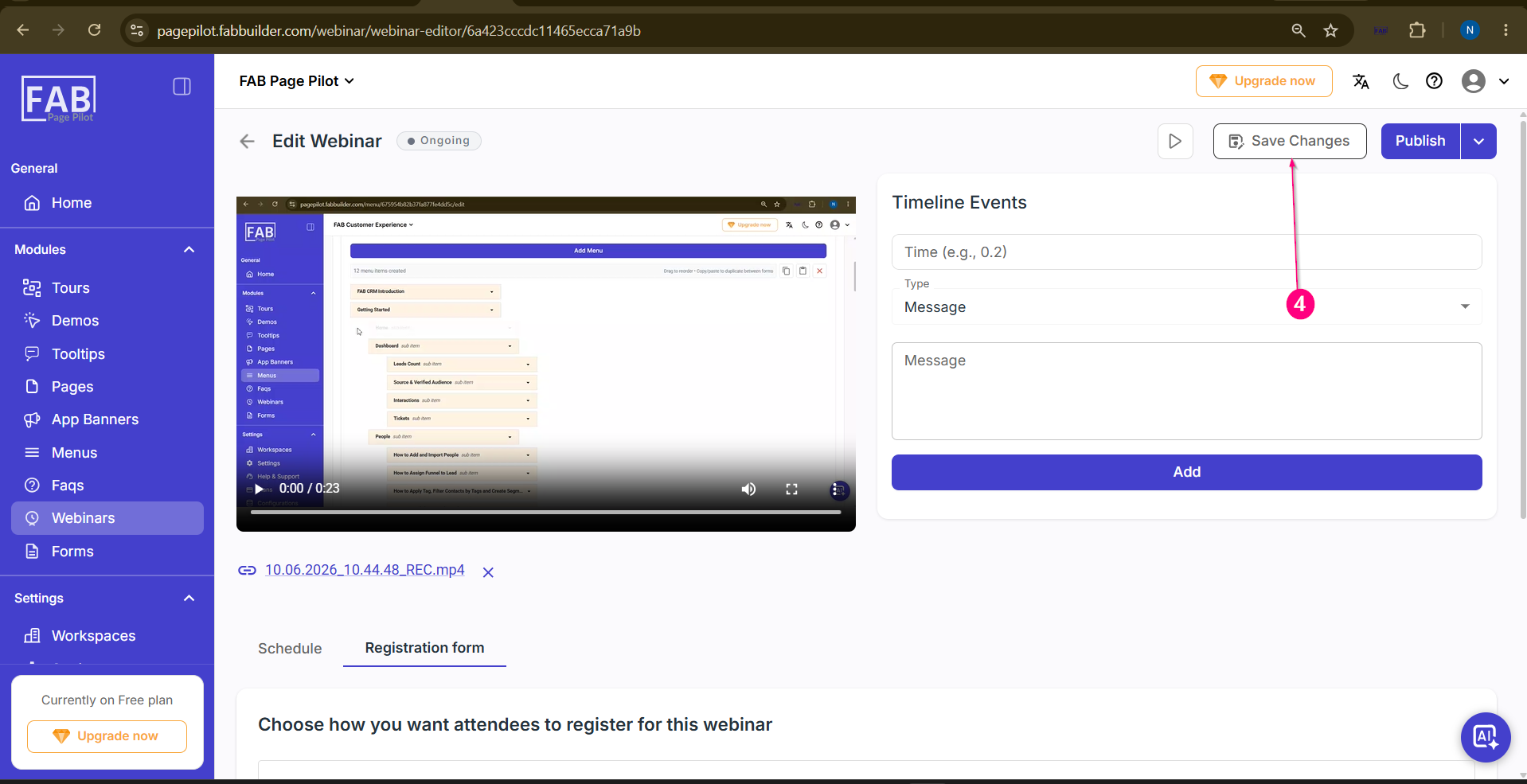
Step 4: Click Save Changes to save the registration form settings.
Result: |