Page Pilot App Banners: Create, Customize & Schedule Banners
The App Banners section allows users to create, view, and manage banners that will be displayed on their website.
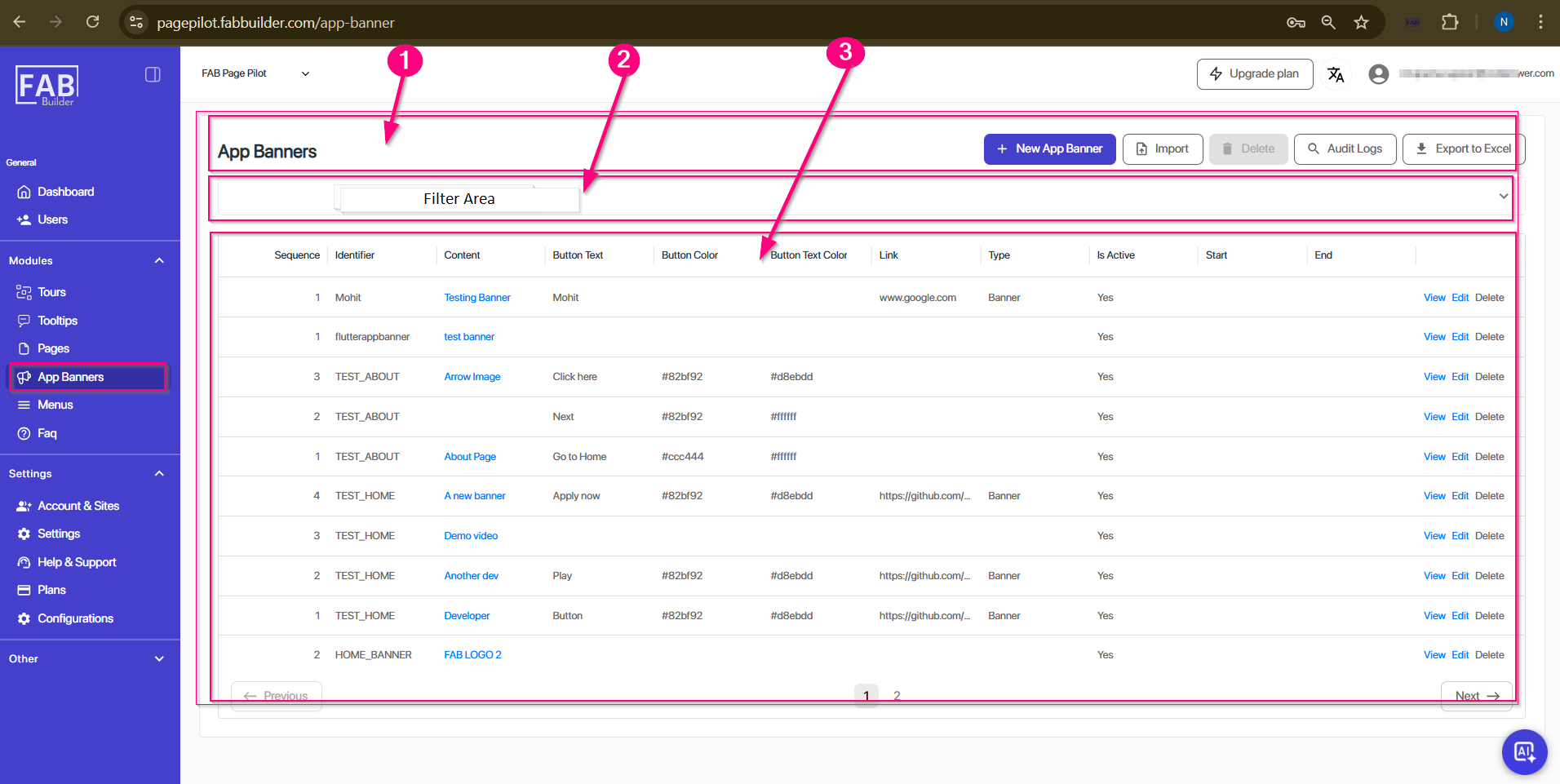
Screen- App Banners
App banner screen can be described as
1. First horizontal Panel – It contains the various action tabs to perform different tasks as mentioned below.

Screen-New App Banner
a. Screen Name (New App Banners) – This highlights the main title of screen at extreme left of the horizontal panel on main screen.
b. New App Banner – This button allows user to create a new banner. (Refer New App Banner)
c. Import – To uploads banners from a file.
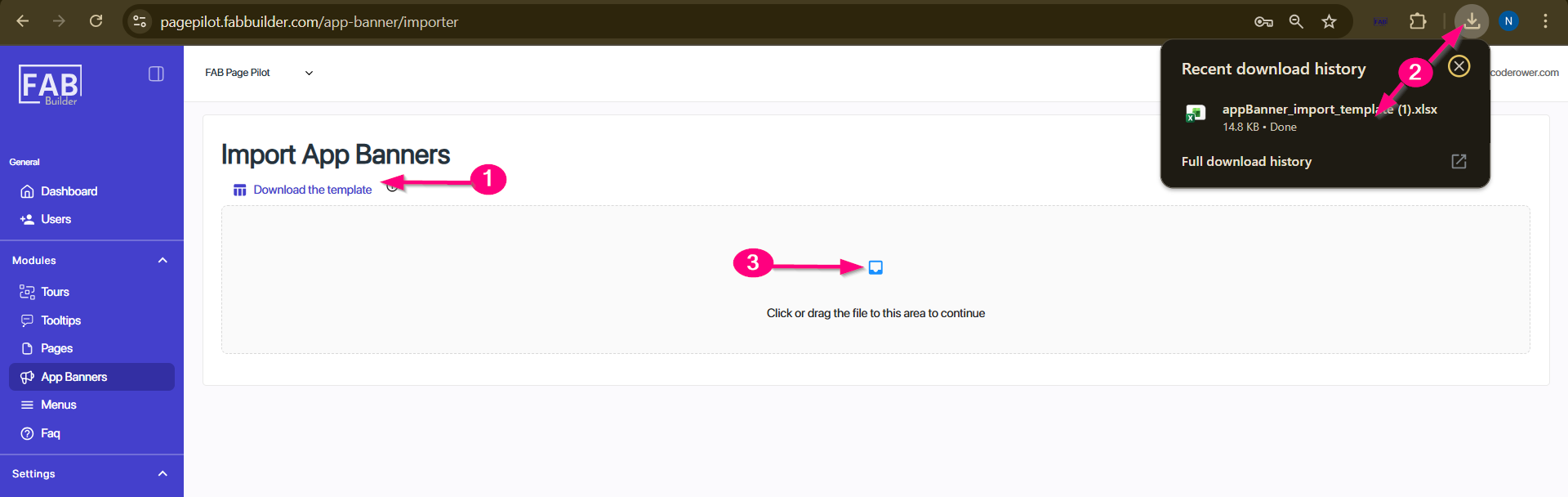
Screen- Import
d. Delete – Allows user to remove selected banners permanently if no longer needed.(not active currently)
e. Audit Logs – The Audit Logs screen allows users to track activities performed within the system. It includes a filter section at the top and a results table below. (refer to Screen- Audit logs)
f. Export to Excel – Exports banner details into an Excel file.(not active currently)
2. Filters – This helps search or sort banners by entering the field details within filter area based on details listed in table column.
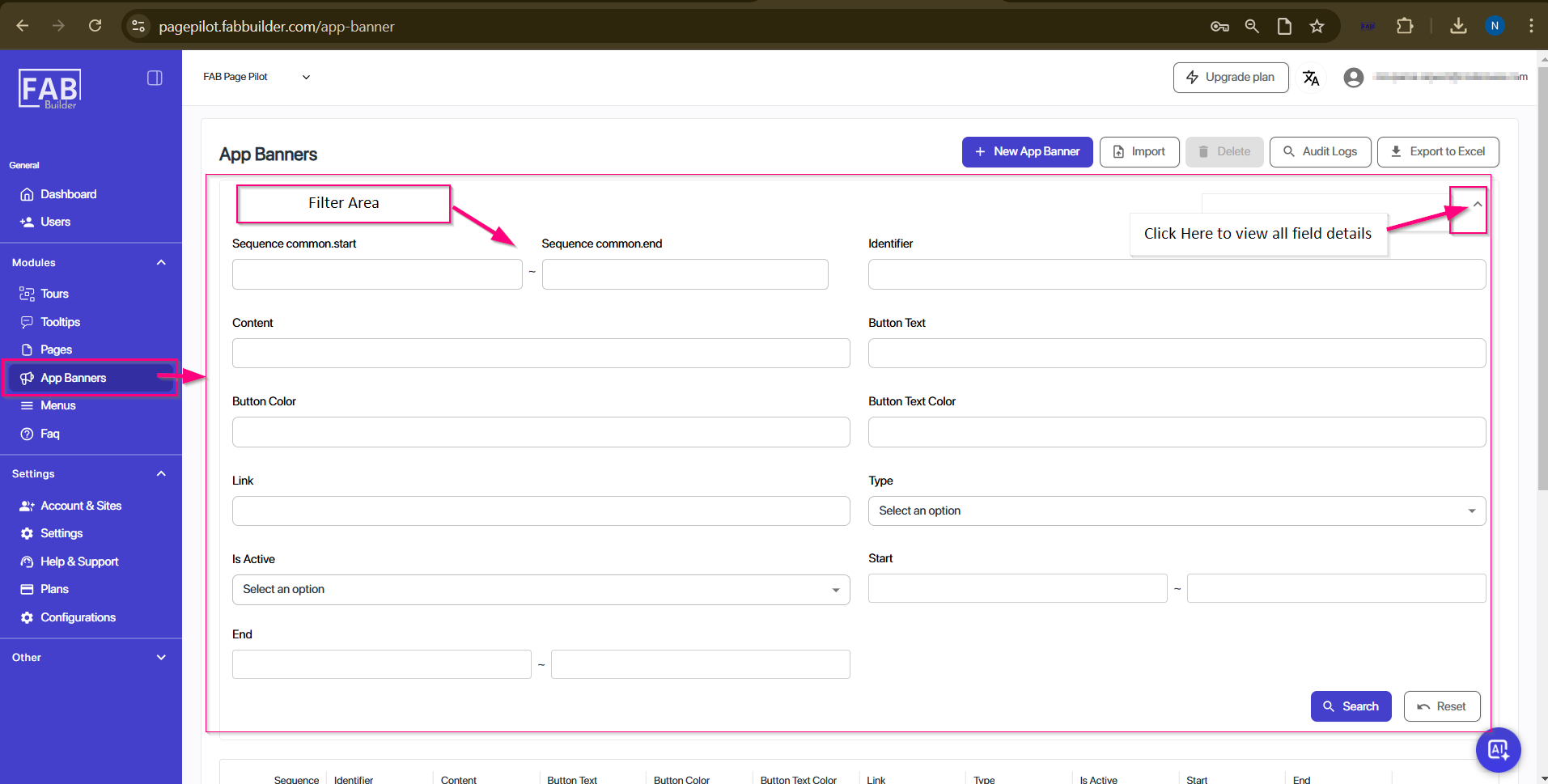
Screen-Filter area/App Banner
3. Table Columns
The table below the filter area lists banner details in columns.
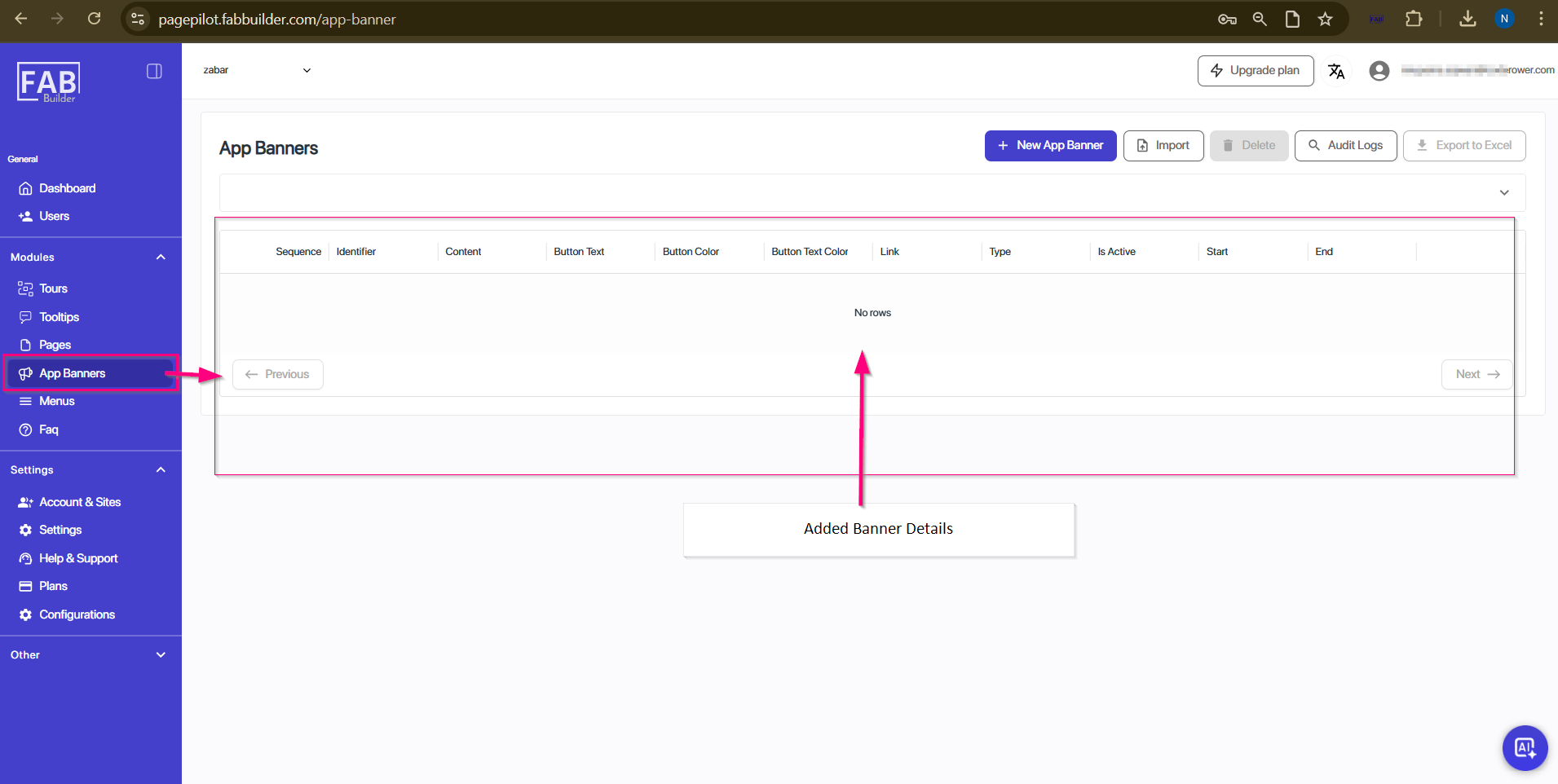
Screen- Added Banner Area
- Sequence – This field/column defines the display order of banners, specifying the sequence in which they will appear on the website pages.
- Identifier –It is unique ID or label of the banner.
- Content – This area shows Banner message.
- Button Text / Button Colour / Button Text Colour – Customization of the call-to-action button.
- Link – This field displays target URL link added on banner.
- Type – Banners are categorized based on their activity type (e.g., promotional, informational, or alert).
- Is Active – This column displays if the banner is live on website pages.
- Start / End – It shows period during which the banner will be displayed on website.