Content Types
This section allows the user to create and name content based on its type (Tooltip, Banner, Tour, or Page) and assign it to a specific environment (Preview Host or Production Host) and group.
When the user clicks on the Configuration section, the Content Type screen will open under the Data menu dropdown. This screen displays the following:
a. The top area displays the list of saved content types with their name, colour, and a delete option.
b. To add a new content type, the user enters the name and selects a colour, then clicks the Save button. The newly added content type will then appear in the list shown in the area mentioned above.
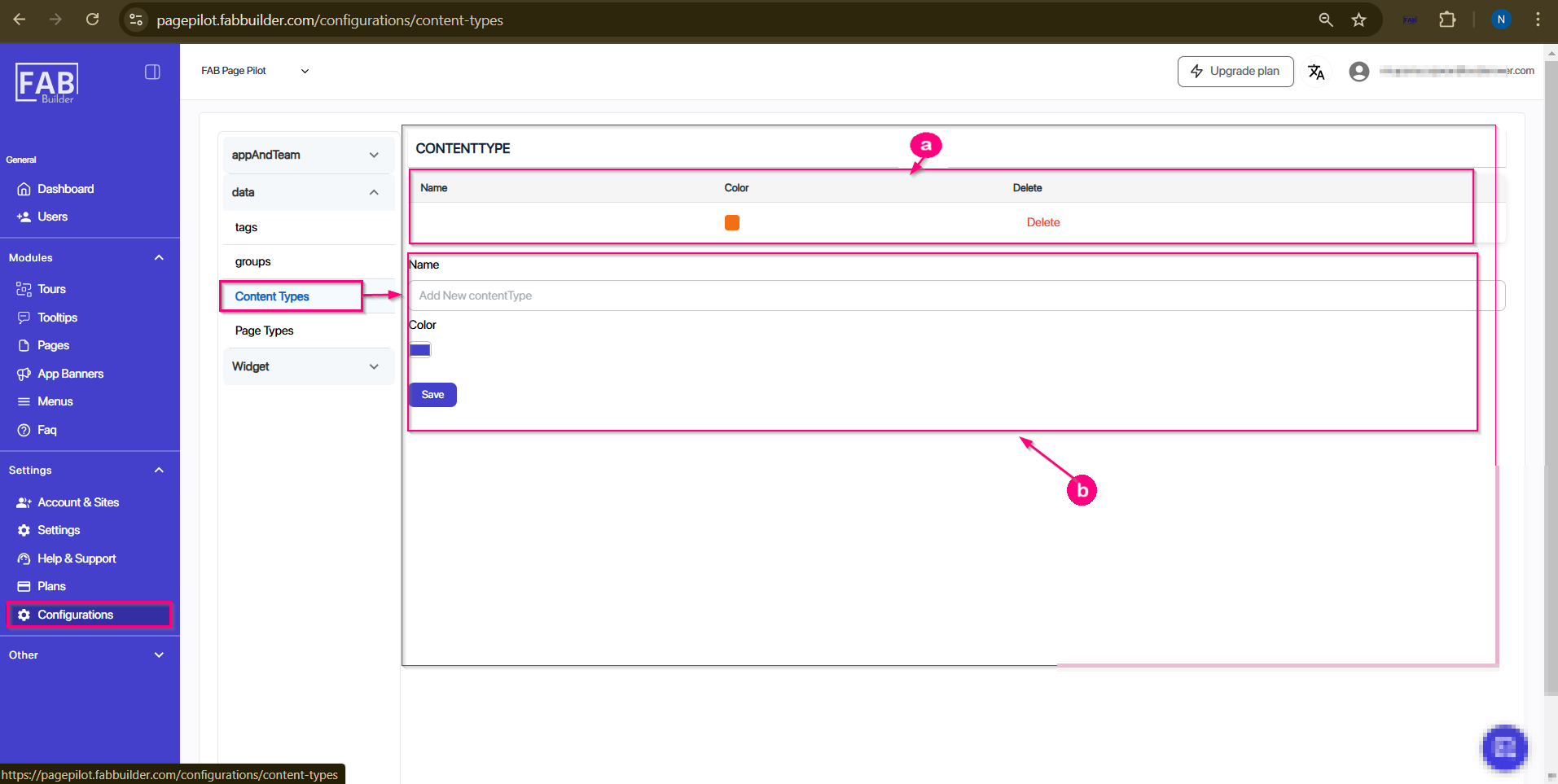
Screen-Configuration/Data/Content Type