Create a Floater – By Template MethodA Floater App Banner is a small, non-blocking banner that appears on top of a webpage or application without interrupting the user's current activity. Unlike a modal, a floater does not prevent users from interacting with the page. After successfully logging in, navigate to the App Banners module from the left-side navigation panel and follow the steps below. Step 1: Open the App Banners ModuleClick App Banners from the left-side navigation panel. Step 2: Create a New App BannerClick the Create App Banner button. The App Banner Details form appears.
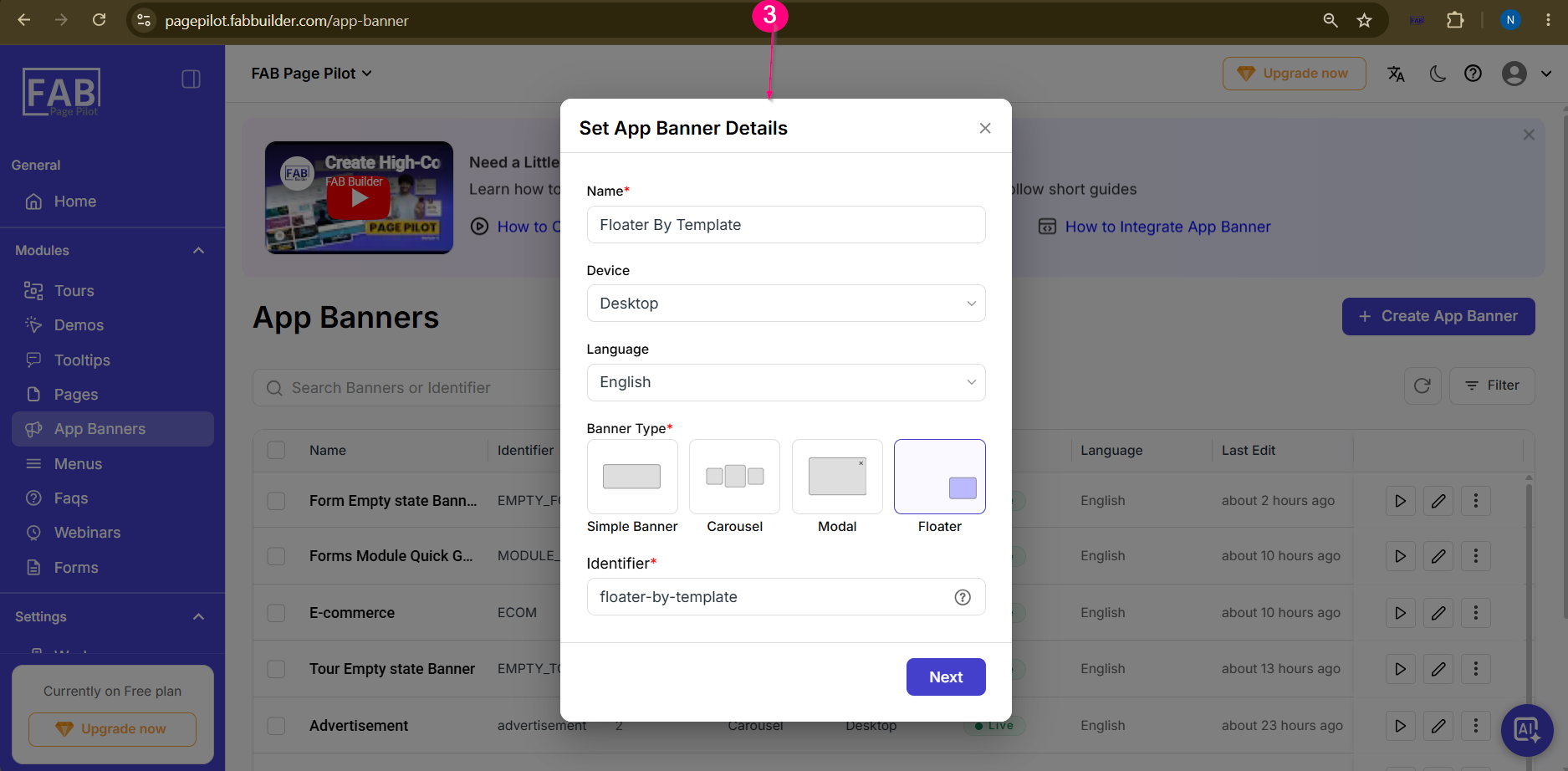
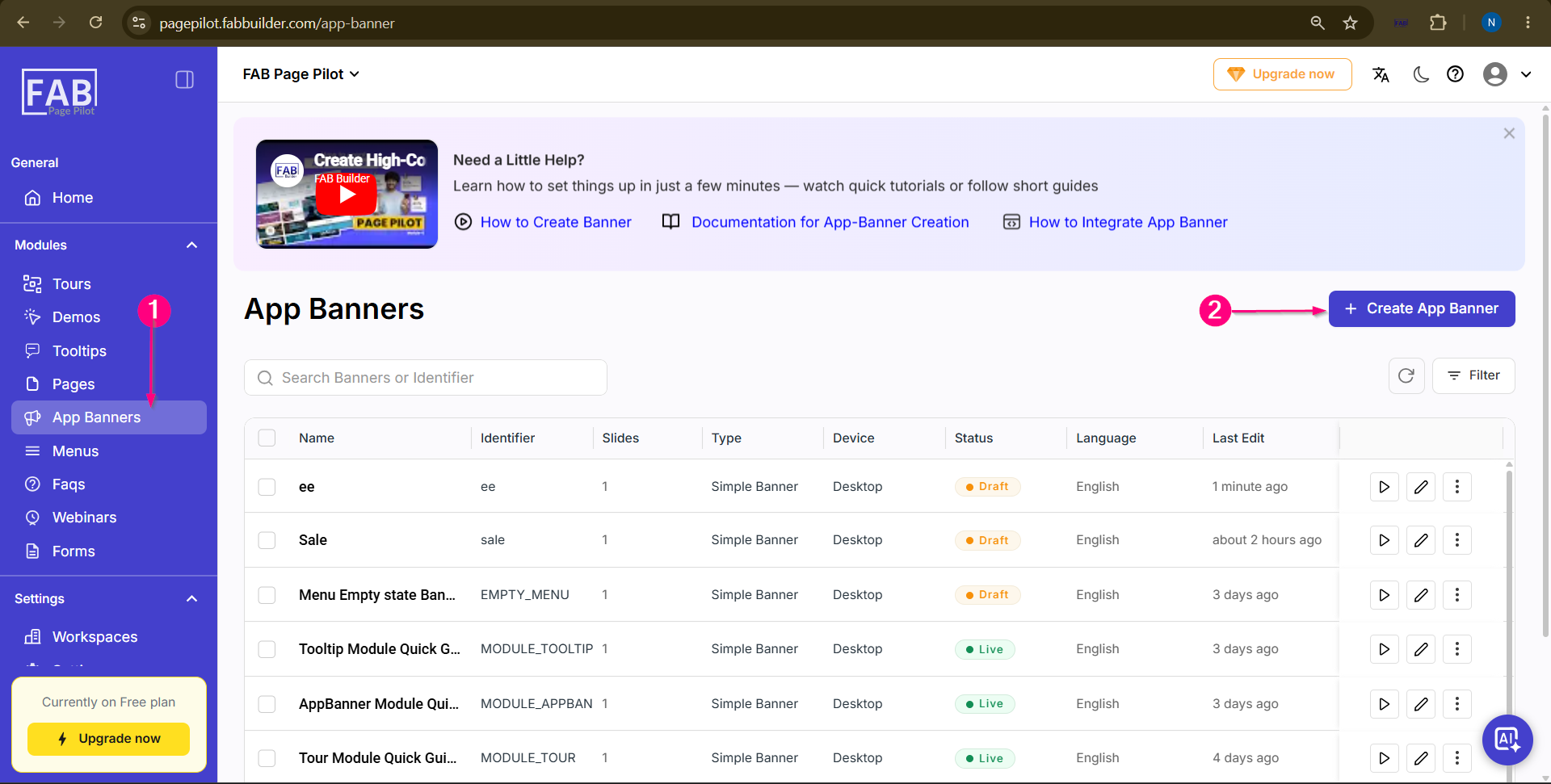 Screen- Access App Banner Step 3: Enter App Banner Details Enter the required details such as Name,Device,Language, and select Floater theApp Banner Type. and continue to the Next Step Click the Next button.
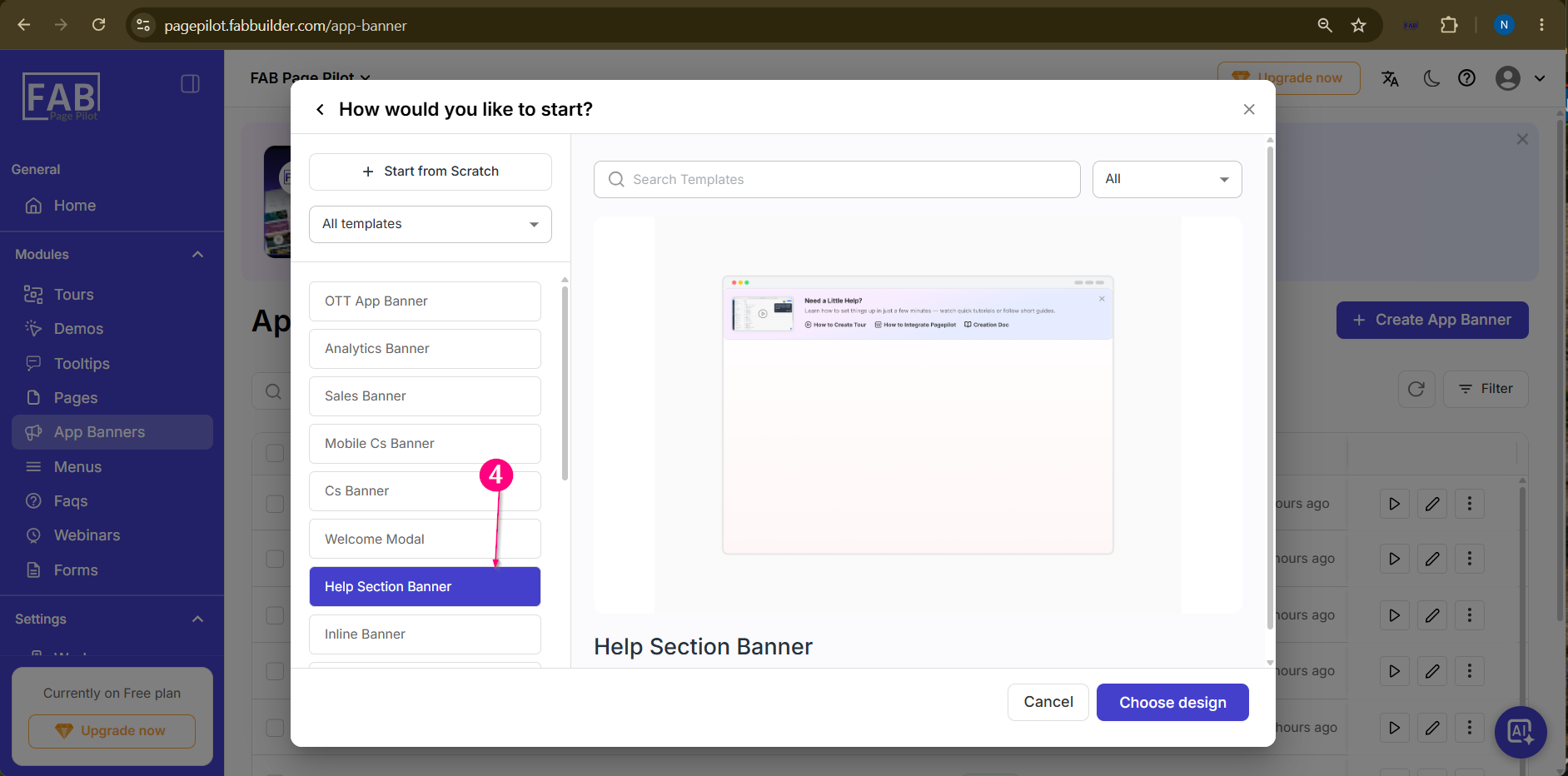
 Screen – Create App Banner Screen – Select the Method to Create Floater Step 4: Select the Creation Method Select the Template to create floater method. The Visual Editor opens with a blank canvas to create the floater from template.
Step 5: Edit the Selected Template
Hover the cursor over the selected template on the canvas to edit existing content or add new design blocks as required 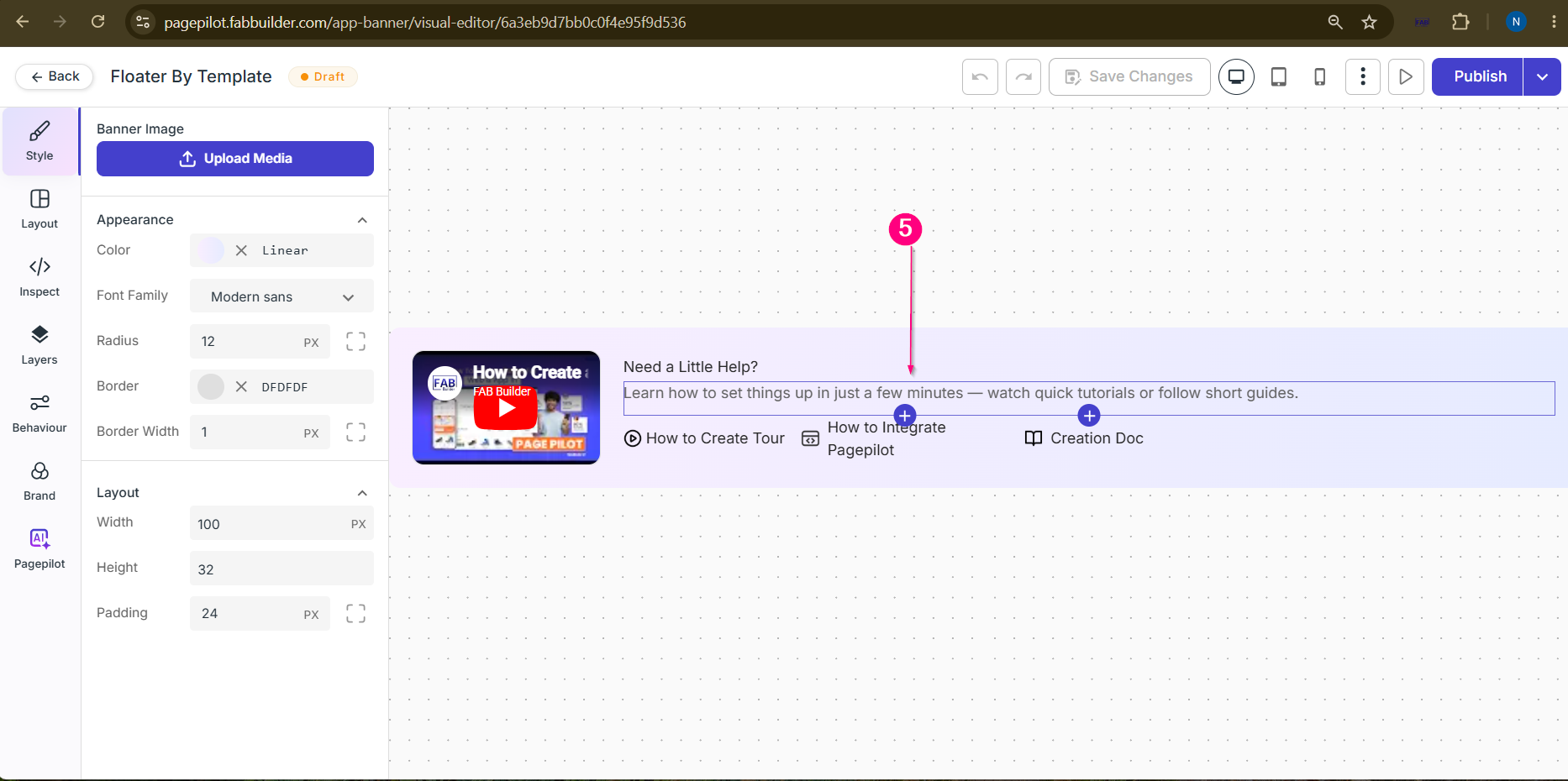 Screen – Add Floater Design Blocks
Step 6: Save the FloaterClick Save Changes to save the modal. Step 7: Preview the FloaterClick Preview to review the modal before publishing. Step 8: Publish the FloaterClick Publish. A popup appears to enable or disable the App Banner.
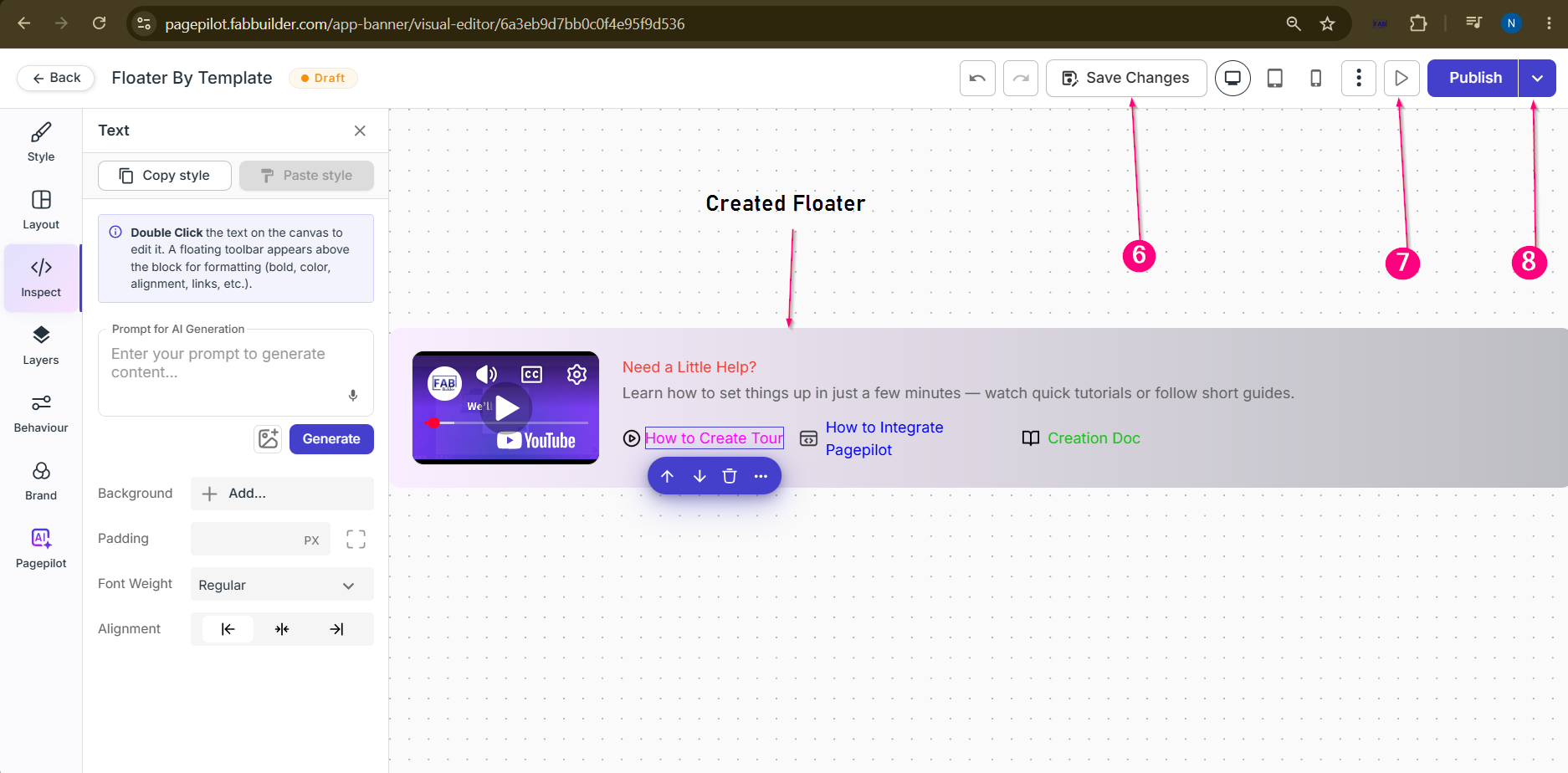 Screen- Created Floater Step 9: Review Publish Details A Publish popup appears displaying the Floater details. Review the publish settings such as Start Date, End Date, Run Forever, and Show Only Once. Update the settings as required before publishing. Step 10: Publish the Floater Click the Publish button to make the app banner live.
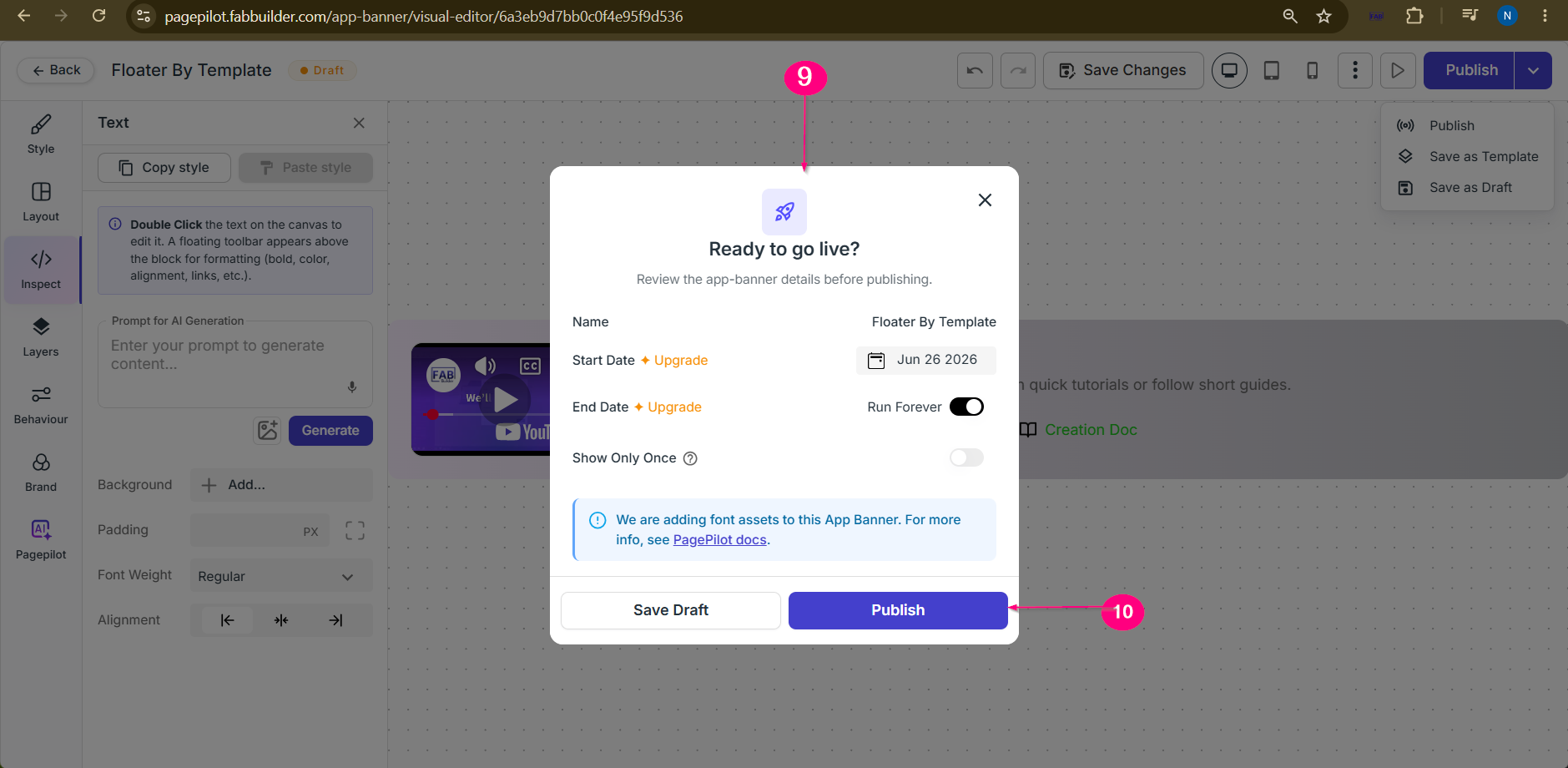 Screen-Publish Floater After saving or publishing, the Floater App Banner appears on the App Banner Dashboard. Once integrated with the web application, users can view the Floater on the website.
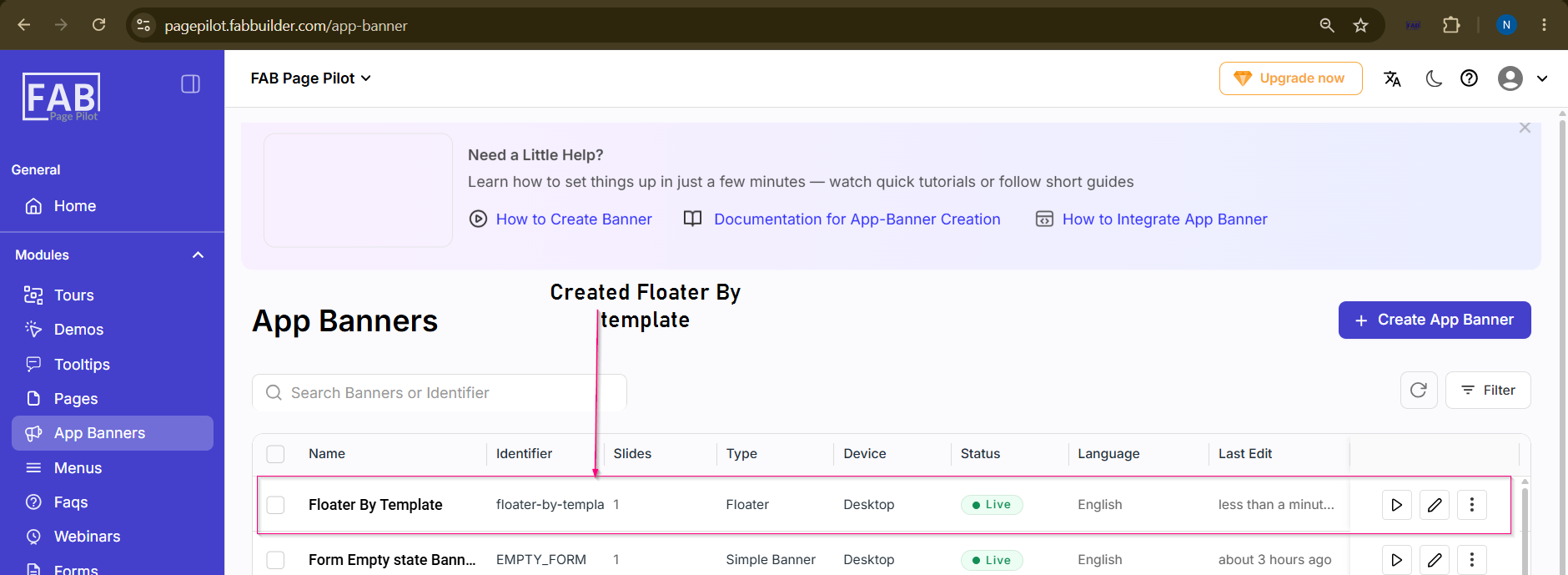 Screen- Created Floater |