Steps to Create a Workspace1.Navigate toSettings → Workspacesfrom the left-side navigation panel. 2.Click the Create Workspace button located in the top-right corner. 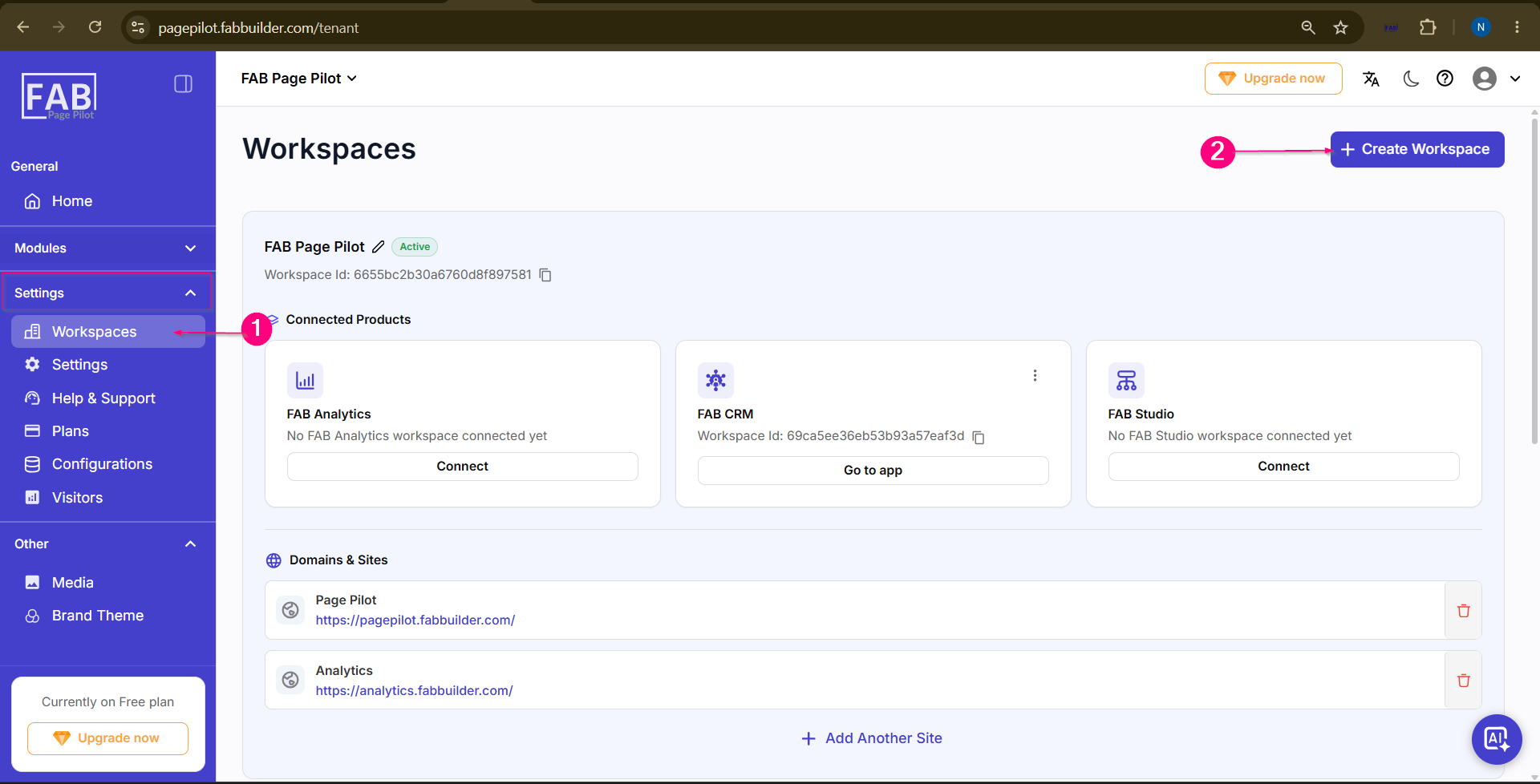 Screen – Workspace Dashboard 3.TheCreate Workspacepopup window will appear. Enter theOrganisation Namein the required field. 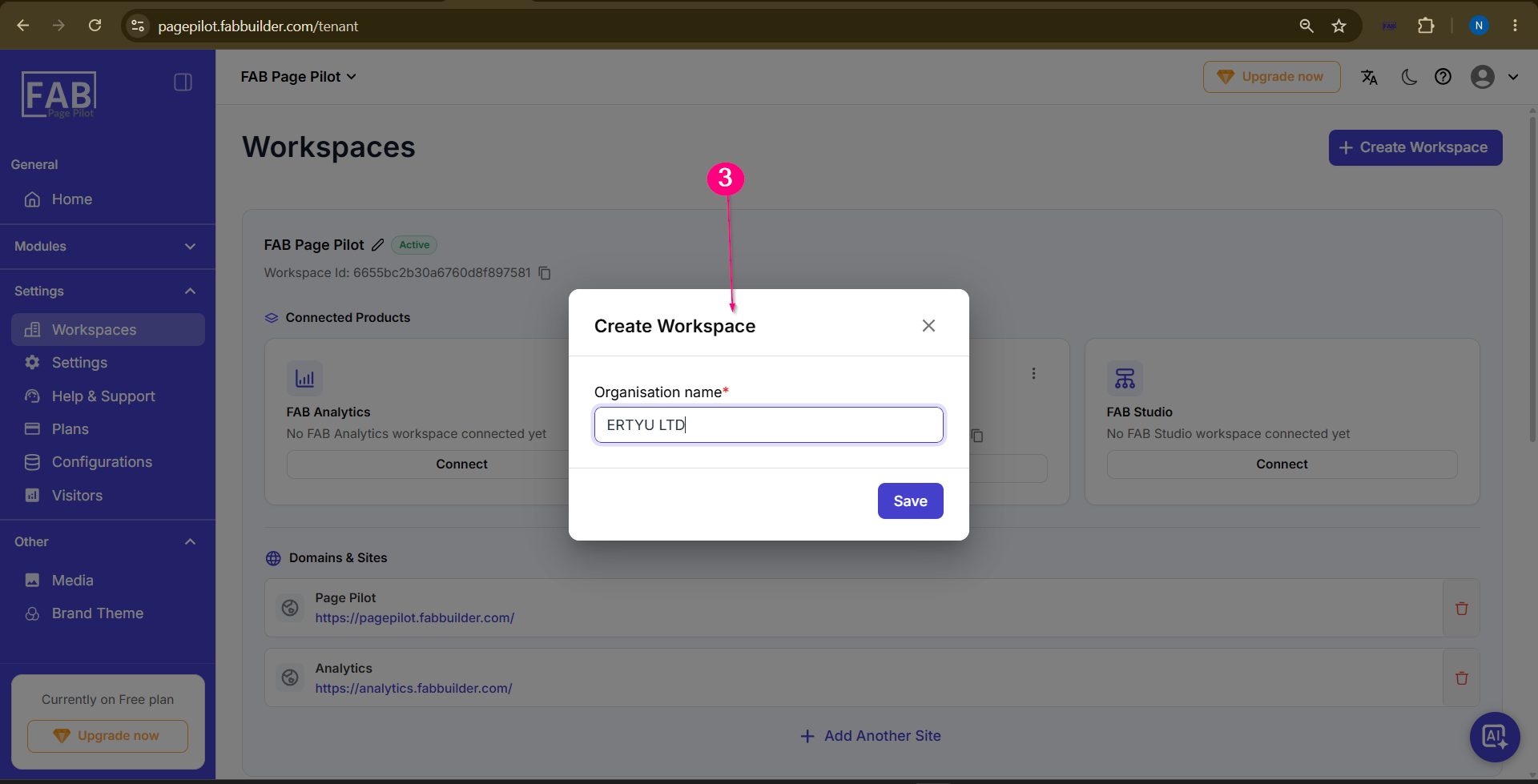 4.Click the Save button to create the workspace. 5.After successful creation, the new workspace is displayed on theWorkspace Dashboard, where users can:
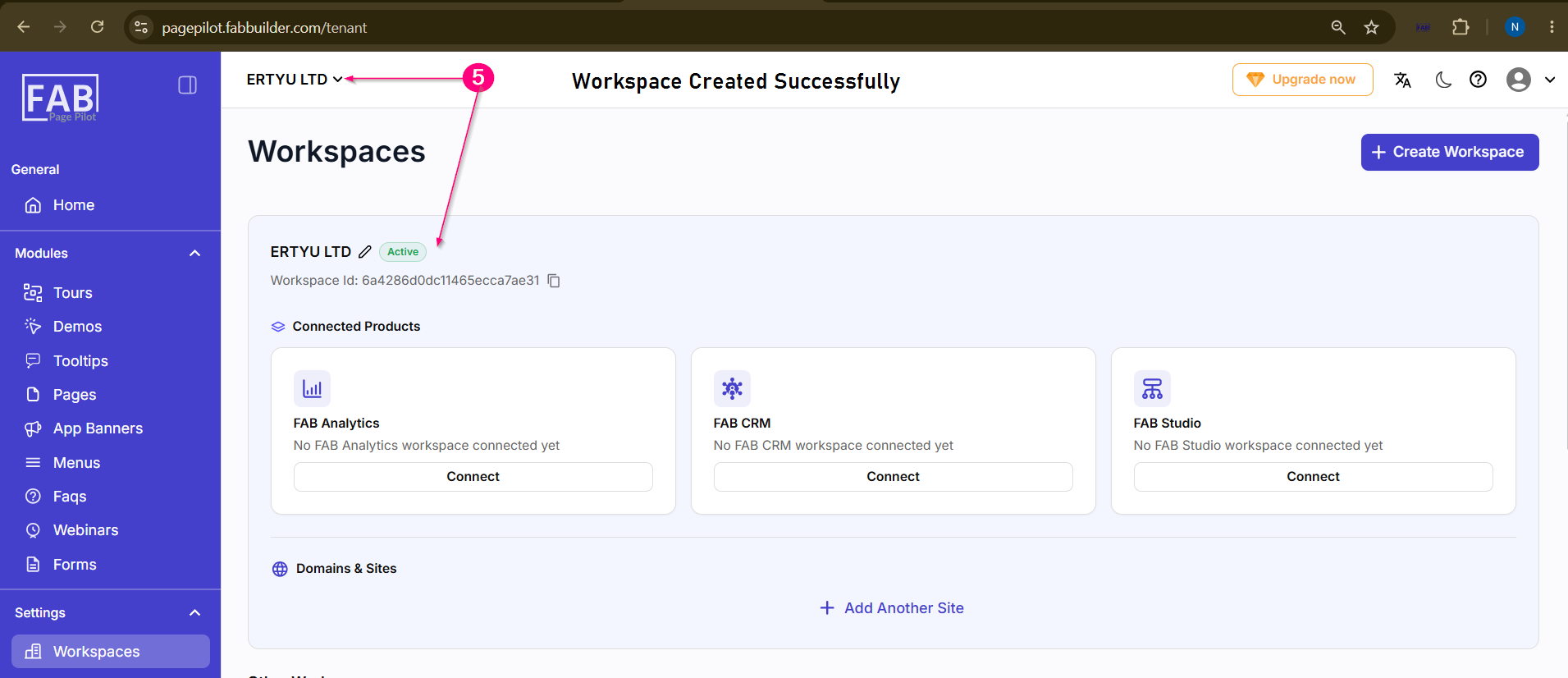 Screen-Workspace Added Successfully |