Steps to Create a WebinarPrerequisites
After ensuring that the prerequisites are met, follow the steps below to create and configure a webinar.Step 1: Open the Webinar Module Navigate to the Webinars module from the left navigation panel. Step 2: Create a Webinar
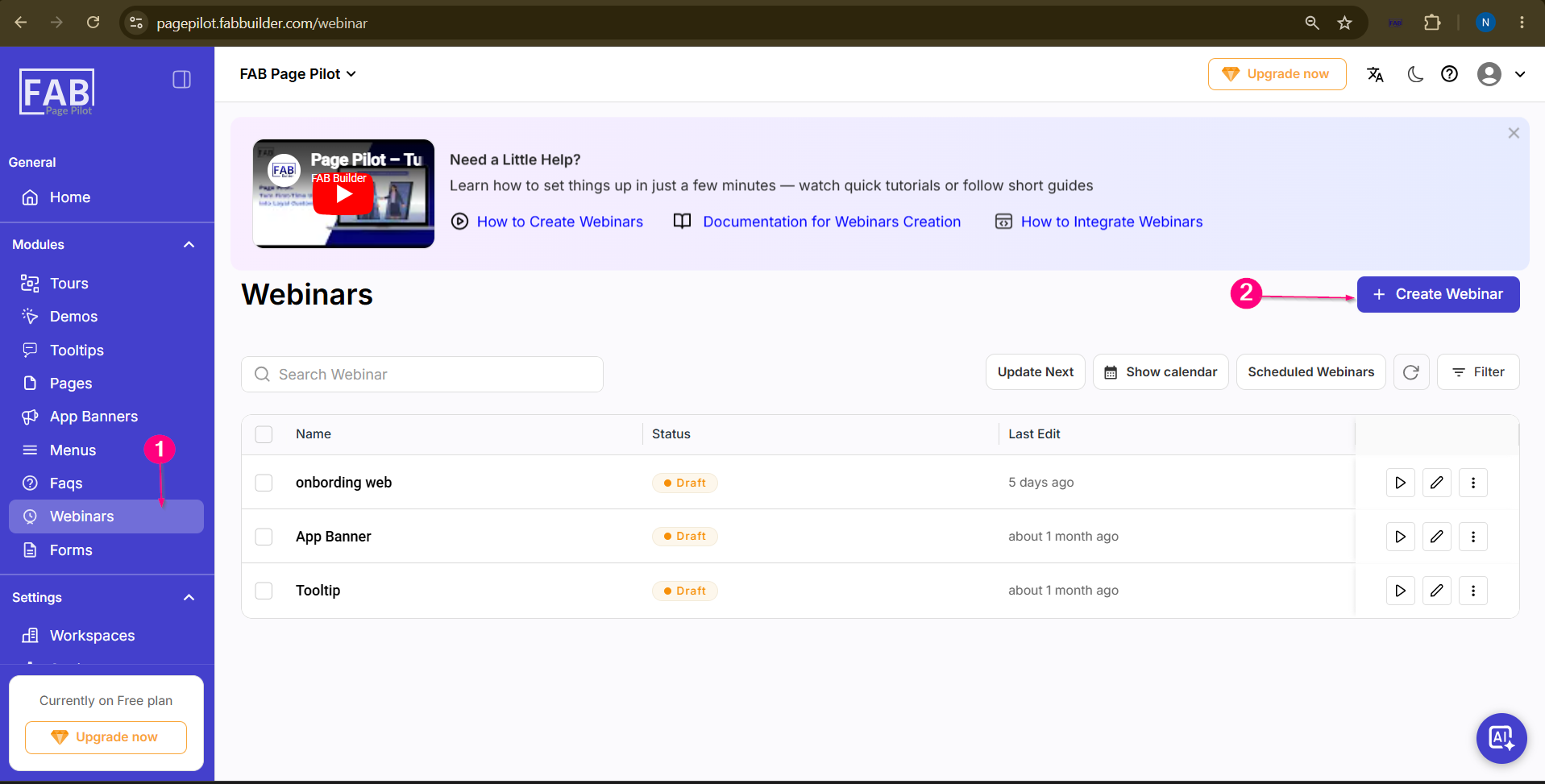
Step 3: Enter Webinar Details 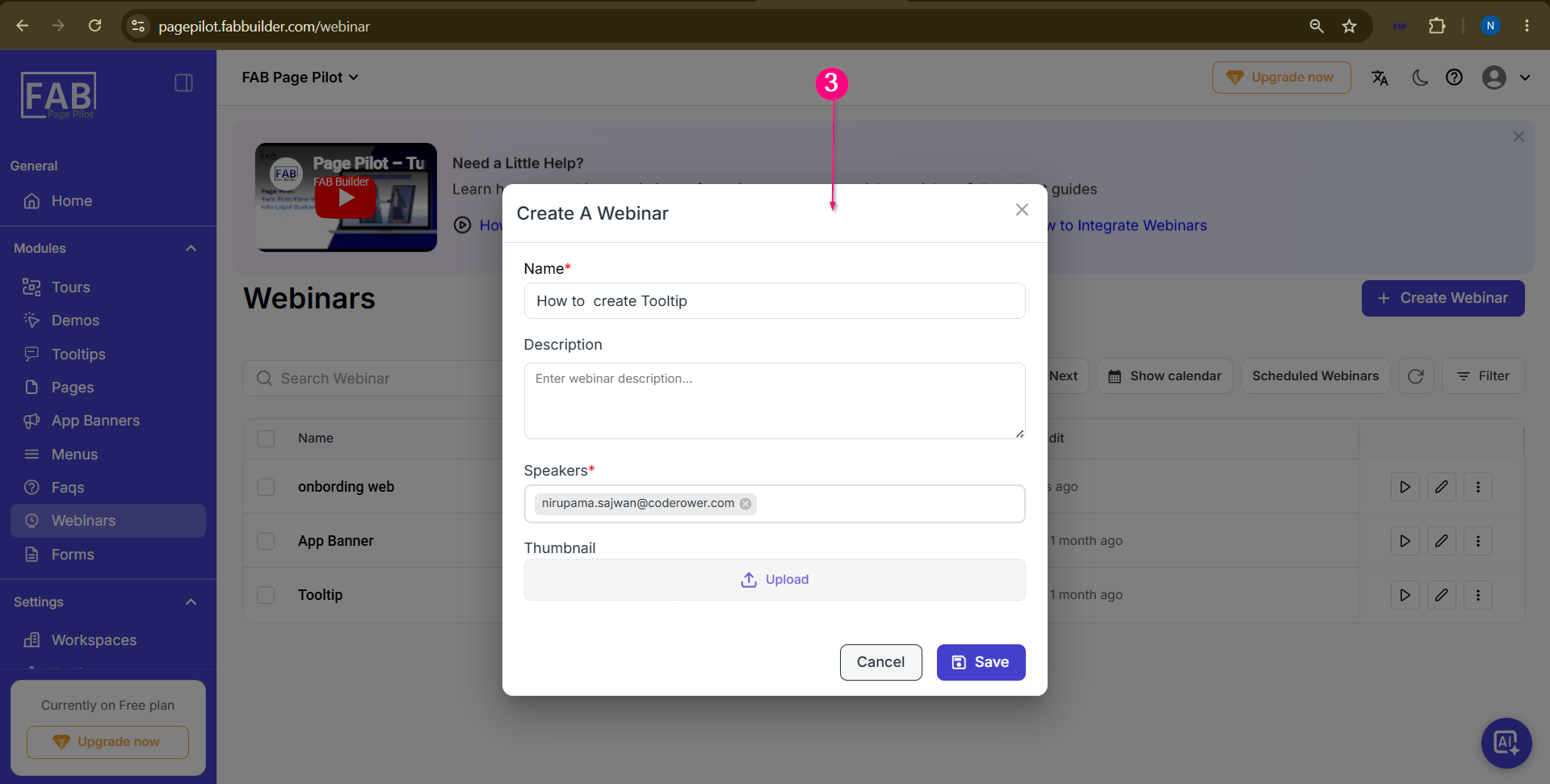
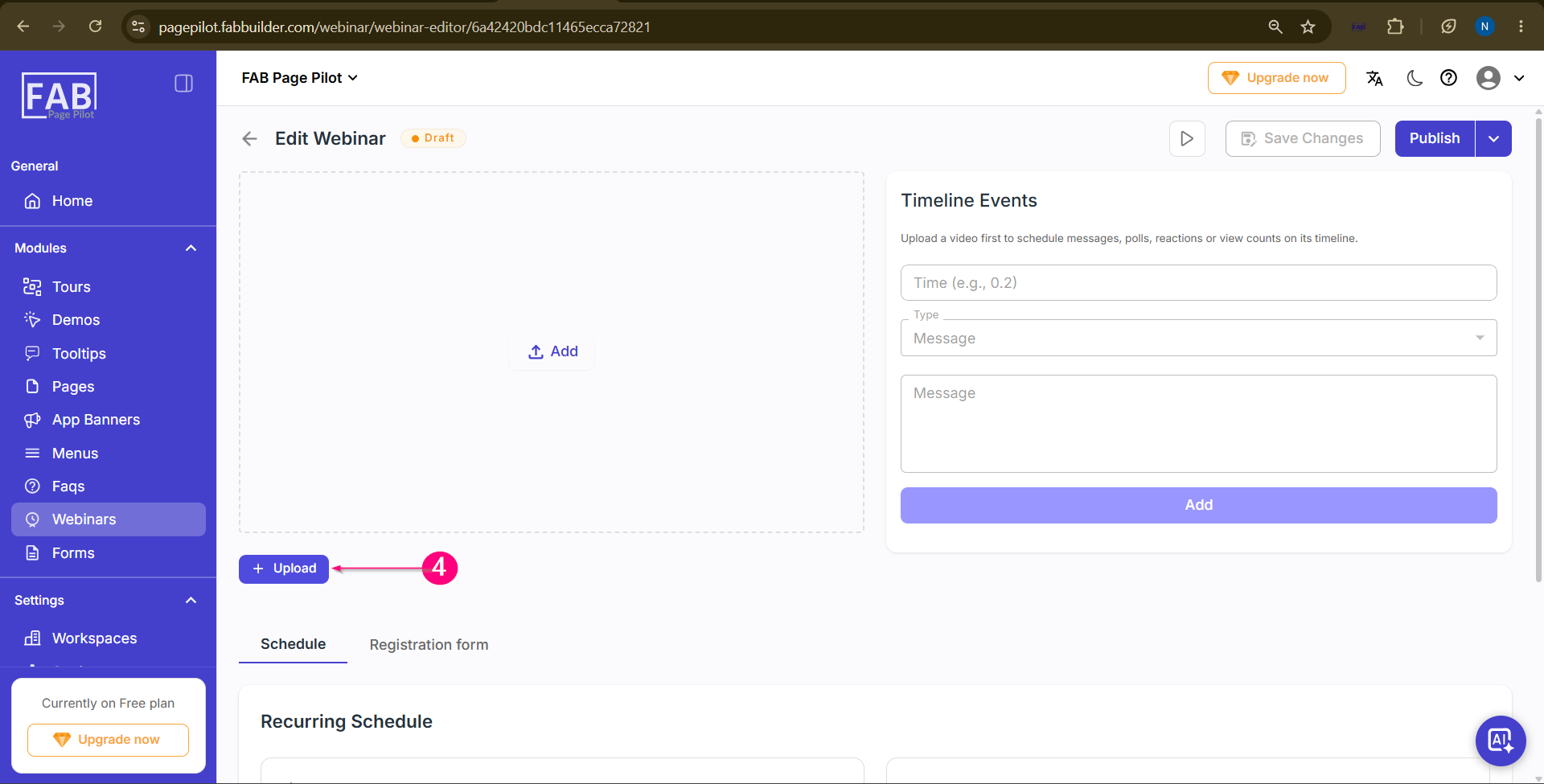
Step 4: Add or Upload a Webinar Video Open the created webinar and either add an existing video or upload a new webinar video.
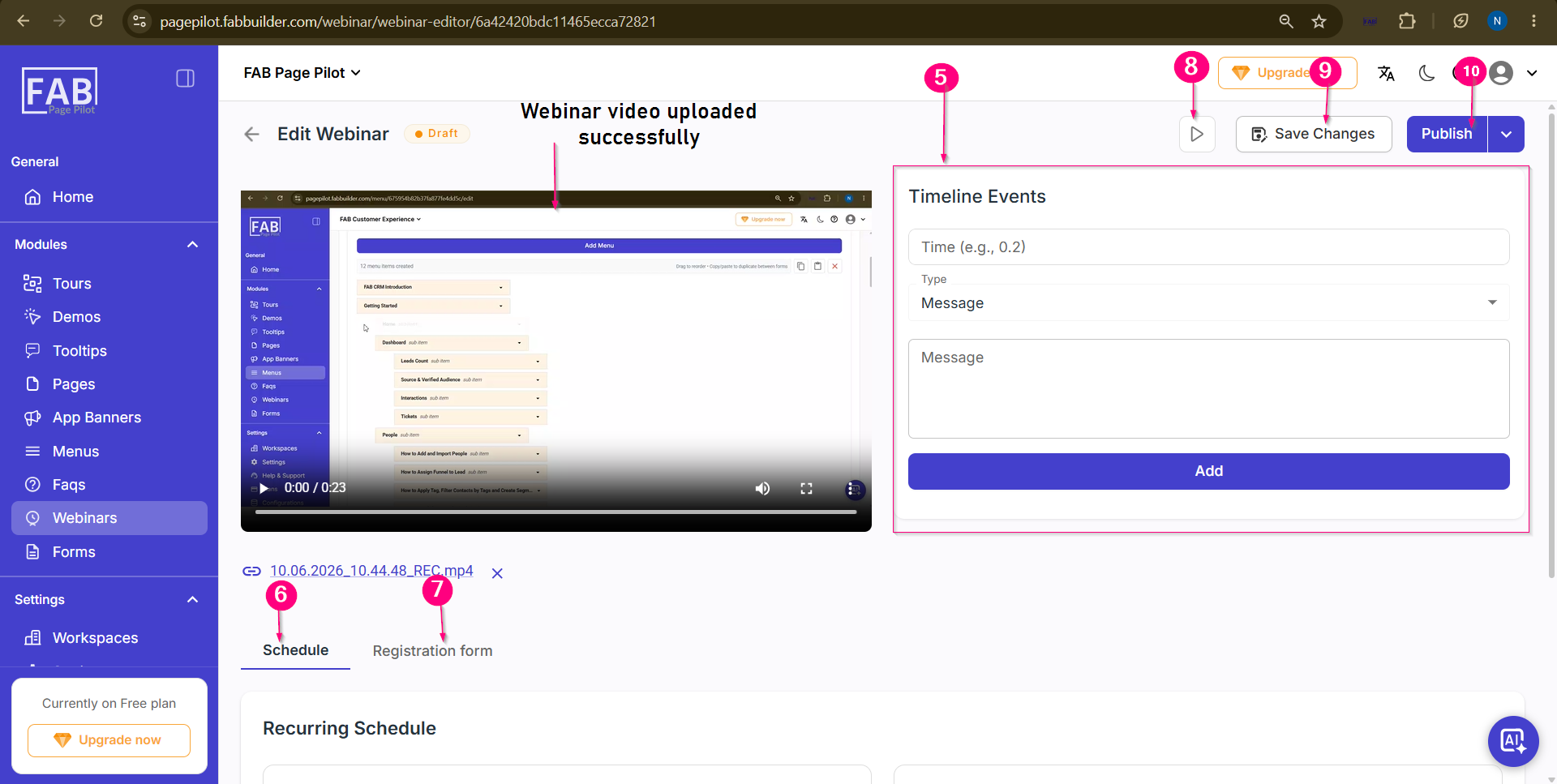
Step 5: Configure Timeline Events (Optional) Step 6: Schedule the Webinar Step 7: Add Registration Form Details Step 8: Preview the Webinar Step 9: Save Changes Step 10: Publish the Webinar
 User can view the created webinar on webinar dashboard screen 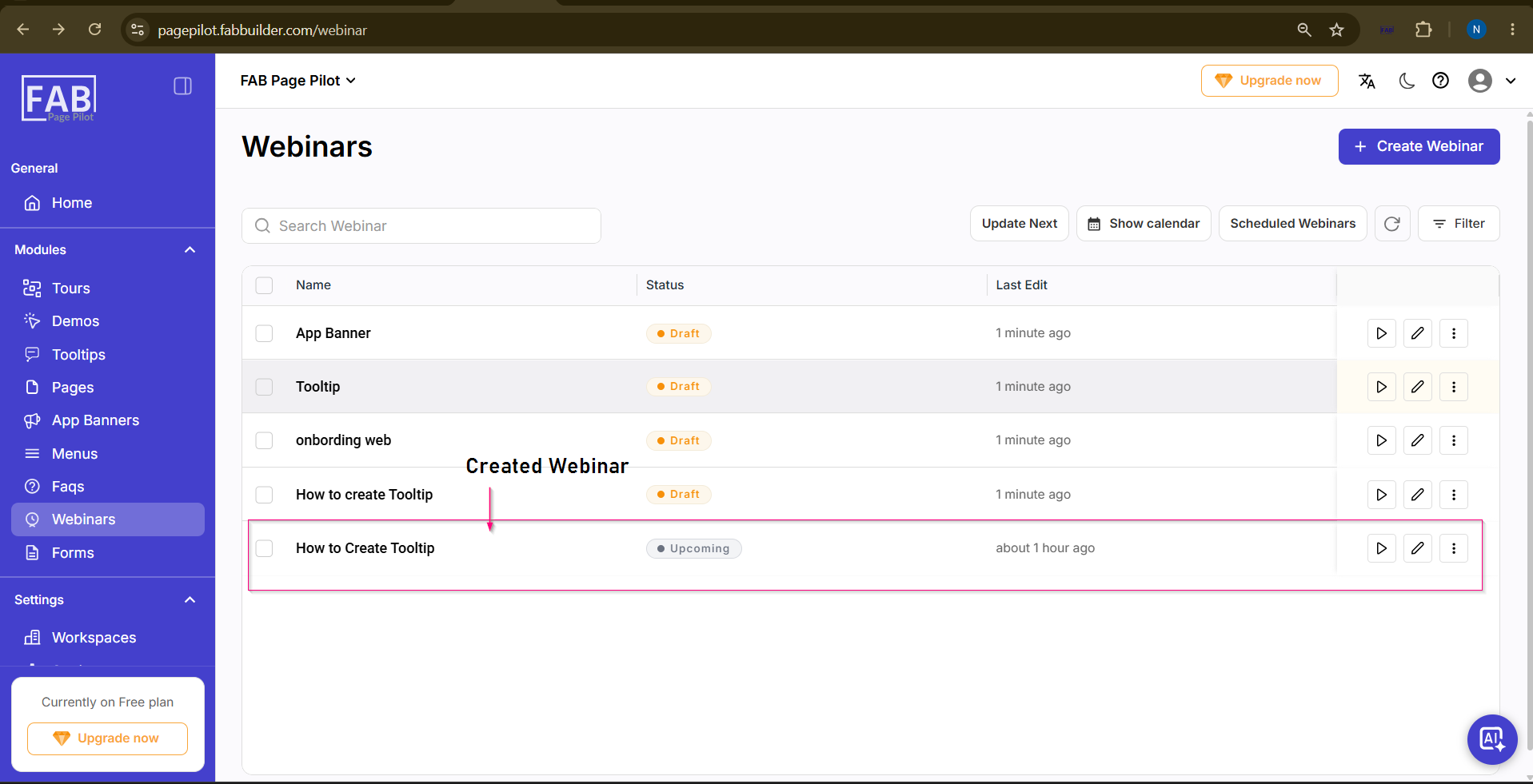 |