Steps to Create an FAQ Group
Step 1: Navigate to the FAQs module from the left navigation panel.
Step 2: Click the New FAQ Group button. 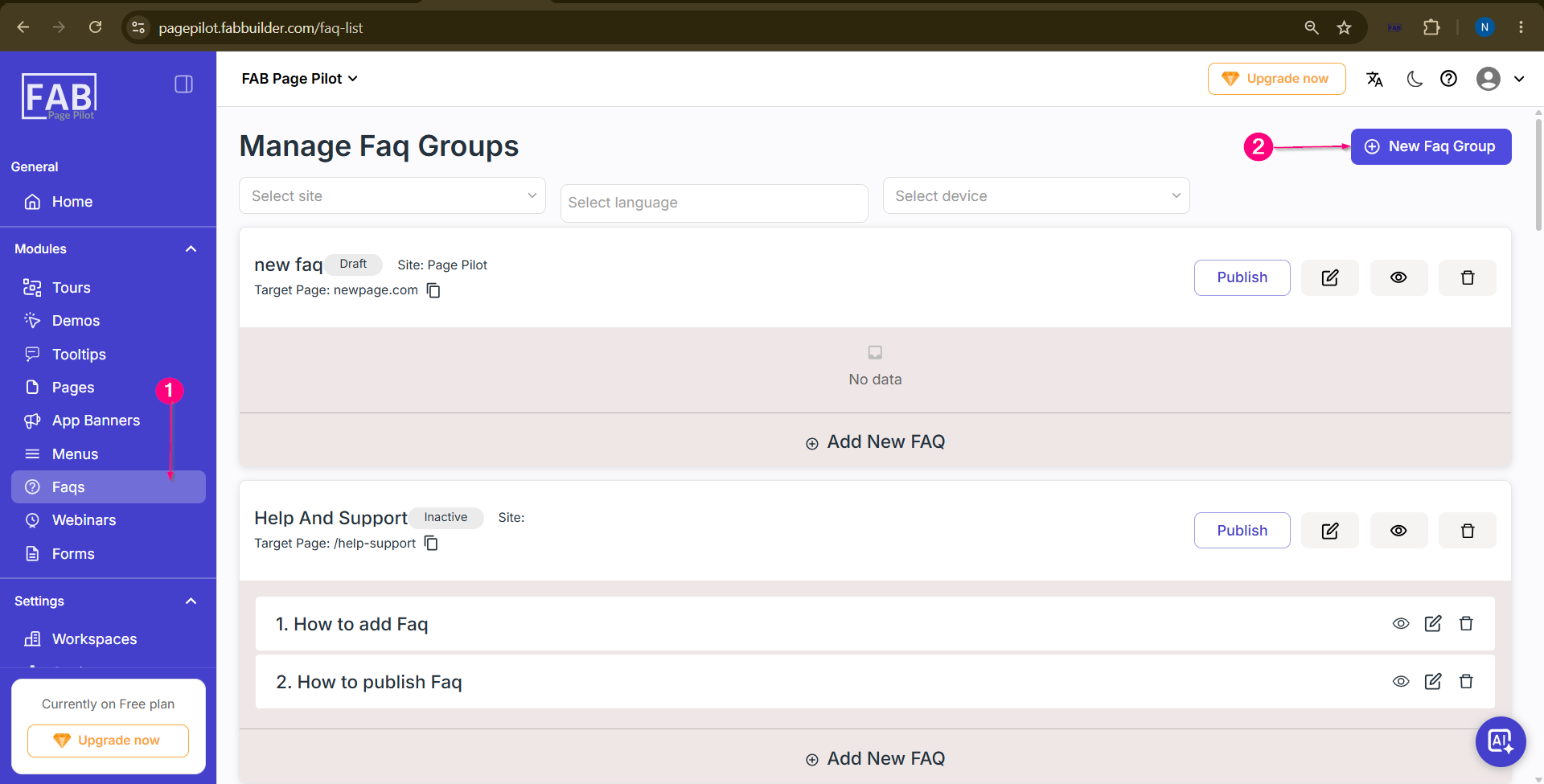
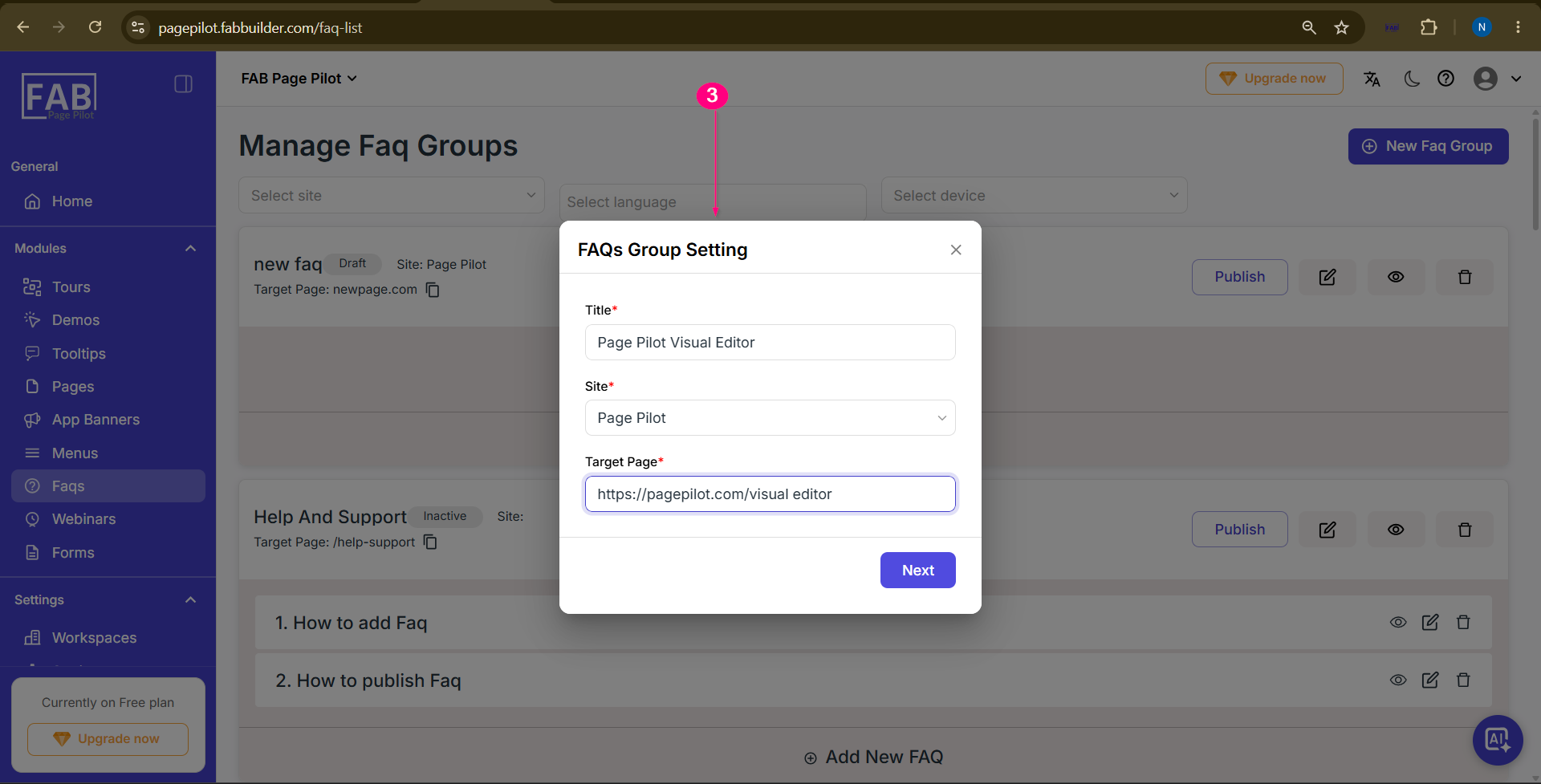
Step 3: Enter the required FAQ Group details:
Click Next.
 Step 4: Select the required FAQ Language and click Next. 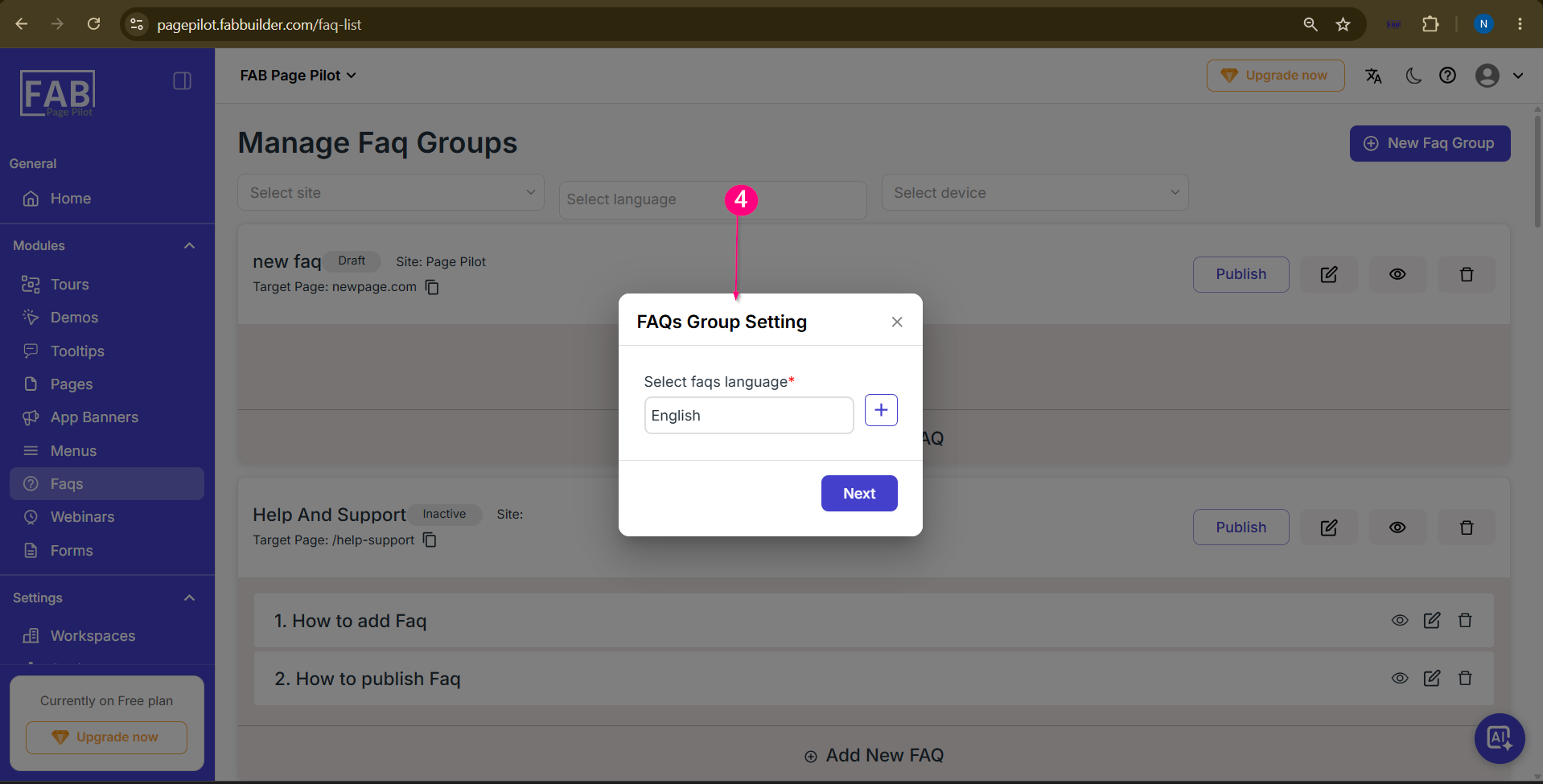 Step 5: Select the required device and click Next. 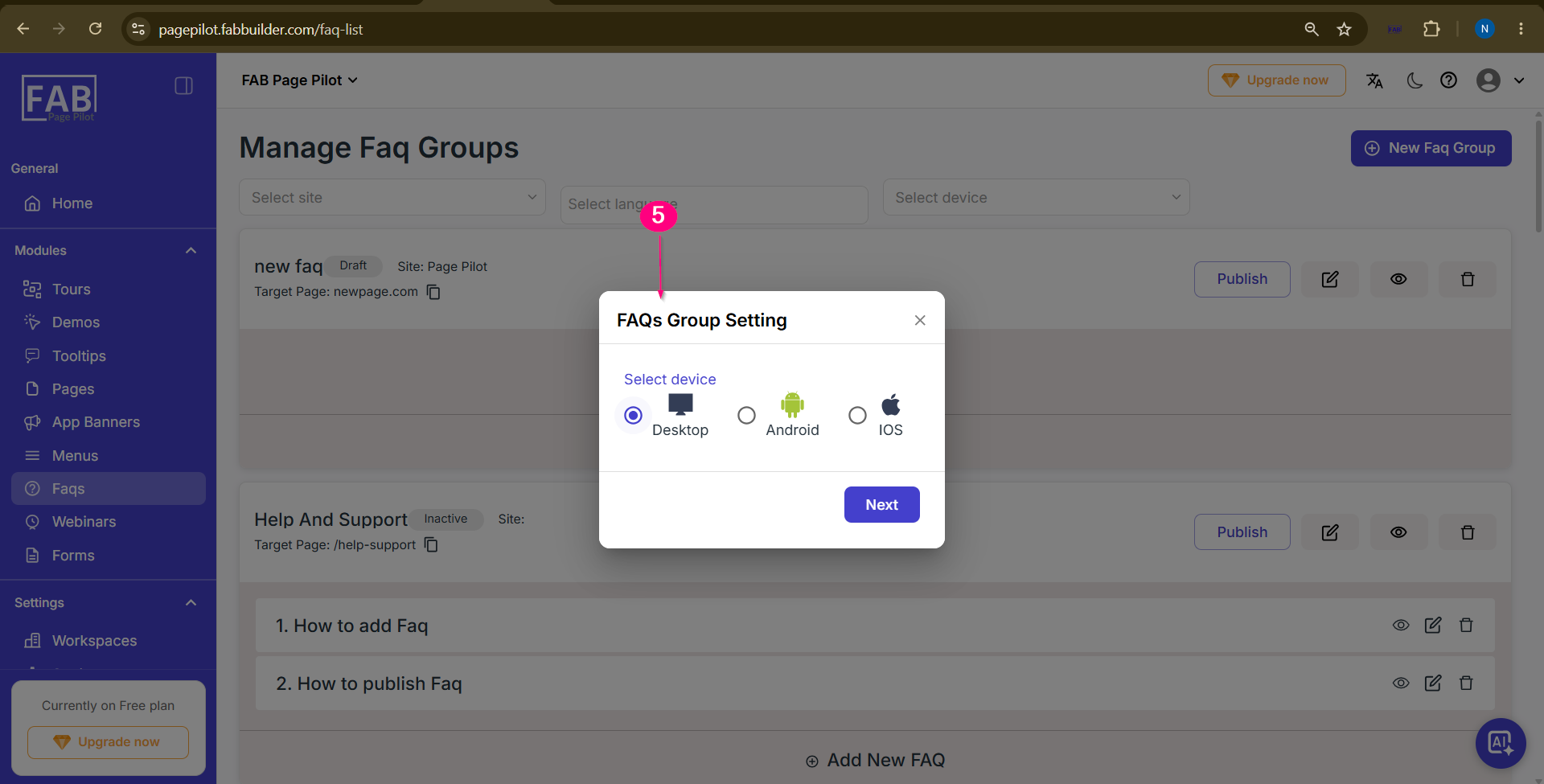 Step 6: Click Add New FAQ to add a question to the selected FAQ Group. 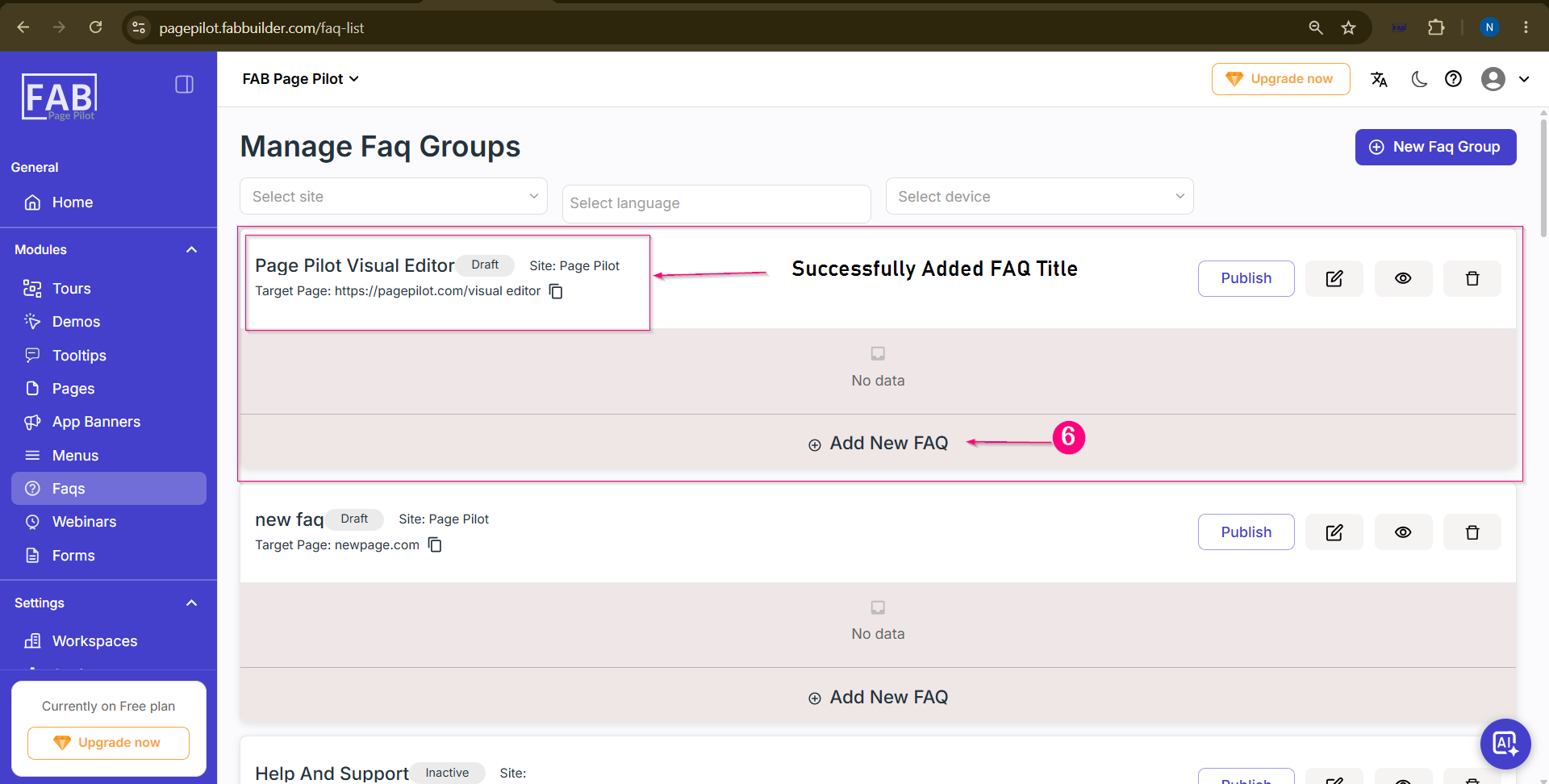 Step 7: Enter the Question and click Save. 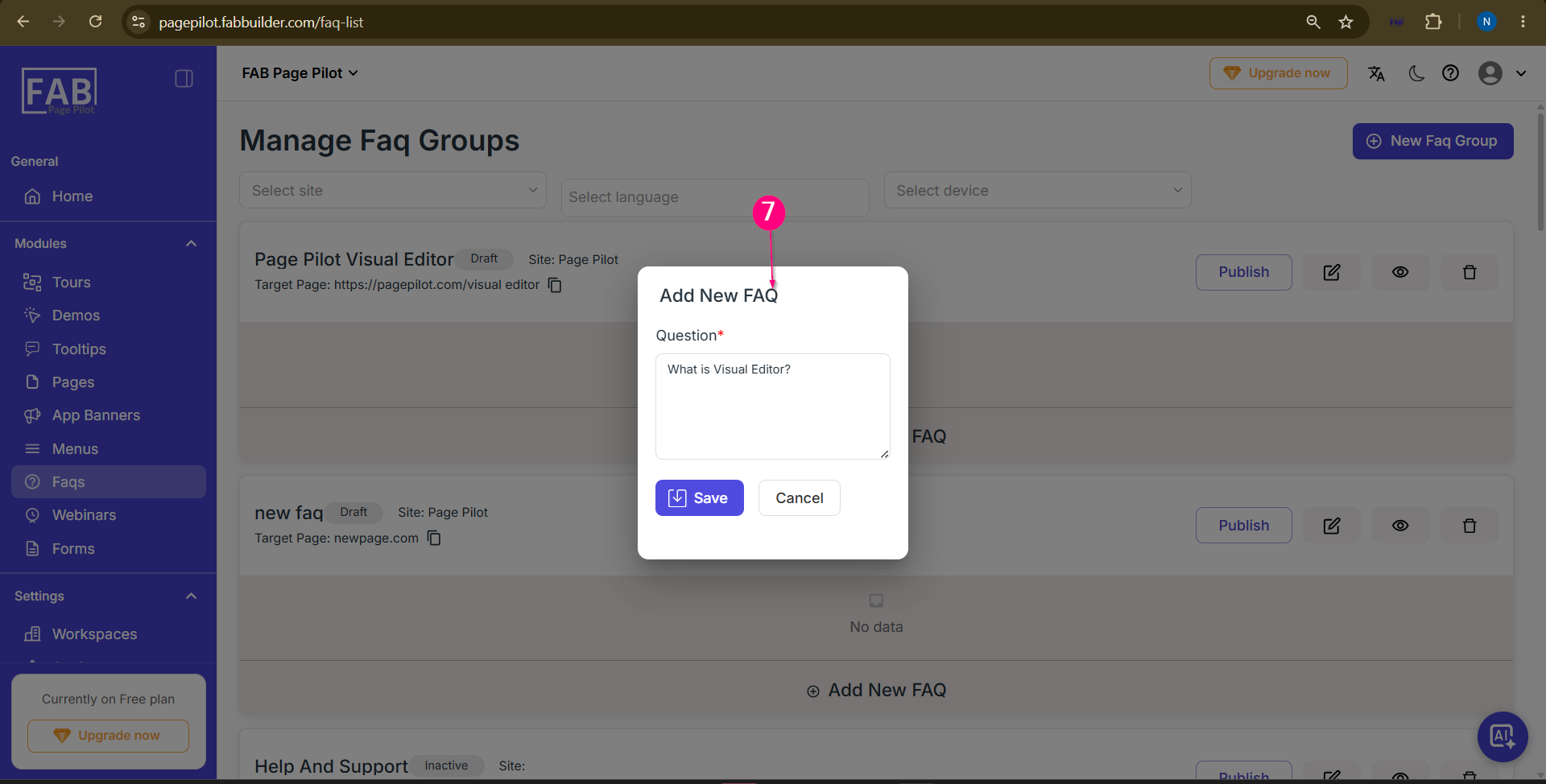 Step 8: Enter the corresponding Answer in the Content Editor and click Save. 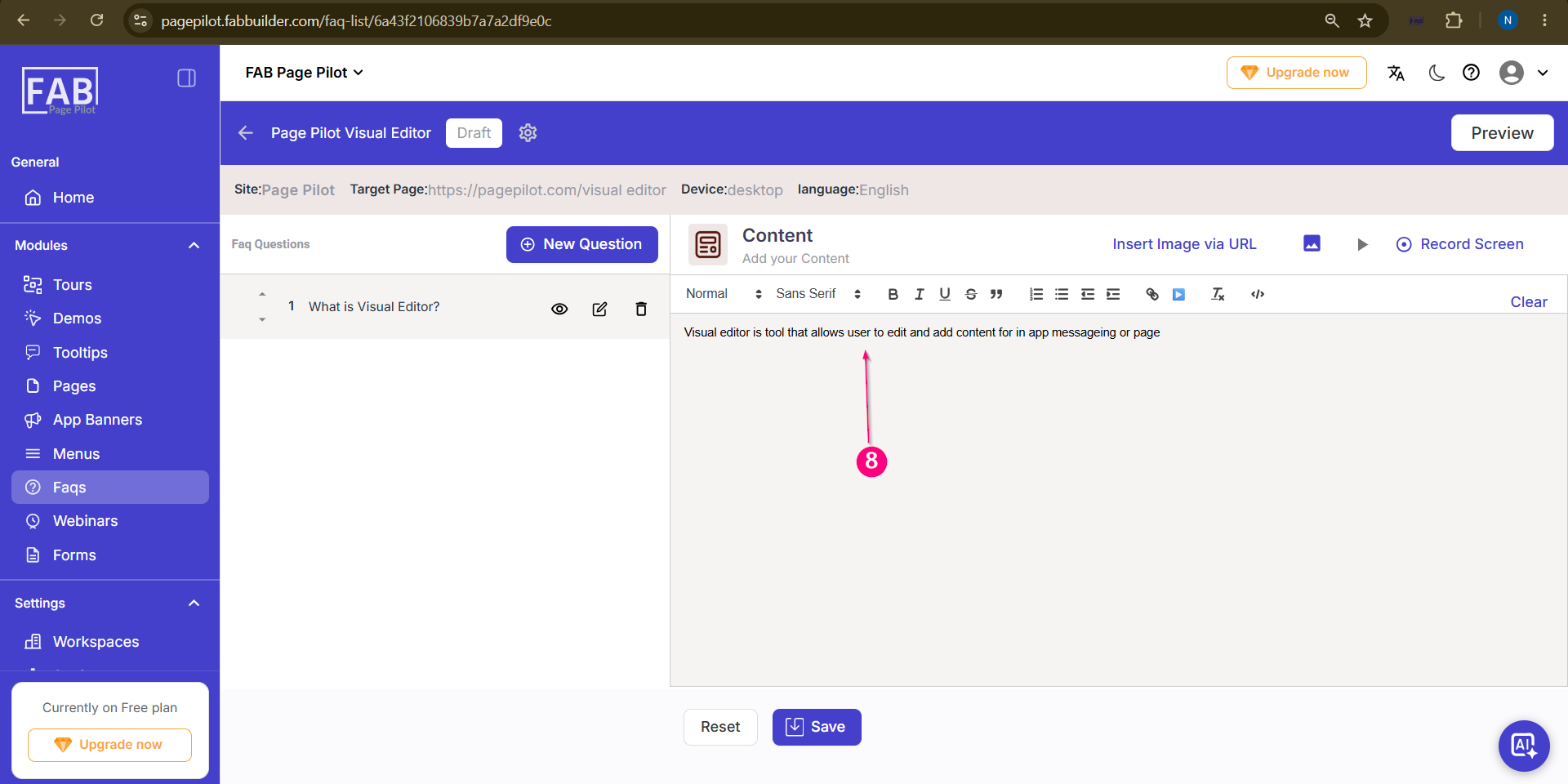 Step 9: Click Preview to review the FAQ before publishing. 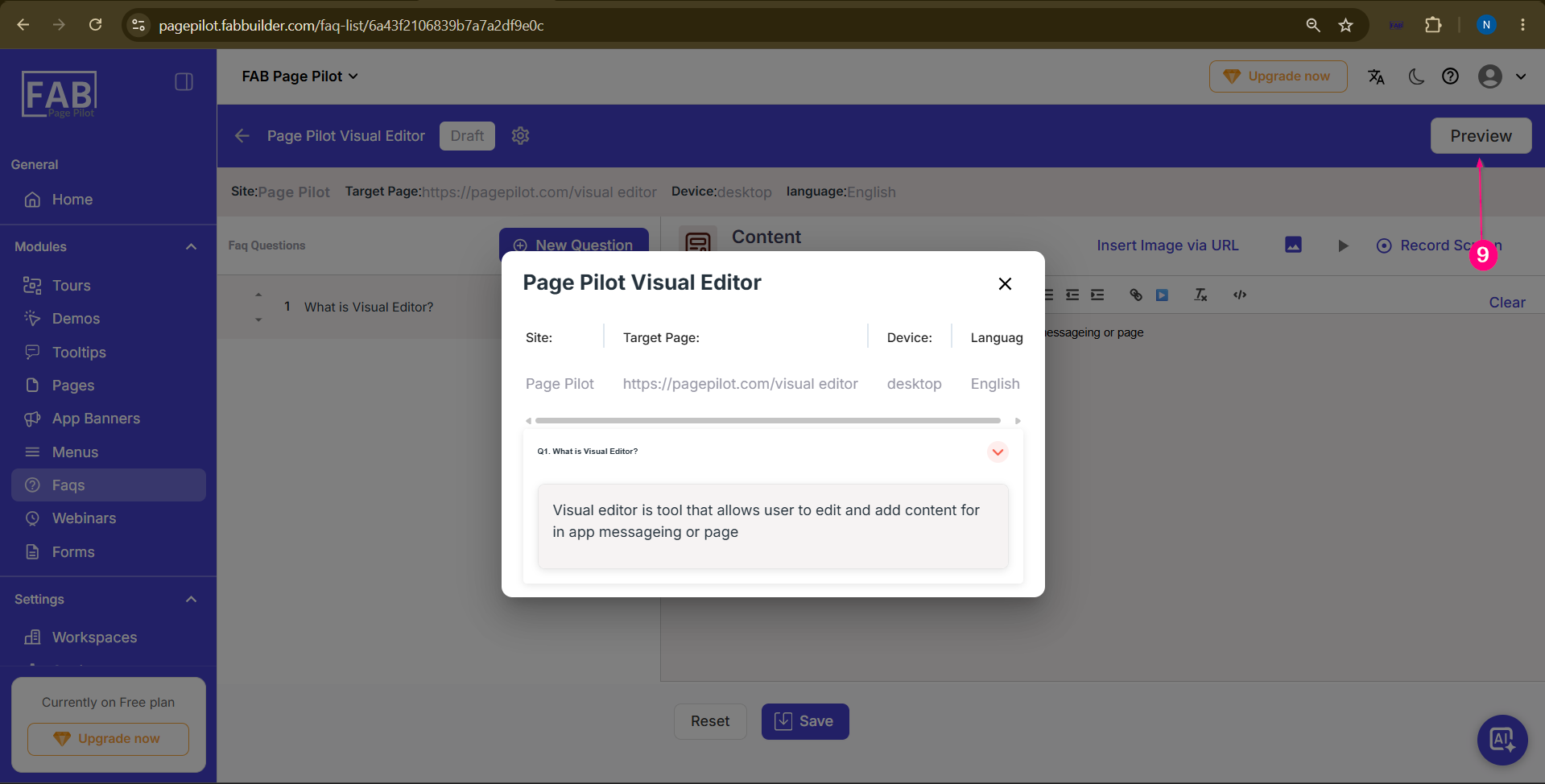 Step 10: Click Publish to make the FAQ Group available on the integrated website. 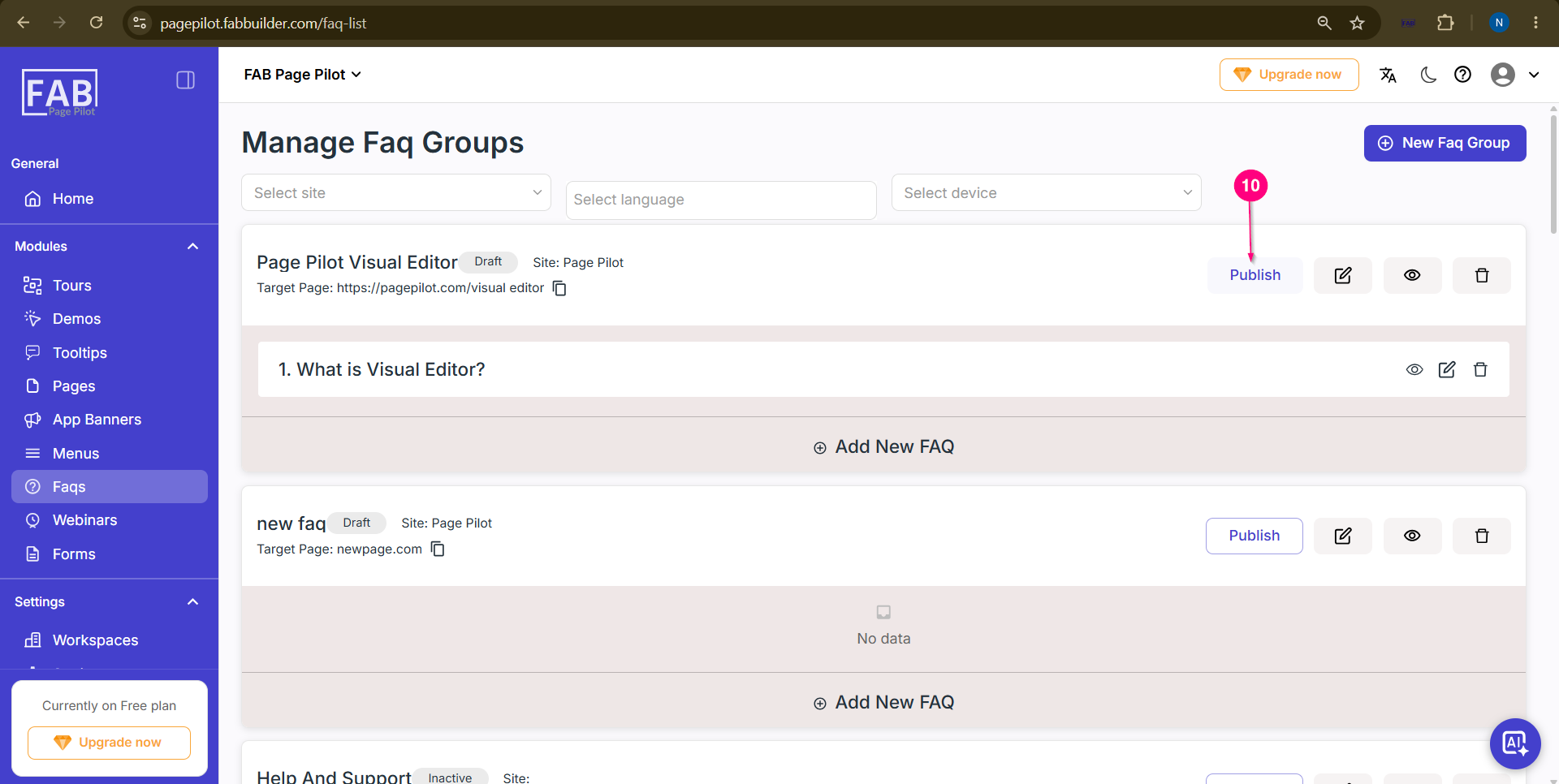 |