How to Manage FAQ Groups in Page Pilot | Step-by-Step Guide
This screen allows the user to view and manage FAQ . From this screen, the user can create a new FAQ , import FAQ, view existing FAQ, edit details, delete , and check audit logs.
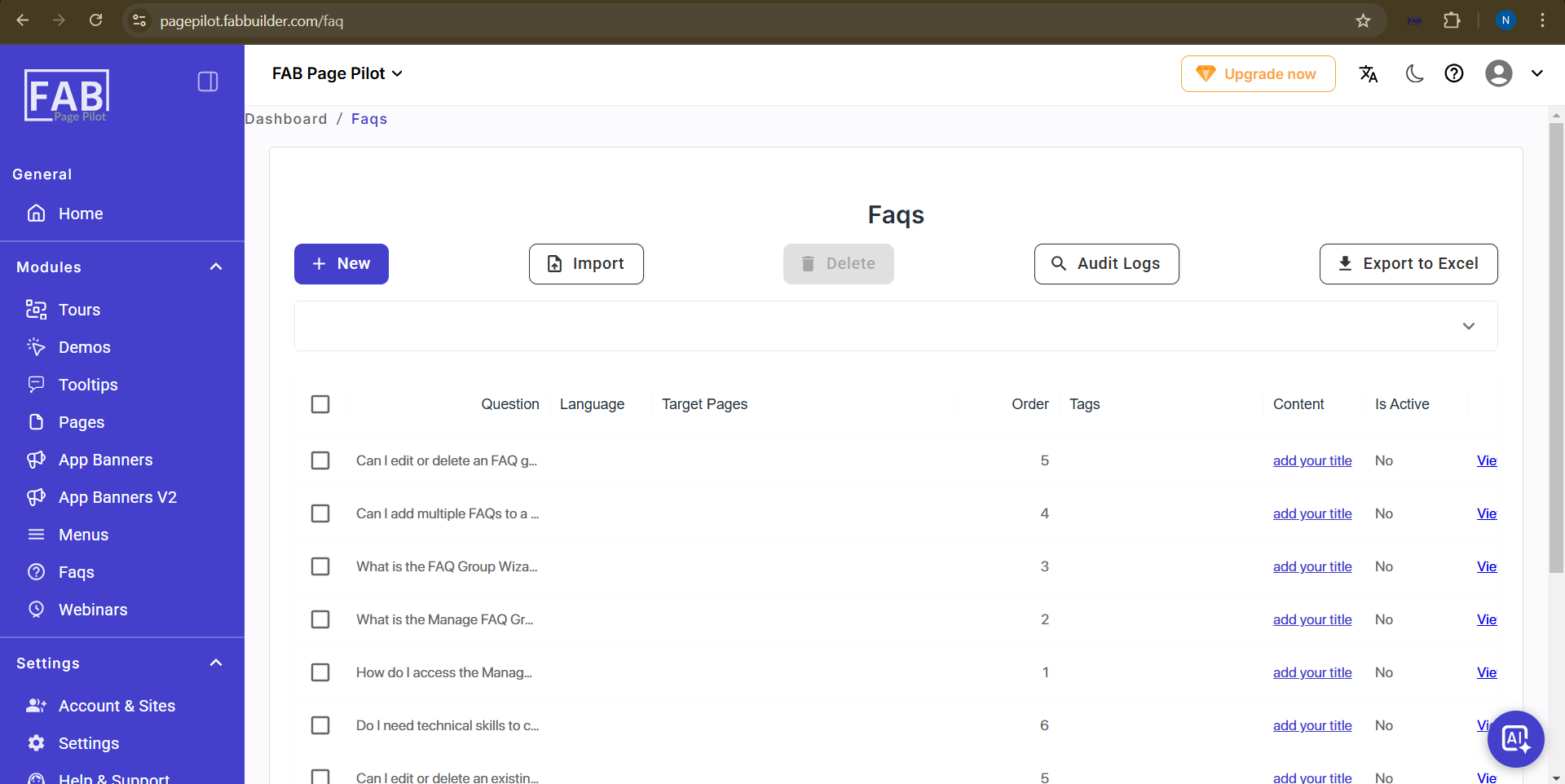
Screen - FAQ
When the user clicks on the FAQ Section on main navigation panel, they are redirected to a new screen named Manage FAQ Group.
Manage FAQ Group Screen
1. Screen Title – Manage FAQ Group (displayed as the main screen name).
2. Wizard Area – This area contains the FAQ Group Wizard, shown in the form of cards. The wizard guides the user step by step through the process of creating and adding FAQs. It simplifies setup by
providing clear instructions for each step such as
- Create a FAQ group- Start by creating a new group to organize related questions.
- Add FAQ to the group- Add individual questions (FAQ entries) inside the selected group.
- Add content to the group- Provide the answer or explanation for each added FAQ.
3. Install Page Pilot /Add FAQ Group Tab – This tab allows the user to install Page pilot for first time user. Once Page Pilot is installed, a new button of create a new FAQ Group appears to add groups.The group can later be published to the website or app after adding FAQs.
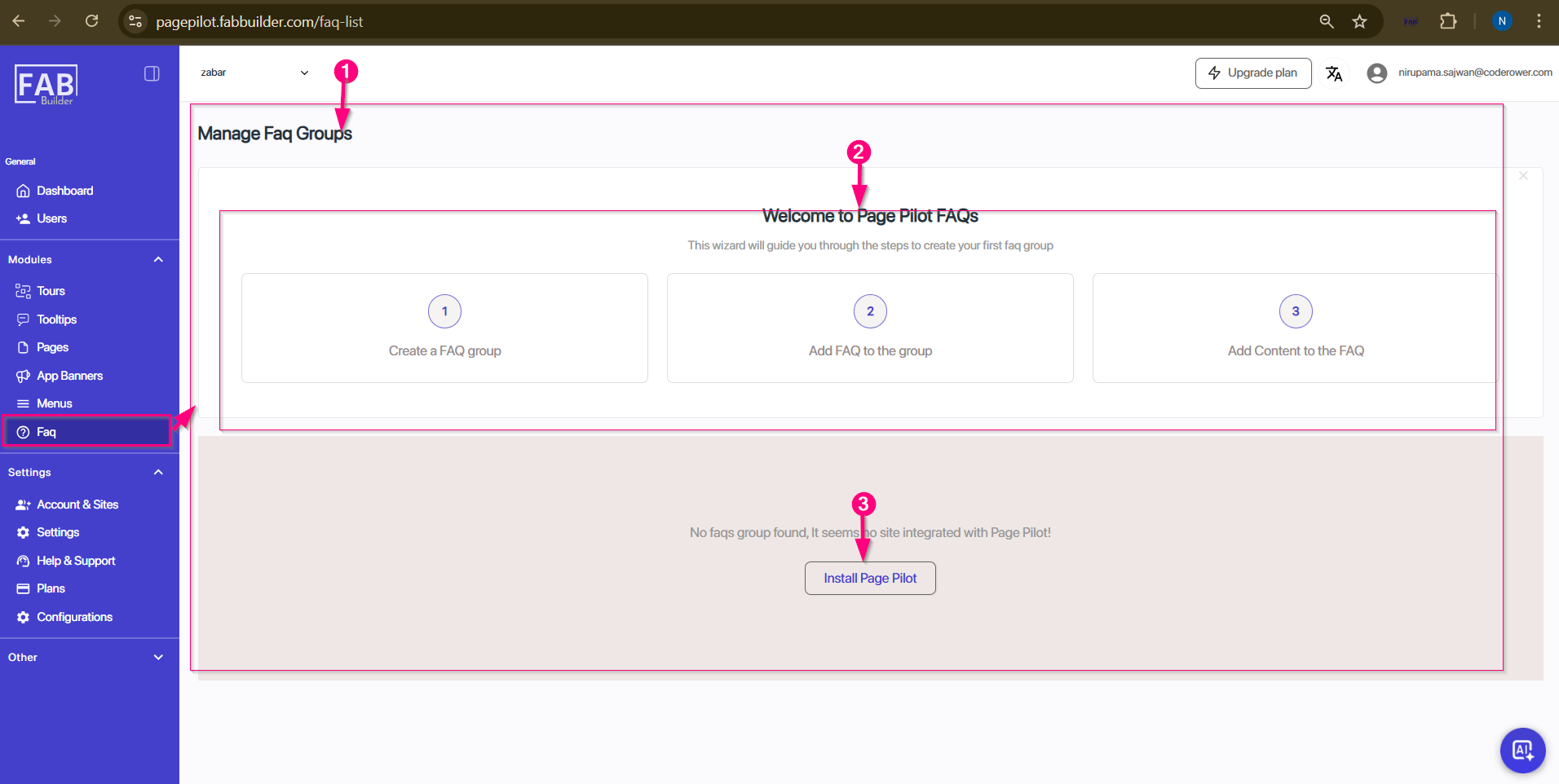
Screen- install Page Pilot/FAQ
After installtion Page Pilot user can create FAQS group by click ing on same button as shown in screen below.
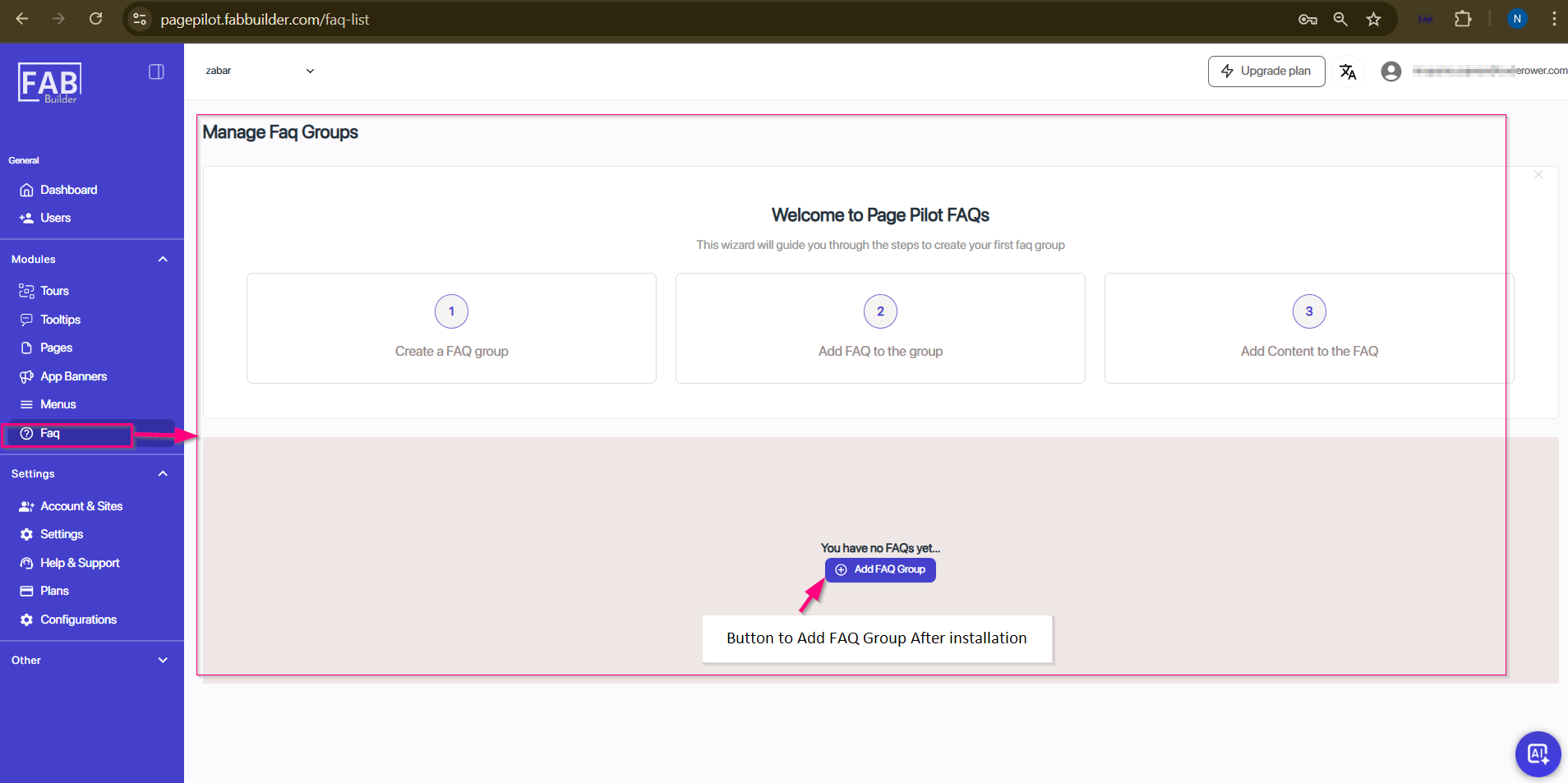
Screen- Access to Add FAQ Group