Groups
The Group section is used to configure a collection of related content or pages that you want to organize and associate with specific environments such as the Preview Host and Production Host. Users can access the Group screen by clicking on the Data dropdown menu under the Configuration section.
- The top area displays the list of already added groups, showing the Group Name, Preview Host, Production Host, and a Delete option.
- Users can add a new group by entering the Name, Preview Host, and Production Host.
- Click on save button. Once saved, the new group details will appear in the display area mentioned above.
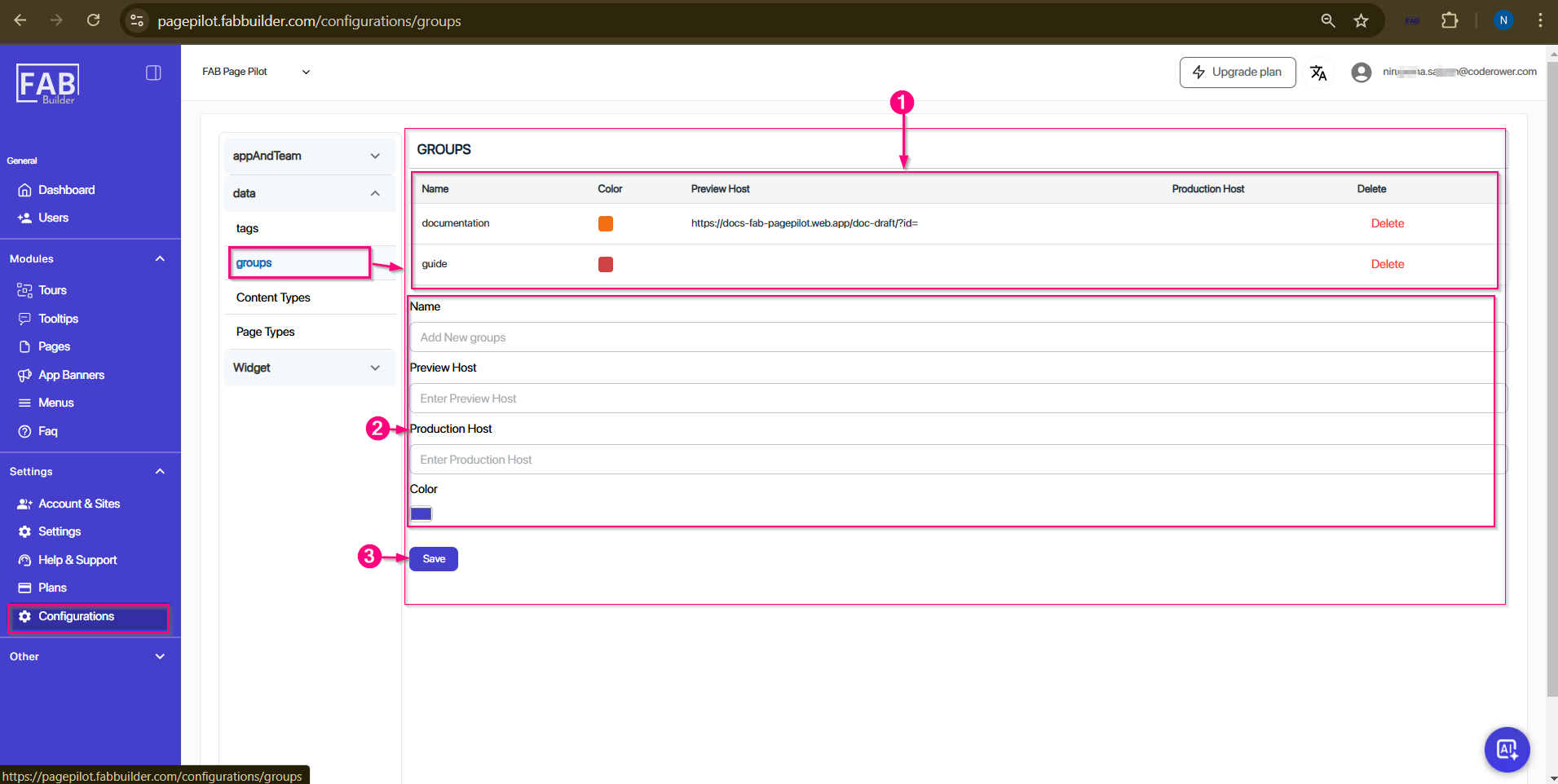
Screen-Configuration/Data/Group