How to Create a New Live Chat in Page Pilot – Step-by-Step Guide
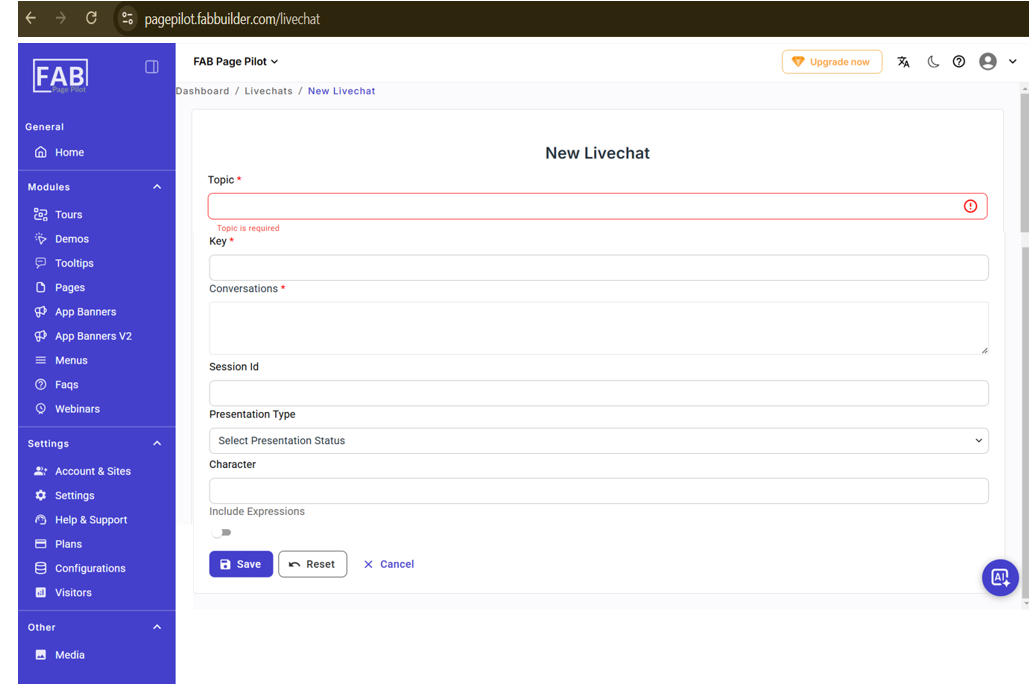
This screen allows the user to create a new live chat by entering the required details such as Topic, Key, and Conversations.
The Topic and Conversations fields are mandatory.
Users can also provide optional information like Session ID, Presentation Type, Character, and enable Include Expressions if needed.
User can navigate this screen by clicking on new live chat button on live chat page as shown in screen mentioned below.
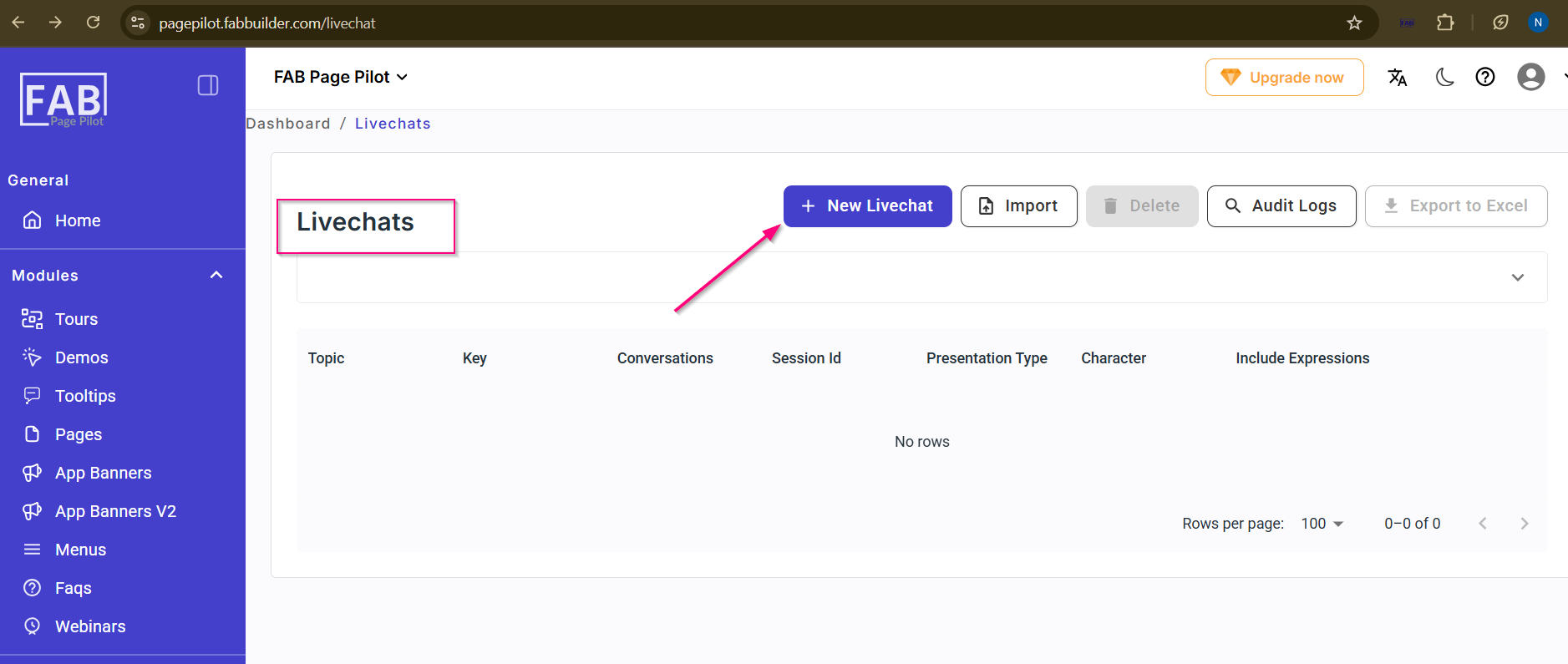
Screen-New Livechat Button