Page Pilot Media Library Tutorial – Add Images, Videos, and Documents
The Media option is available to upload and browse media library on the main navigation panel under other section. User must follow the step mentioned below to upload file
1. Click on media tab. This click opens the main screen page of media which contains open media library button.
2. Click on open Media Library.
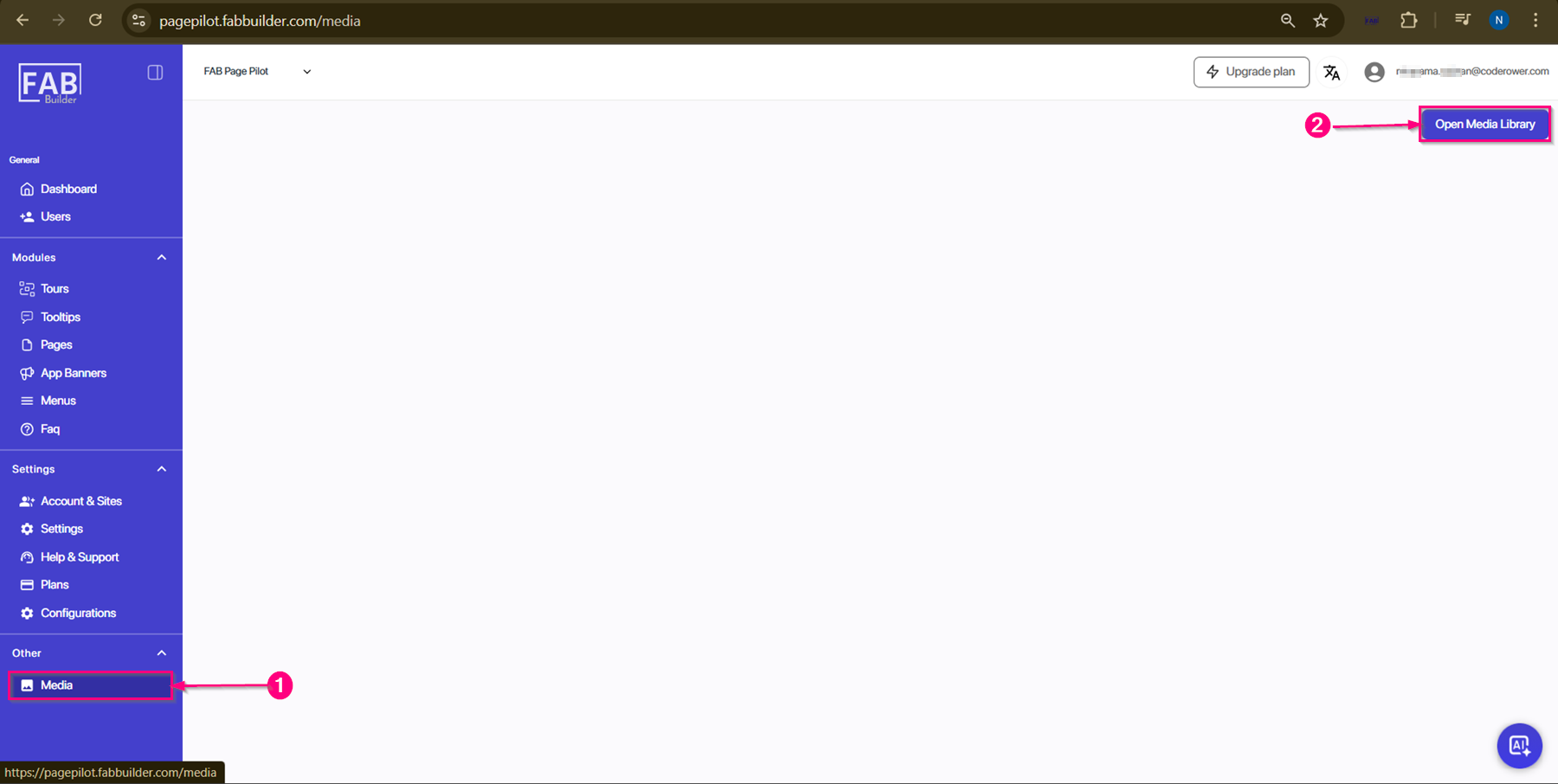
Screen- Media
The main screen contains an Open Media button.
When the user clicks this button, a new page opens with Browse and Upload options, allowing users to add media files.
- Upload Option – Allows users to upload new files to the Page Pilot tool.
- Browse Option – Users can drag and drop files to add them or search for previously uploaded files by name.
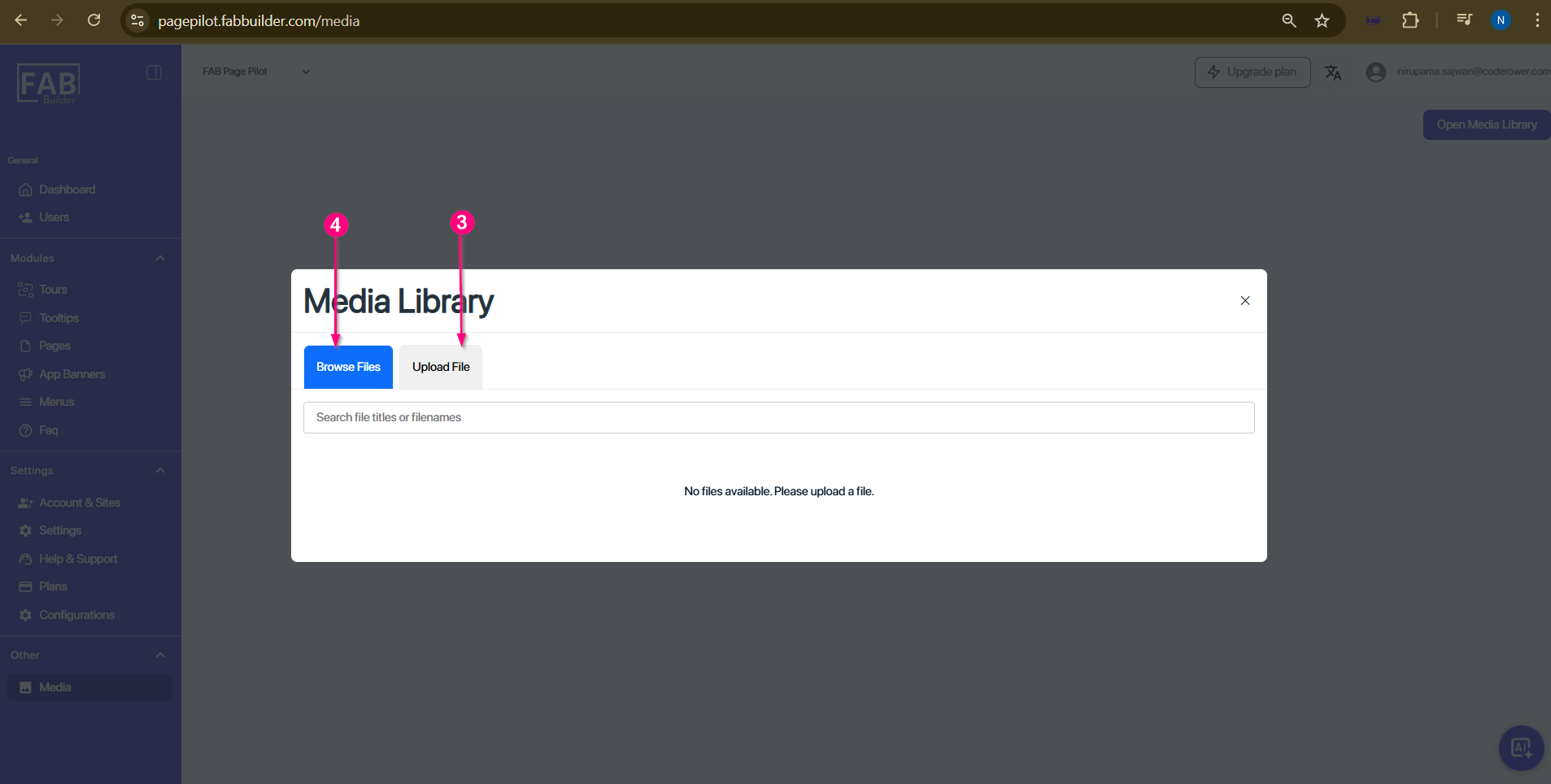
Screen- Media/Browse File Upload