Menu ConfigurationOverviewThe Menus module is used to create and configure website navigation menus. Users can map previously created webpages into menus so that the pages are displayed on the website navigation panel. PrerequisitesBefore configuring a menu, ensure the following prerequisites are completed:
Steps to Configure a Menu
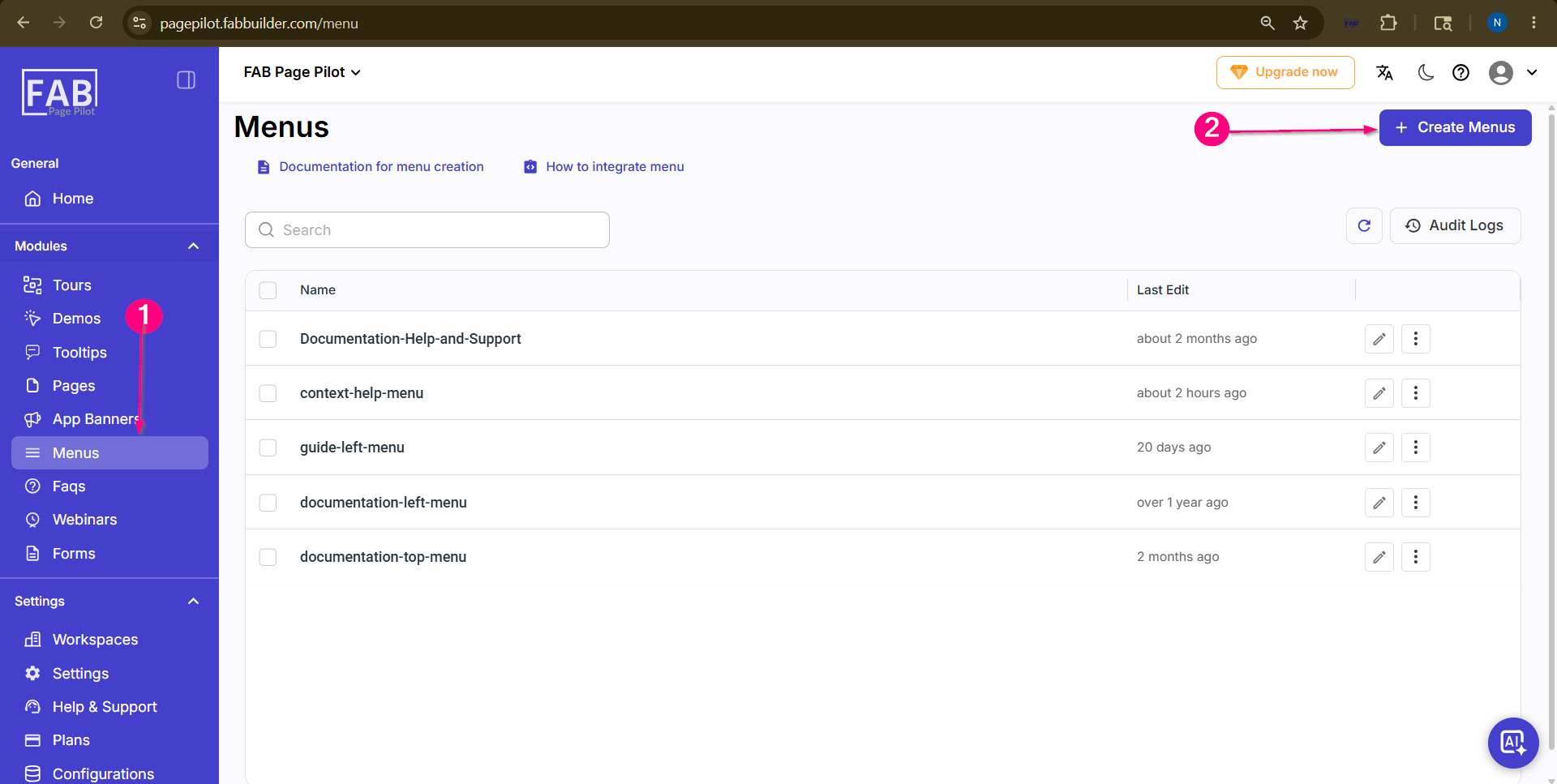 Screen- Create menu 3.Enter the menu name and add the required page details in the Configuration section. 4.Map the previously created webpage by adding the page title, slug, and description. 5.Click Add Menu to add the page into the menu configuration and Click Save Changes to save the menu configuration. 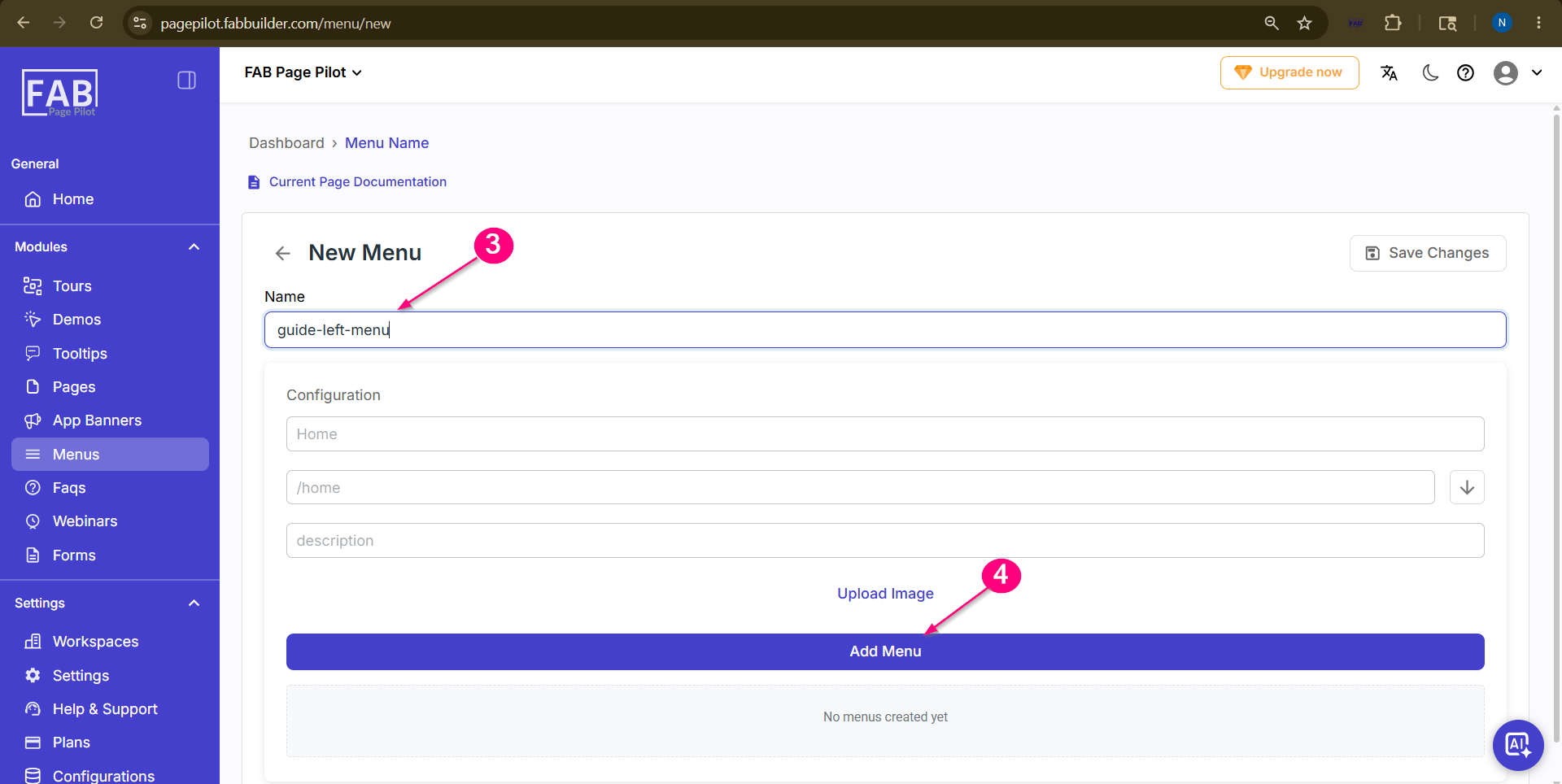 Screen- Add Menu 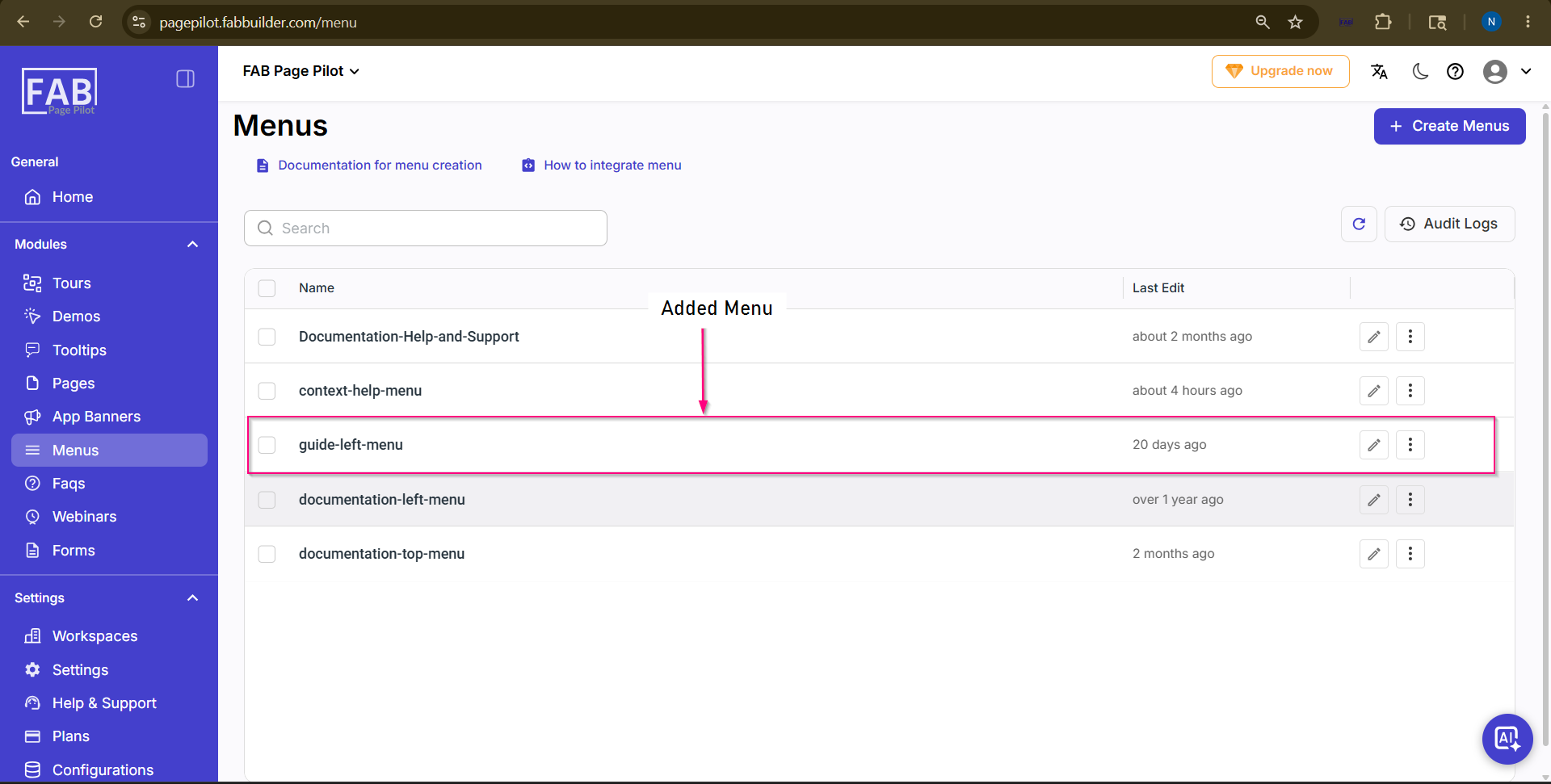 Screen- Added Menu Menu PlacementAfter the menu configuration is saved, the mapped pages are reflected on the website navigation panel based on the configured menu placement. |