Page Edit
This screen allows the user to edit page details by entering new page details.
On this screen, the user can:
- Enter the page name and slug.
- Add alternative slugs for the page.
- Define title, meta title, meta description, keywords, and image URL for SEO.
- Upload hero image and thumbnail image.
- Add attachments if required.
- Configure head and body bottom content.
- Select the editor for the page.
- Assign tags, groups, reviewer, assignee, and author.
- Add additional metadata.
- Save, reset, or cancel the page creation.
- This screen can be accessed by clicking the Edit option for the required page from the Pages listing screen.
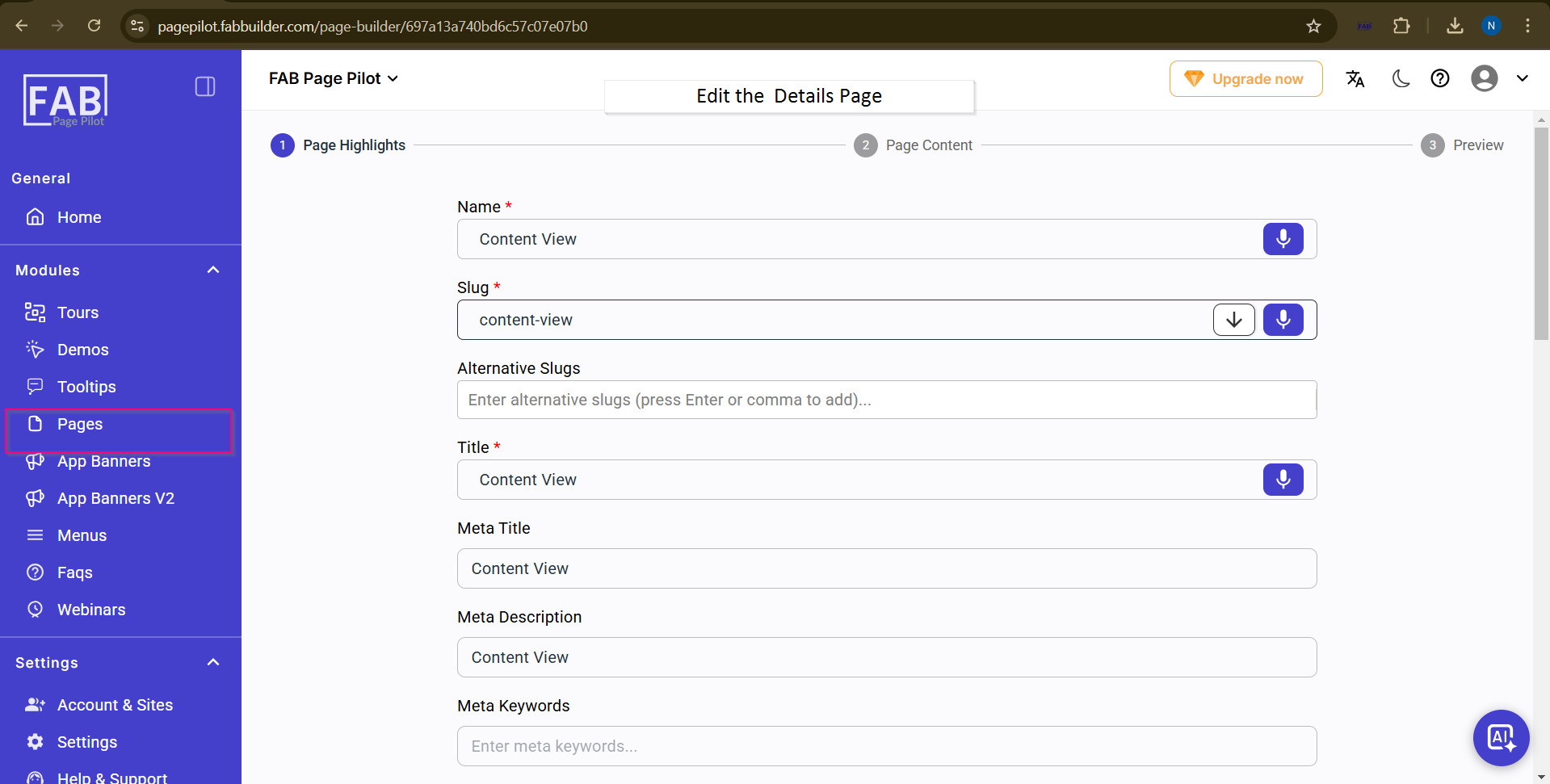
Screen- Edit Page details
User can edit Page details by clicking on edit tab on content screen
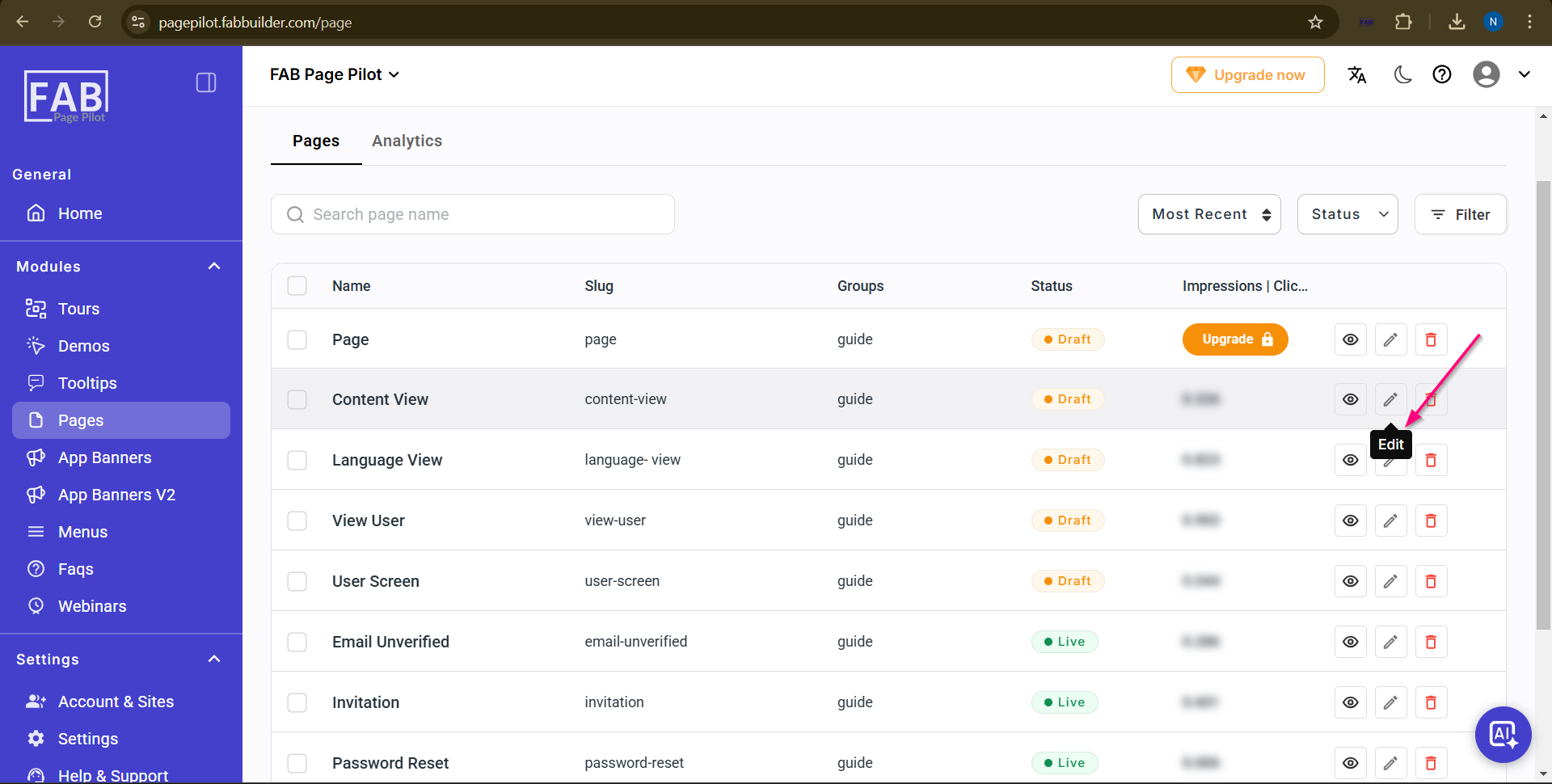
Svreen -Edit tab