How to Sign Up for Page Pilot: Step-by-Step Onboarding Guide
A new user must click the Sign-Up link on the sign-in screen to create new account (below).

Screen-Sign up link
Clicking the sign-up link will redirect the user to sign-up screen where user must provide their credentials e.g., valid email id and password. Now click on sign up button for next step .
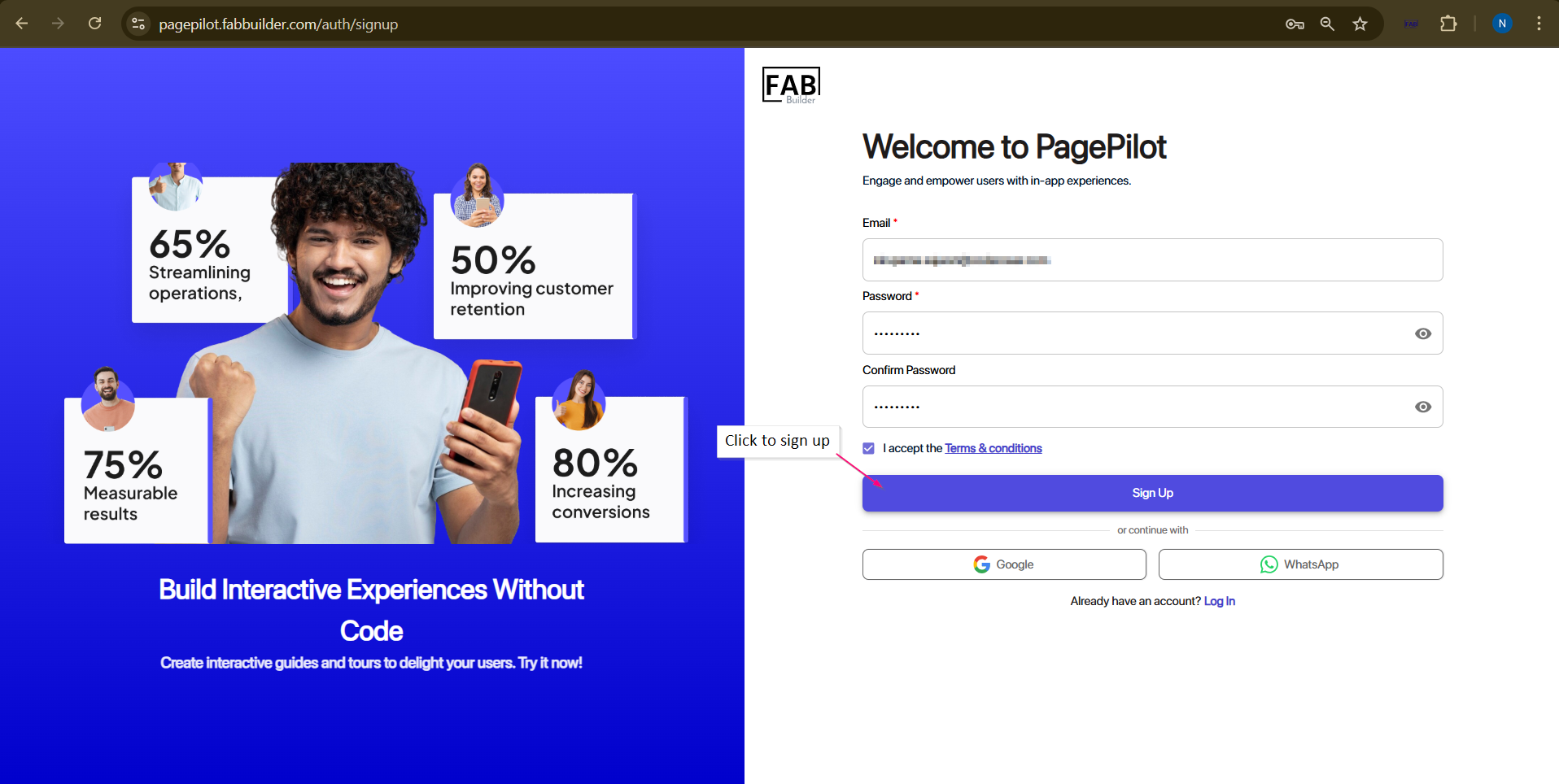
Screen-Sign Up/authentication(step 1)
After clicking on sign ing up user will be landed on authentication screen . A new user must fill the details of organization details,company size, role of user in an organization. user must click to next button to move for next step.
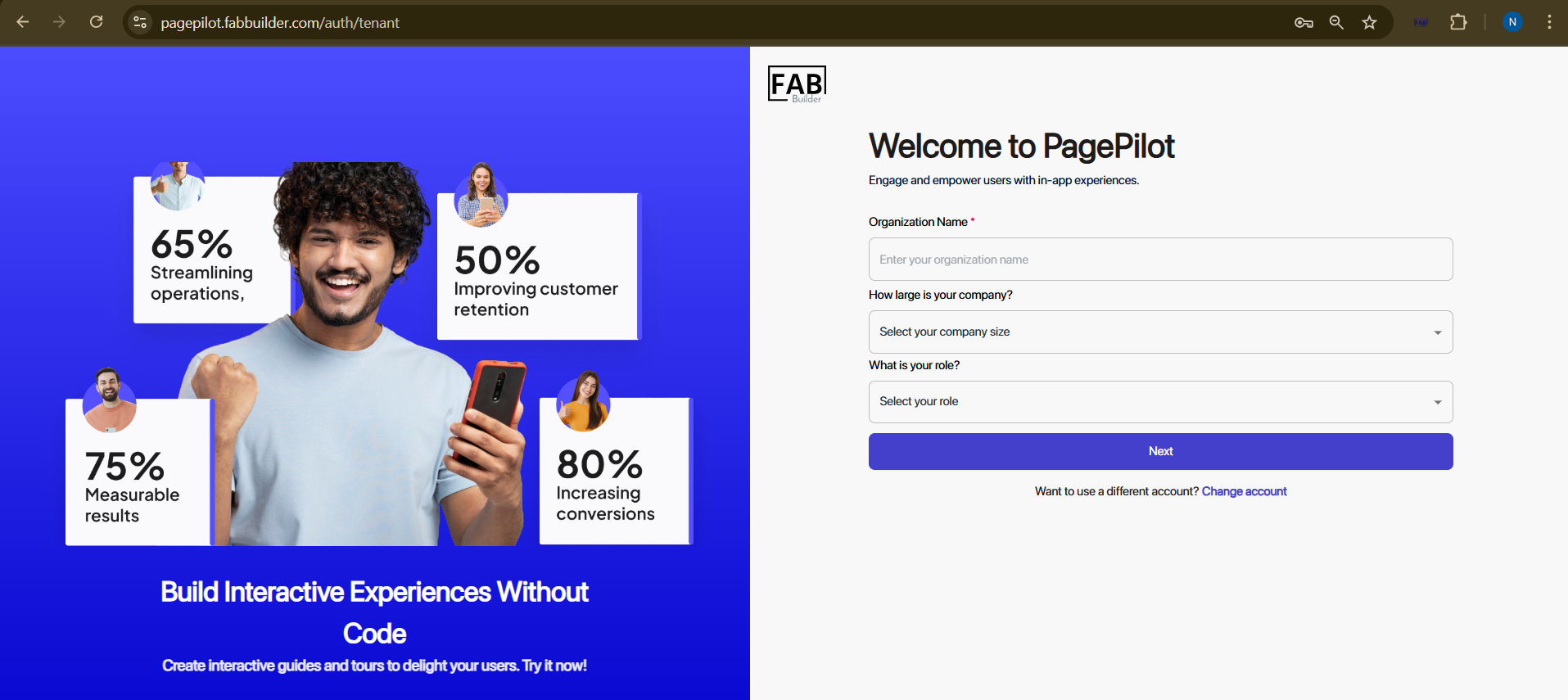
Screen- Authentication/Tenant
After click on next button in above screen, user will on new screen of pupose.
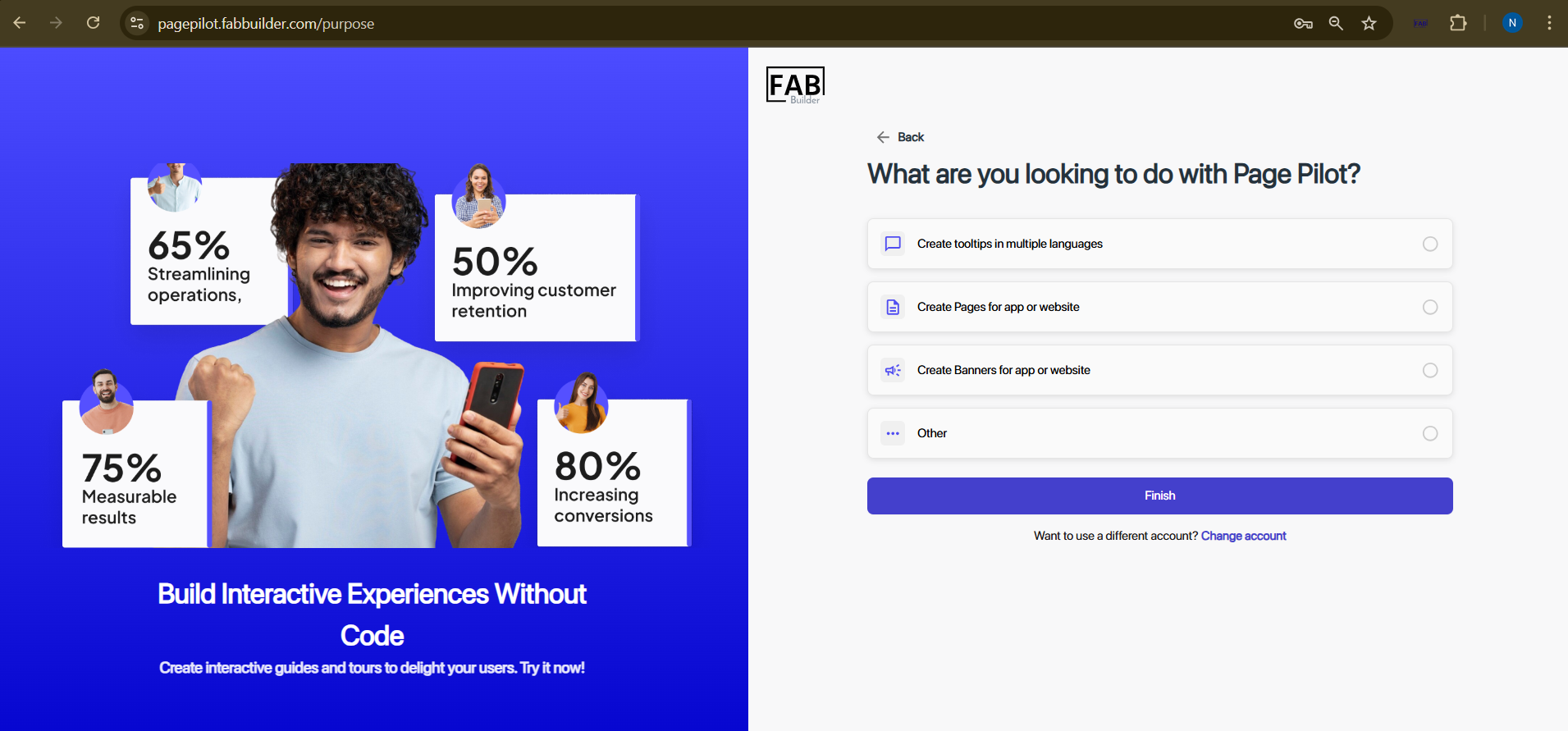
Screen-Purpose
The “Purpose” screen defines the goal of PagePilot. Users can select one or more options that describe the purpose and then click the Finish button to move to the next screen.