Tags
The Tags option allows administrators to create tags which is labelled with its name and color. These tags are designed to help categorize and manage content within Page Pilot.
1.Enter a Name and Select a Colour – Provide a meaningful name for the new tag and assign a colour for easy identification and categorization.

Screen- New Account access Button
2.Click on save button.
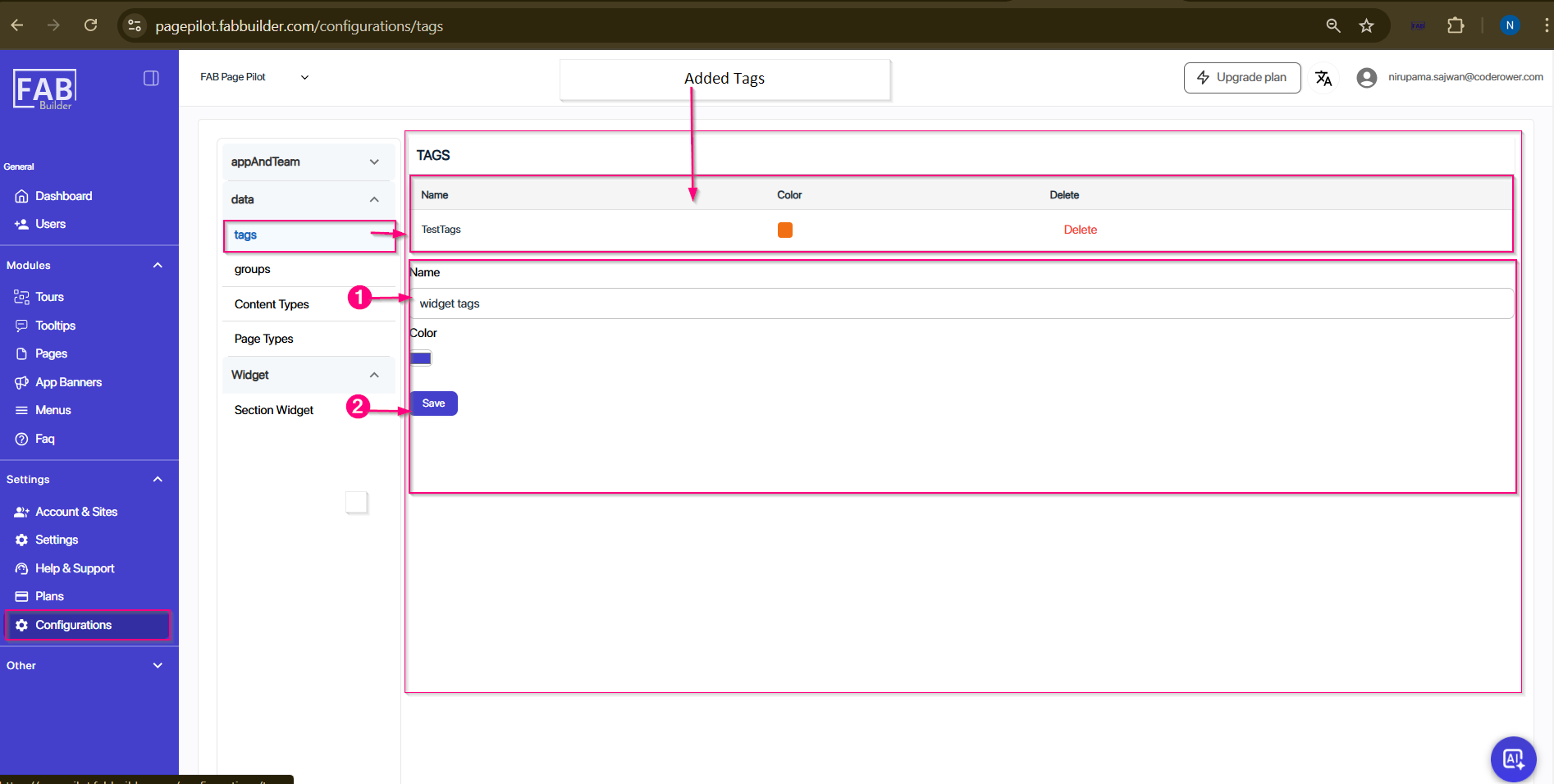
screen-Tag/Add New Tag
3.User can view newly created tag on the top area of screen tags.( e.g., widget tags newly added tag)
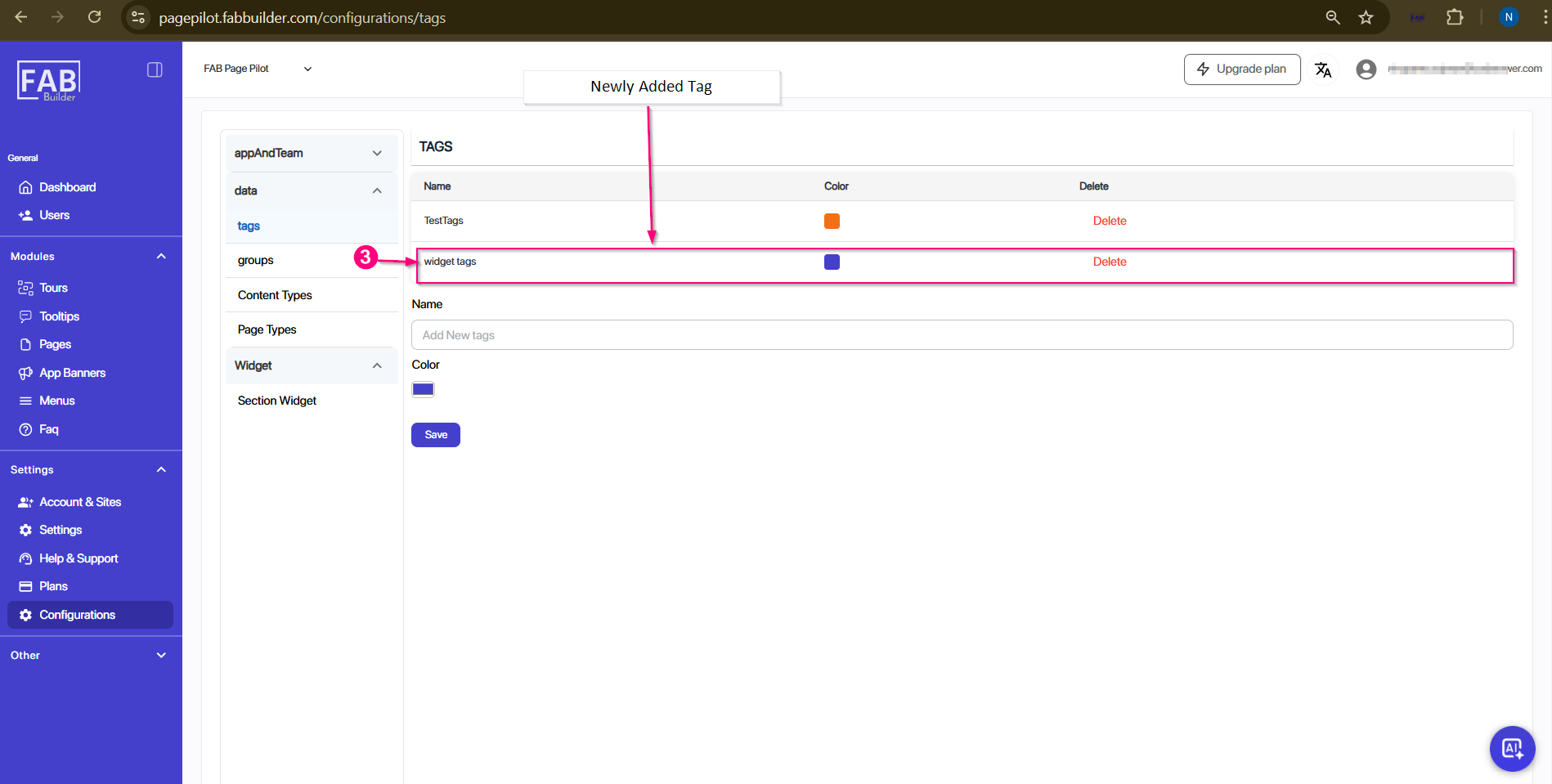
Screen -Added Tag