Tooltips
A Tooltip is a small informational message that appears when a user hovers over, clicks on, or focuses on a specific element within the application.
Tooltips help users understand features, fields, buttons, or actions without leaving the current page..
The Tooltip screen shows all created tooltip list in Page Pilot along with important details such as:
- Displaying the status of tooltip (Live or Draft)
- Creating a new tooltip
- Preview the created tooltip
- Provide an access to edit the details of created tooltip
- View and dublicated the complete details of tooltip (by cliking on eye icon)
- Analyzing visitor interaction with each tooltip ( on clicking graph icon)
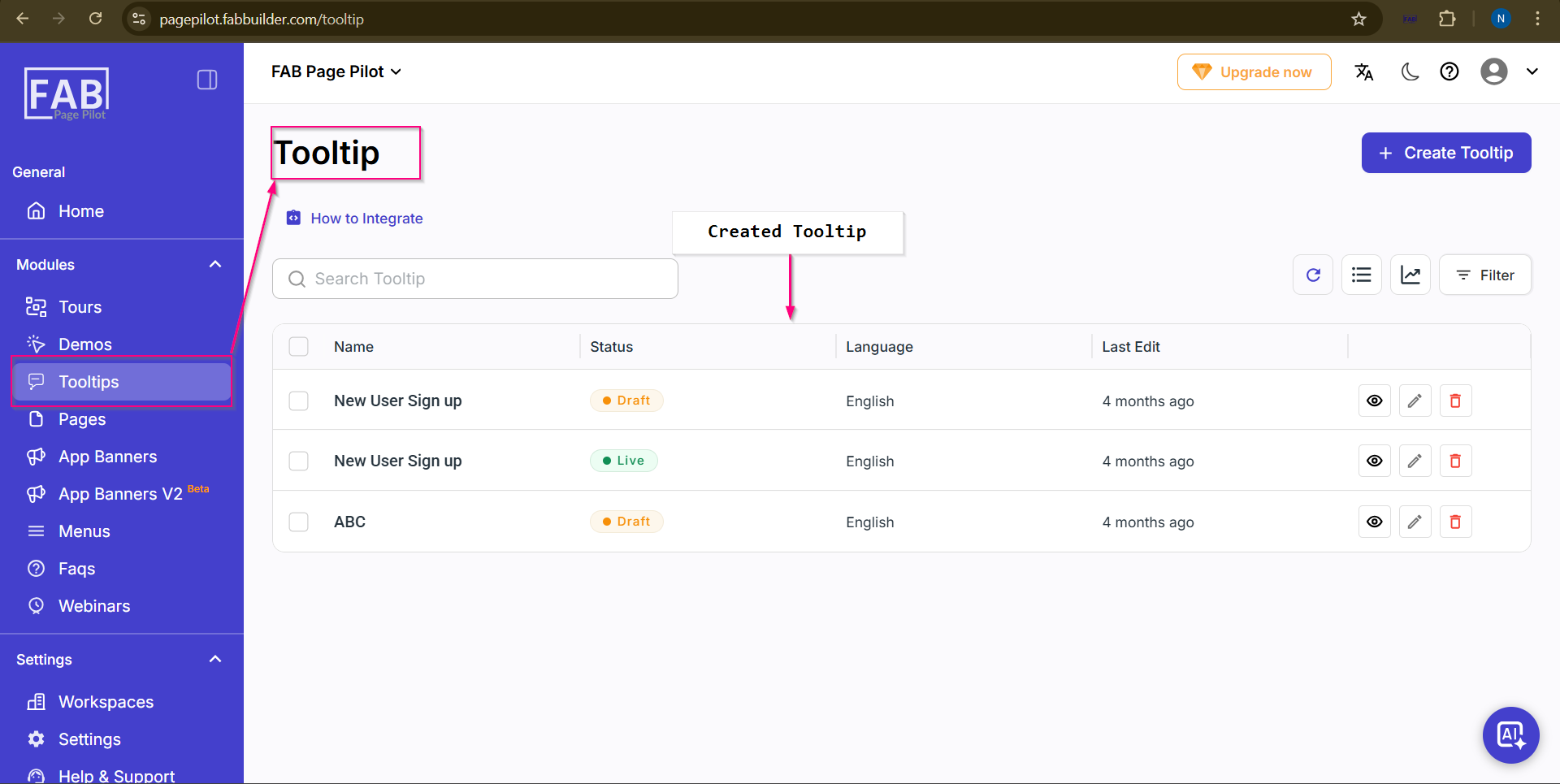
Screen- Tooltip
How to Navigate to the Tooltip Module
After succesful Log in to the FAB Page Pilot platform,follow the step to navigate this tooltip module.
- Go to the Modules section on the left navigation panel,
- Click on Tooltips.
User will be redirected to the tooltip landing page/Dashboard where users can view, create, edit, or manage tooltip.
