Tour View
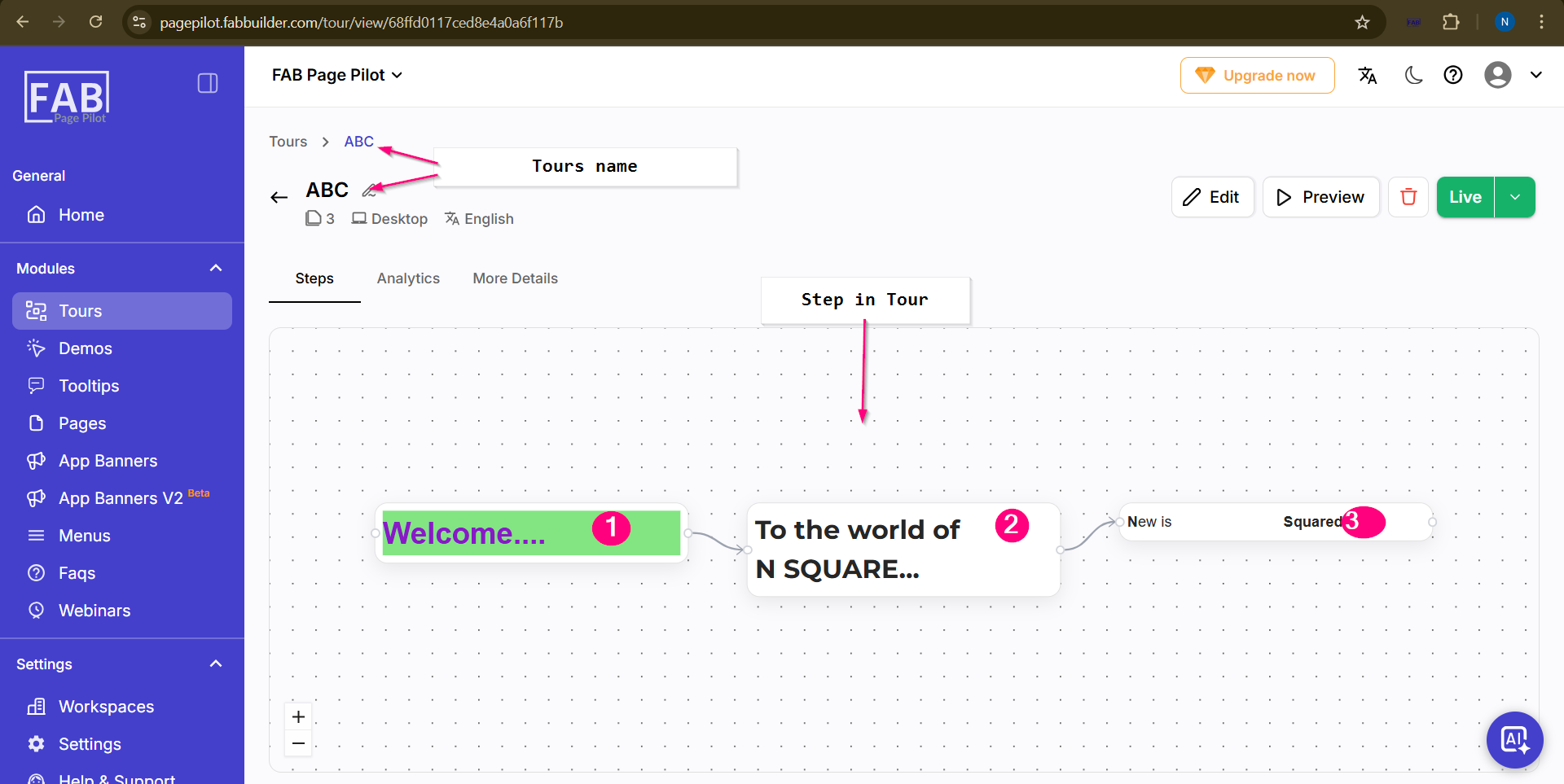
Users can view all details of the created tour (as shown in ABC), including the steps added to the tour.
By selecting the Step toggle, the steps are displayed in a graphical representation for better understanding.
The user can switch between the following toggles:
- Steps – To view all added steps in graphical format
- Analytics – To analyze visitor interaction with the tour
- More Details – To view additional tour information
From this screen, users can also:
- Edit the existing tour
- Preview the tour
- Delete the created tour
This allows complete management of the tour directly from the same screen.