A Tour is a set of pages displayed within the website to guide users or provide useful information. The Tours module allows users to create and manage product tours that guide users through different features of an application.
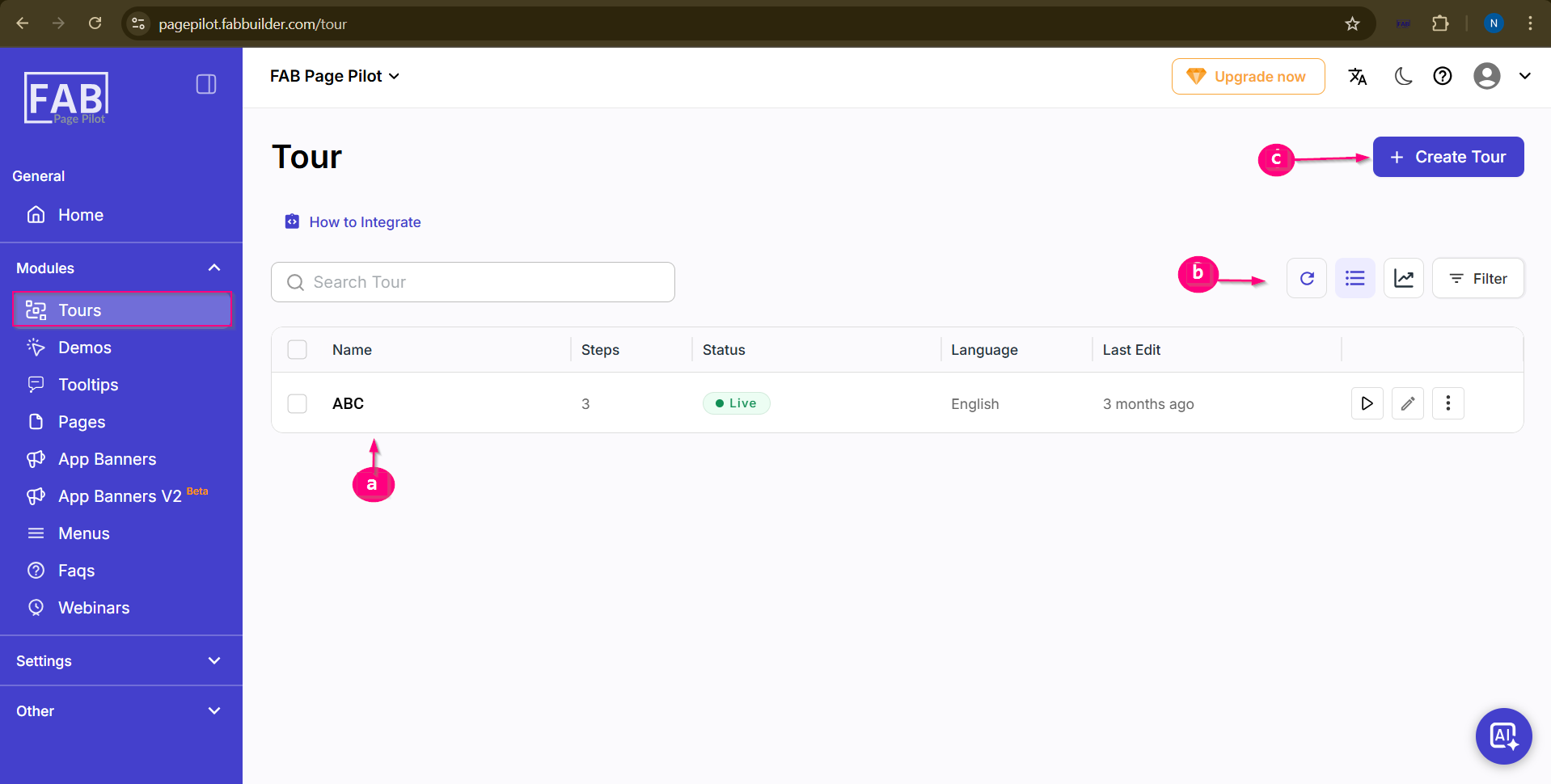
Screen- Tour a. Tour List Displays the list of all created tours. It includes details such as Name, Steps, Status, Language, and Last Edit. Users can also perform actions like preview, edit, or manage the tour from this list. b. View and Filter Options This section provides options to refresh,view tour list, analytics and apply filters to quickly find specific tours. c. Create Tour The Create Tour button allows users to create a new tour by adding steps and configuring the tour details. Navigate to the Tour Module
This will display the list of all created tours where users can view, create, edit, or manage tours. |