How to Add a Saved Template from the Visual Editor
This section describes the process of adding a saved template from the Visual Editor screen.
Prerequisites
Steps to Add a Saved Template
User must follow the steps by selecting tour or tootltip and tou/tooltip details ansd select metho .Go to the Visual Editor screen. My new text block 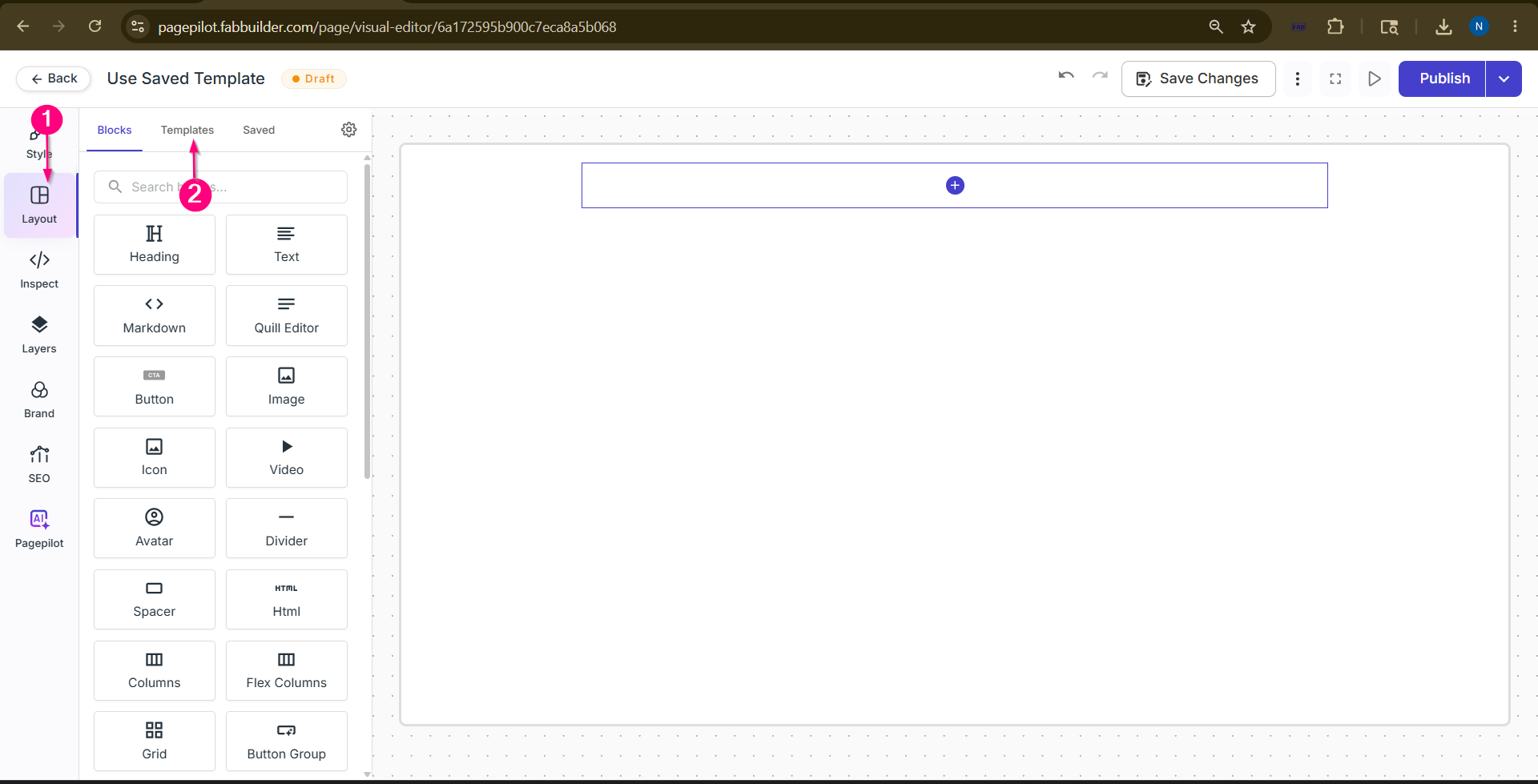 Screen- Select Template Tab
Step 3: Choose the Desired TemplateSelect the required template from the displayed predefined template list. 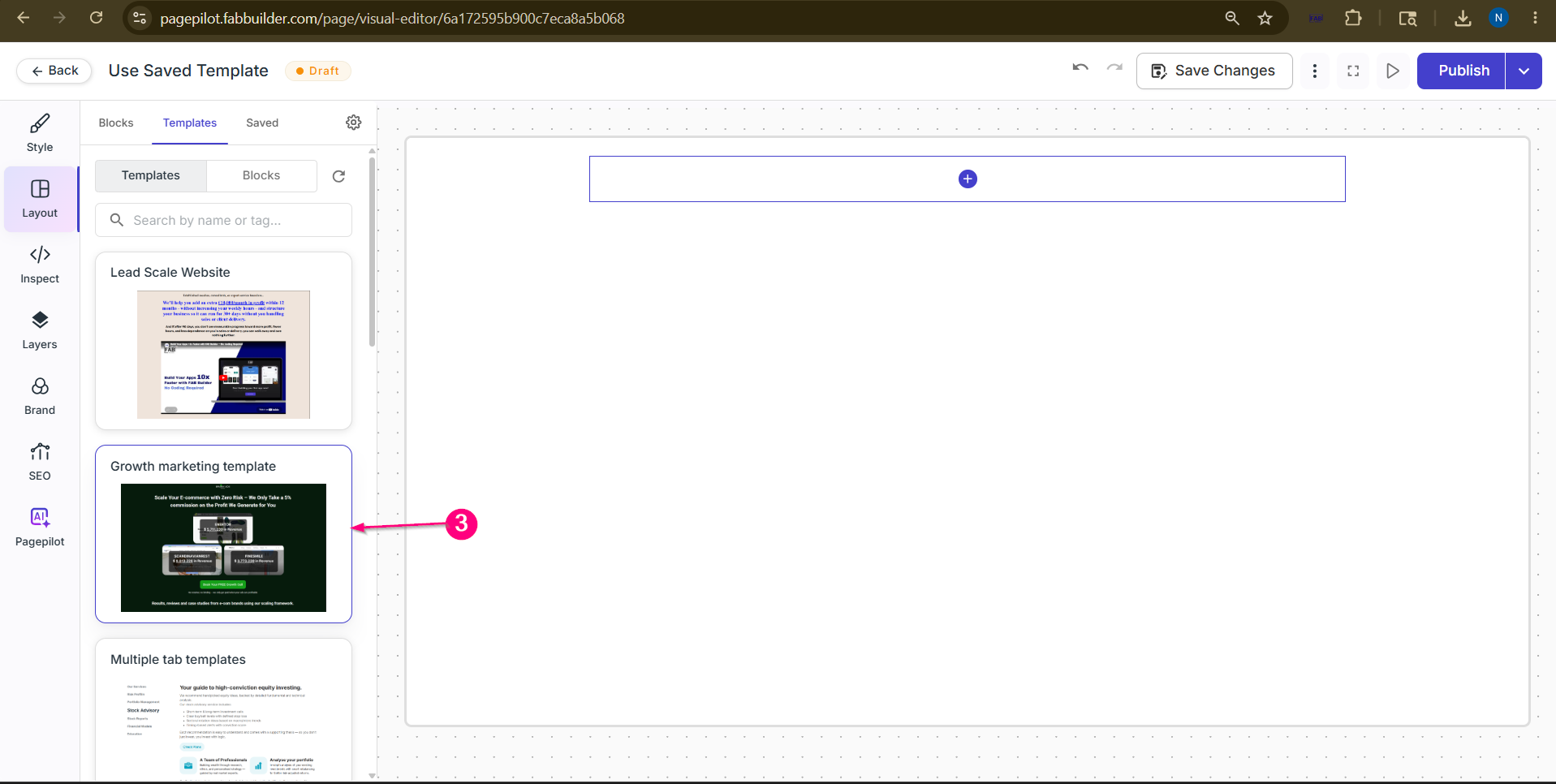
Step 4:Confirm the Template and View on canvasEnter the required details such as the name of the tour or tooltip.
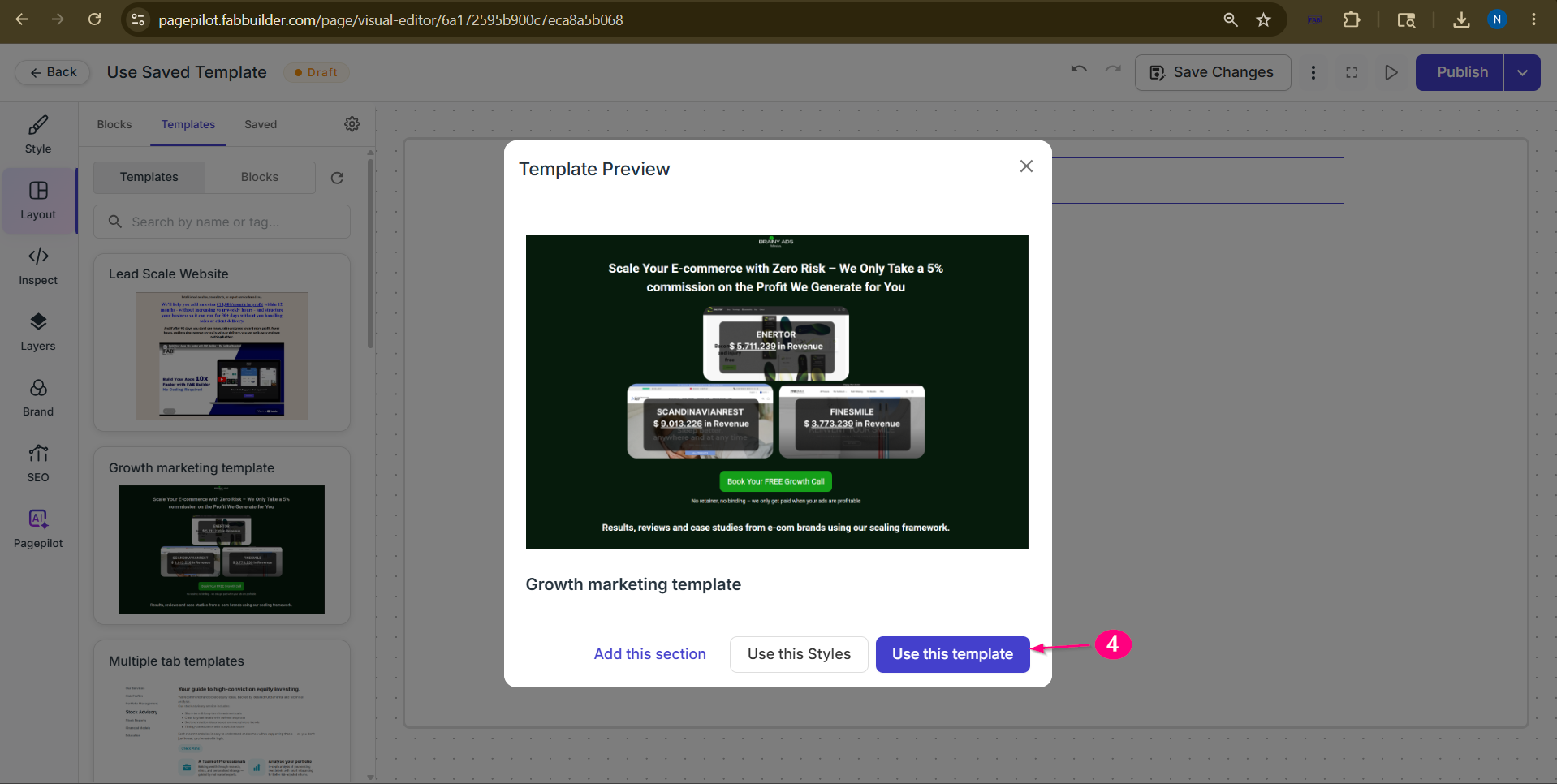 Screen- Select Template 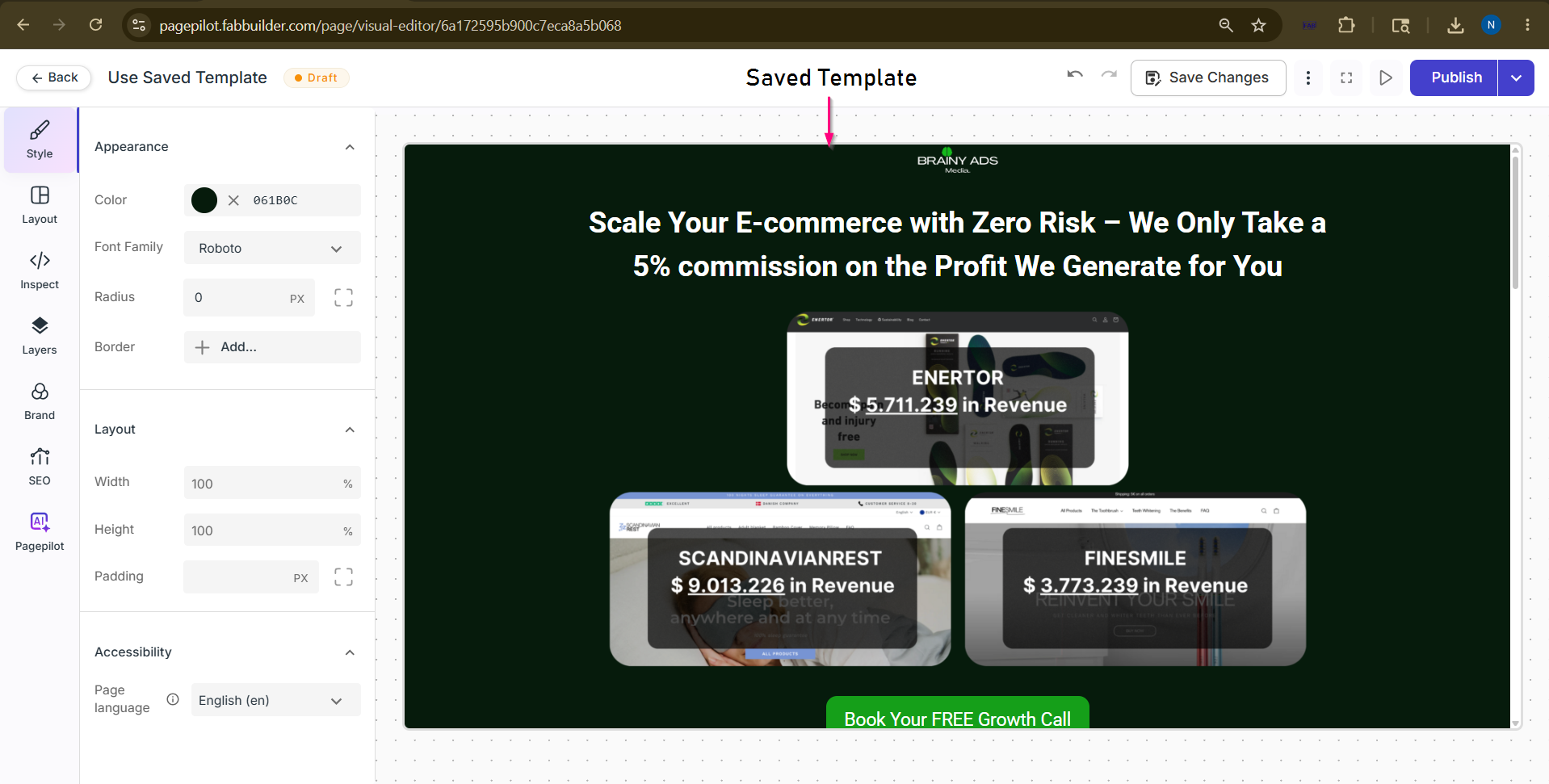 Screen- Template Added on canvas Now user can edit the content on this template. Refer How to Add/edit content |