Page Pilot Users Guide: Add, Edit & Manage Accounts
To add the user account within the organization, navigate user section from main navigation panel. This section allows user to view edit and create new user accounts under same workspace/organization. User screen can be defined as mentioned below.
1. Users Tab (Left Panel) – Located in the navigation menu, click on Users to view and manage all users.
2. Users List Section – Shows details of all users such as:
- Name – User’s display name.
- Email – Registered email ID.
- Status – Indicates whether the user is Active or Inactive.
- Roles – Defines user privileges (e.g., Admin, Member).
- Site Access Permission – Displays access rights for sites.
- Actions – Provides quick options (Edit, View, Delete).
3. New User Button – Located on the top-right corner, allows adding a new user.
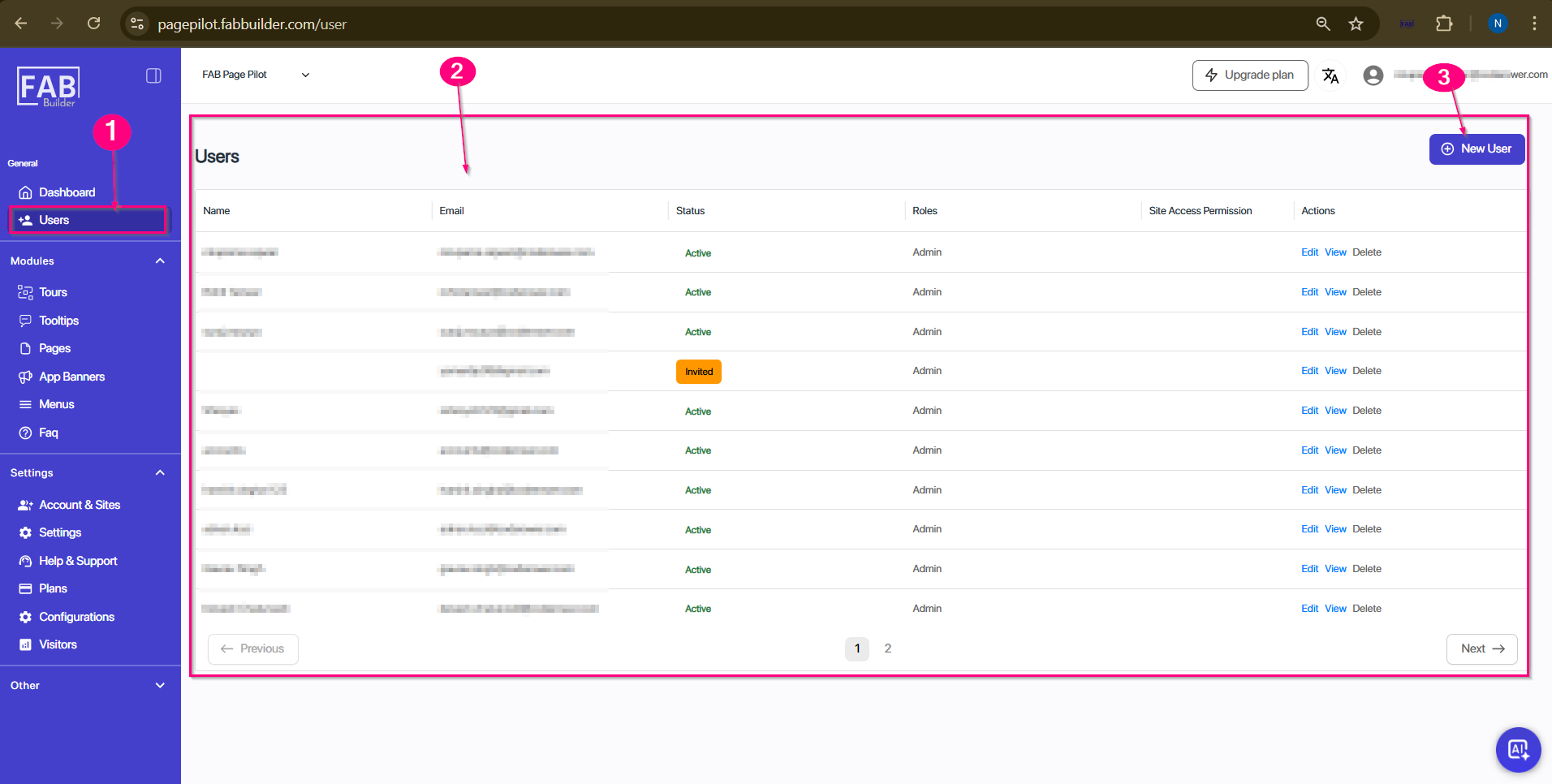
Screen- users