Widget Configuration
In the Widget Configuration section, user provides the name and identifier of the widget. Along with these details, the user can also upload or select a content image that will be displayed of widget detail section. User can add the details by following steps mentioned below widget setup.
1. This area also provides the details newly added or any existing widget details column such as with other details identifier, content image and delete the widget option.
2. This area allow user to fill the required details: Name, Identifier, and Content Image which can be later displayed in the area mentioned above.
3. User can save all details by clicking on save button.
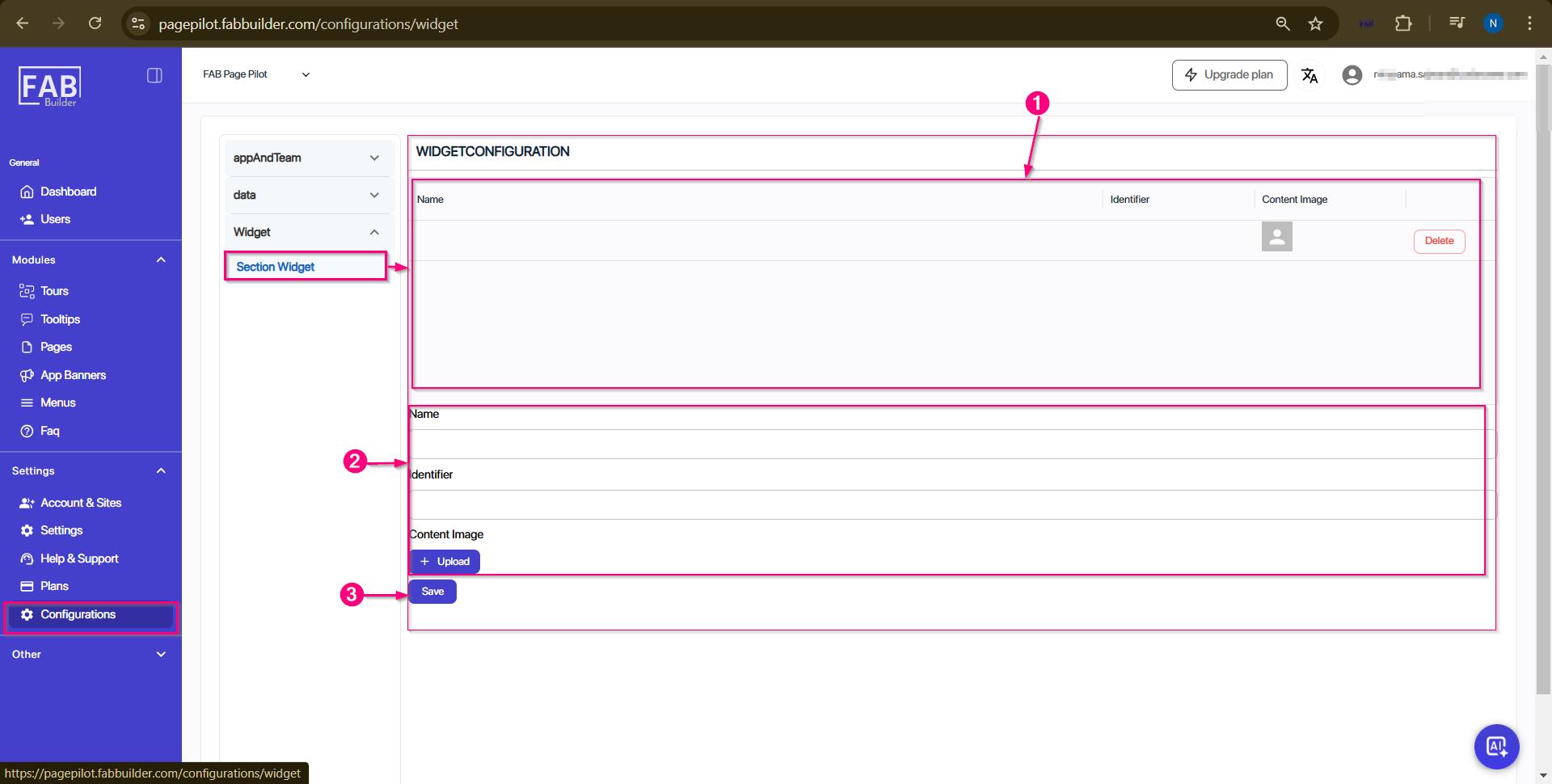
Screen- Configuration/Widget/Section Widget